Run Sequential Loads for Process Quality Data Sets for Specific Organizations
You can run sequential loads for Process Quality data sets for specific organizations when loading process manufacturing's Quality Command Center dashboard data. This enables you to select and load data for a specific organization while the child request loads transactions for the related data sets.
To load sequential data for an organization for the Quality Command Center:
- In the Submit Request window, use the Name field to select Process Quality Command Center Data Load.
- In the Parameters window select the Load Type as Full Load.
- When running the full data load, you can select a specific organization and load Process Manufacturing Quality data for the selected organization. Select a specific organization and then select OK.
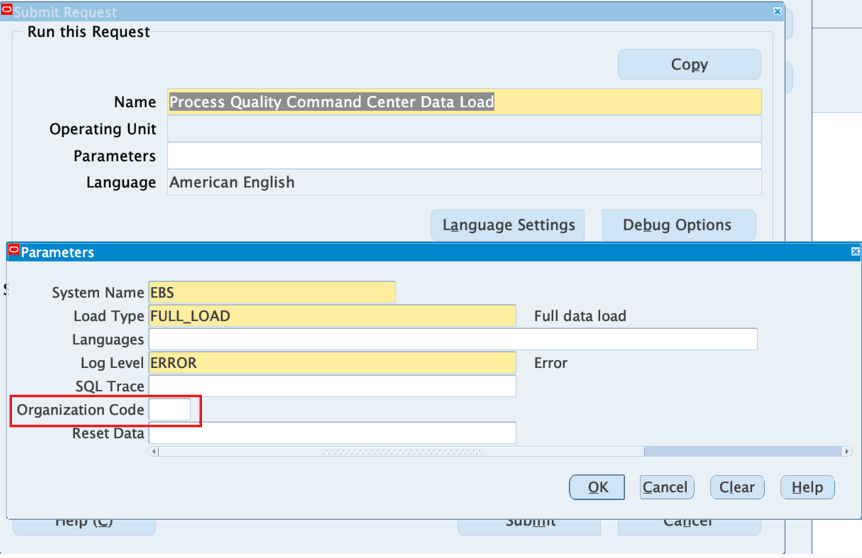
- Select Submit to run the full data load for a specific organization. A request is submitted automatically to load the transactions of various datasets.
Prior to this release, the Quality Command Center supported full and incremental data loads for all organizations. The sequential data load option provides flexibility to load additional organization data as needed, reducing initial data load scope and time.
Steps to enable and configure
Ensure Oracle Enterprise Command Center Framework Release 12.2 V14 or later is available for this functionality and complete the setups to enable the Quality Command Center.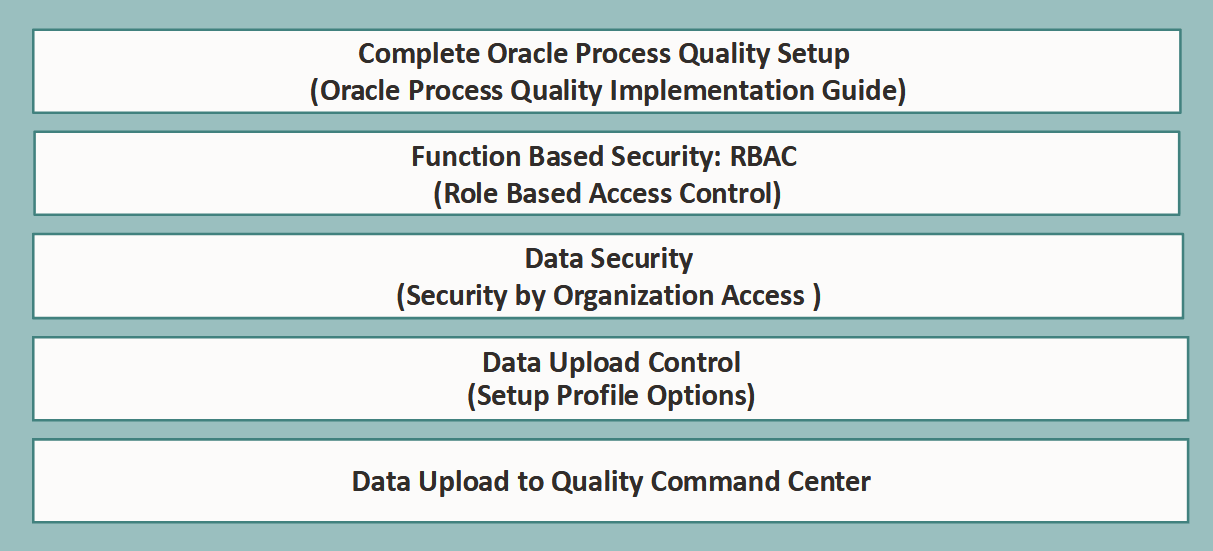
Tips and considerations
- Use sequential organization-specific loads when initial full data load scope or timing needs to be reduced.
- Schedule full loads outside normal business hours and incremental loads daily.
- After changing relevant profile values, rerun the Process Quality Command Center Data Load.
Key resources
- Oracle Process Manufacturing Quality Management User's Guide:
- Chapter: Oracle Quality Command Center
- Chapter: Oracle Quality Command Center Setup
- Topic: Setting Up Quality Command Center
- R12.2.14+ TOI: Implement and Use Process Manufacturing - Oracle Quality Command Center - Instrument Calibration Dashboard