Instrument Calibration Dashboard
You can use the Instrument Calibration dashboard for a 360-degree view of calibration details. This enables quality supervisors and quality managers to track the instrument calibration lifecycle for laboratory and production equipment.
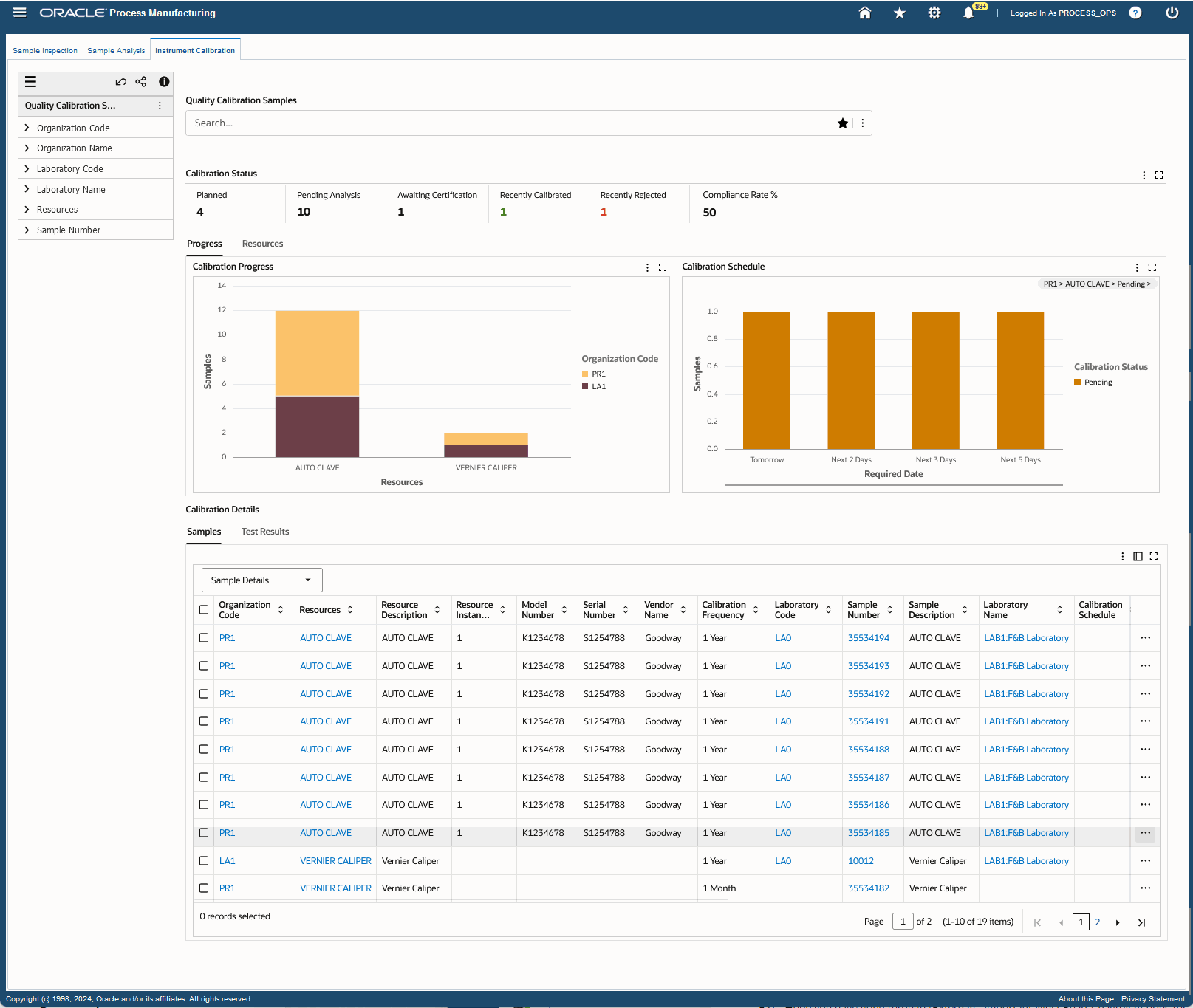
Use this dashboard to:
- Monitor status of instrument calibration.
- Display key performance metrics of instruments.
- Track upcoming calibrations.
- Provide historical calibration data and trends
You can also navigate to the Process Manufacturing Command Center's Batch Status dashboard to view calibration sample details.
Steps to enable and configure
Ensure Oracle Enterprise Command Center Framework Release 12.2 V14 or later is available for this functionality and complete the following setups to enable the Quality Command Center: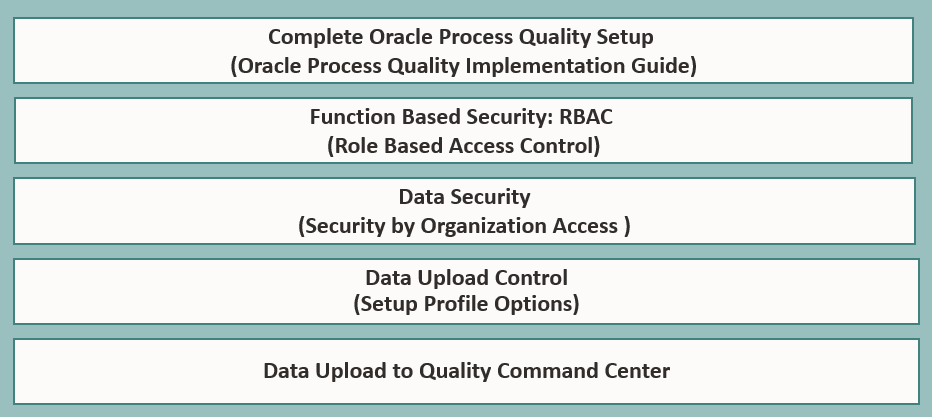
Set the appropriate value for the profile option GMD: Days for Calibration Data Load:
| Profile Option Name | Description |
|---|---|
| GMD: Days for Calibration Data Load | Use this profile to define and set maximum days for the ECC Full load of Calibration samples related datasets. The default value of the profile is 180 at the site level but you can change this value per business needs. |
Tips and considerations
- Ensure regulatory compliance by adhering to ISO, GMP, and other standards with detailed, traceable instrument calibration test records.
- Get insights on instrument calibration history for laboratory audits and ensure audit readiness at all times.
Key resources
- Oracle Process Manufacturing Quality Management User's Guide:
- Chapter: Oracle Quality Command Center
- Topic:Instrument Calibration Dashboard
- Chapter: Oracle Quality Command Center Setup
- Topic: Setting Up Quality Command Center
- Chapter: Oracle Quality Command Center
- R12.2.14+ TOI: Implement and Use Process Manufacturing - Oracle Quality Command Center - Instrument Calibration Dashboard