Select Dataset Parameter Using LOV in Data Load Programs
When you run the Oracle Discrete Manufacturing data load programs, you can now select a dataset using the Dataset field in the Parameters window.
To select a dataset when running data load programs in the Discrete Manufacturing Command Center:
- In the Submit Requests window, select to run any of the following Discrete Manufacturing Command Center data load programs:
- WIP ECC Data Load
- Genealogy ECC Data Load
- WIP Completions ECC Data Load
- In the Parameters window that opens, use the Dataset field to select a dataset from the list of values.
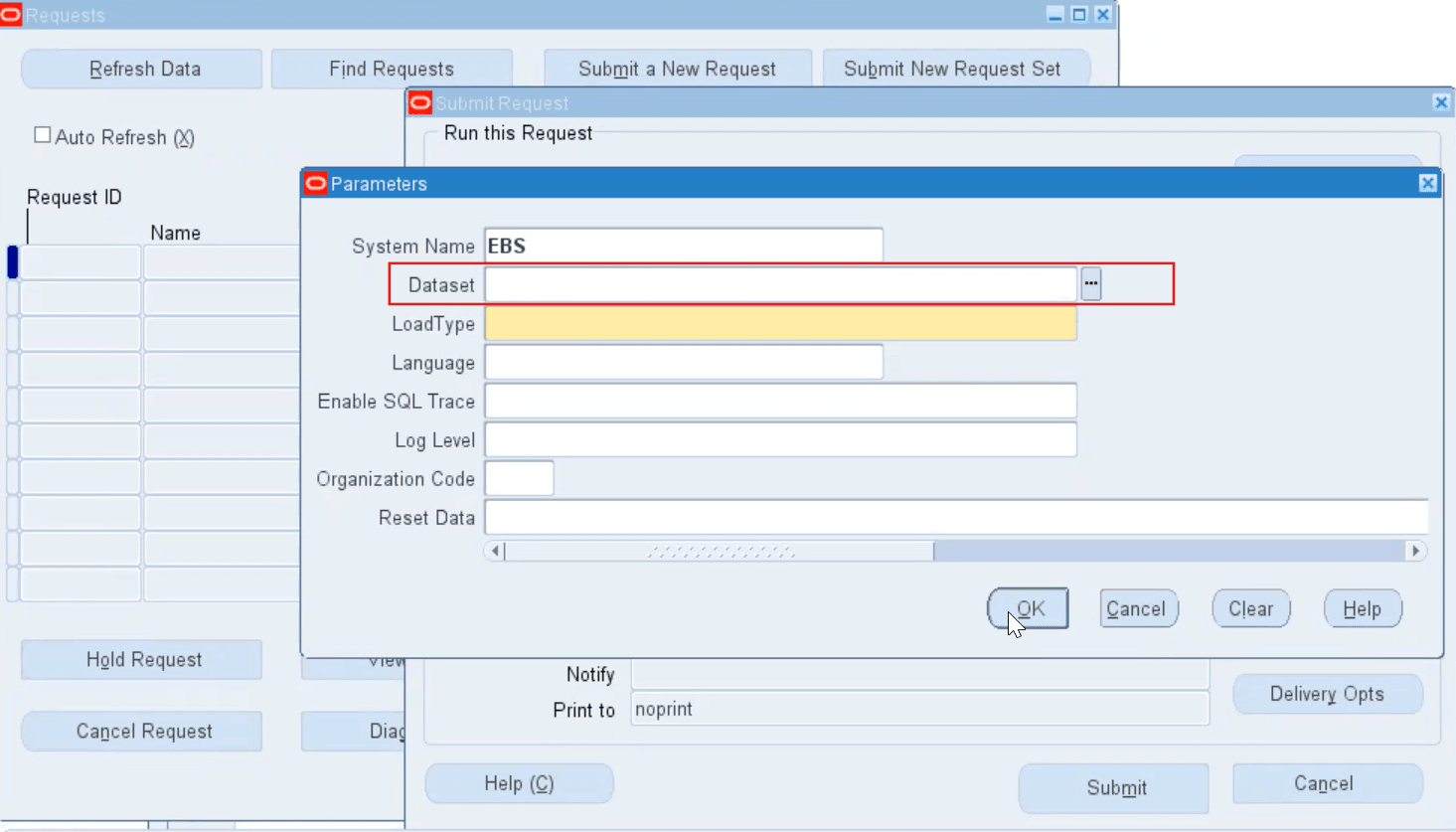
- Enter other parameters, and then submit the request.
You can also use the Dataset field to select a dataset when running the Discrete Manufacturing data load in the Submit Request Set window.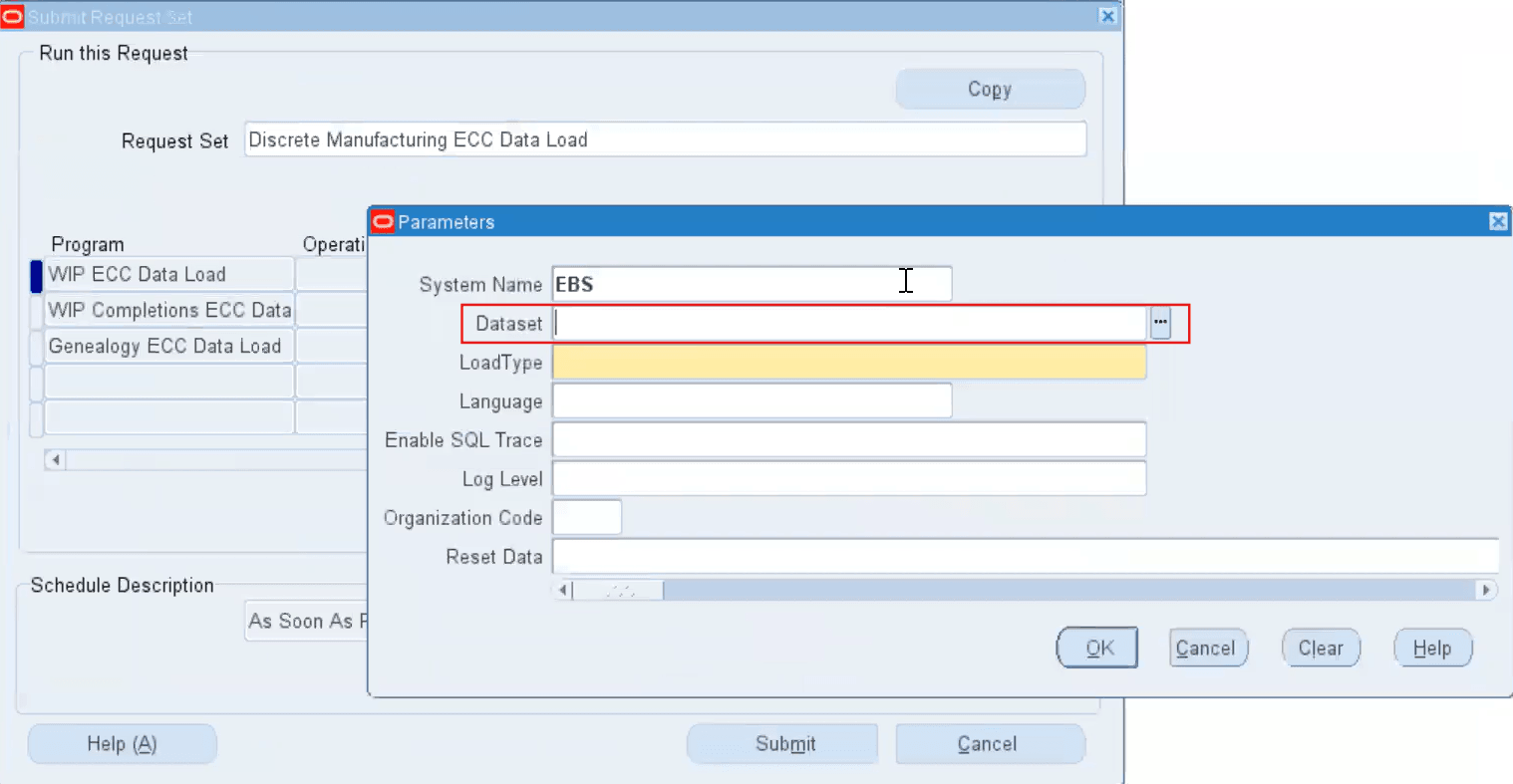
Steps to enable and configure
Ensure Oracle Enterprise Command Center Framework Release 12.2 V11 or later is available for this functionality and complete the setups to enable the Discrete Manufacturing Command Center.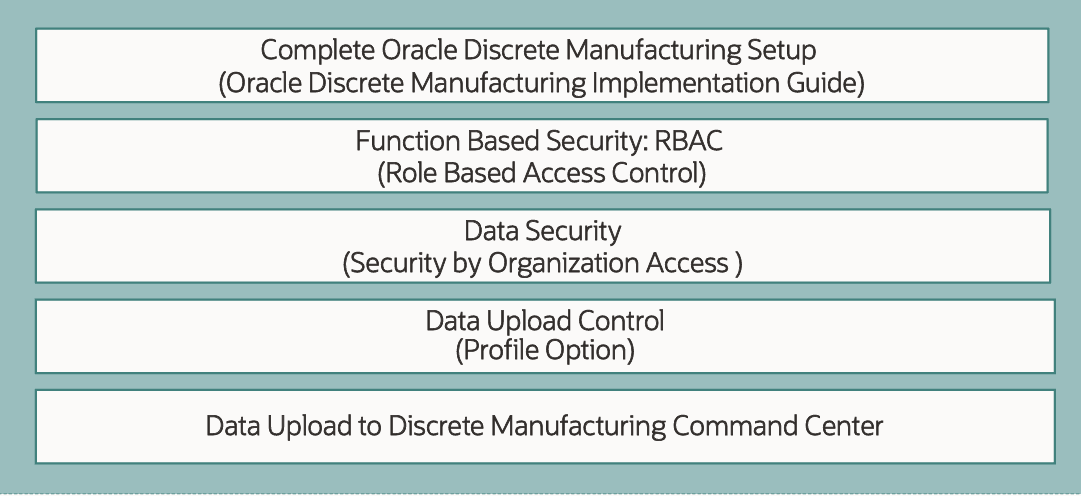
Key resources
- Oracle Work in Process User's Guide:
- Chapter: Discrete Manufacturing Command Center Setup