Run Sequential Loads for Specific Organizations for Genealogy and Trace Dashboard
You can run sequential loads for specific organizations for the Genealogy and Trace dashboard. This enables you to add sequential data-load support for selected organizations in the Genealogy and Trace Dashboard rather than for all organizations.
To load sequential data for an organization for the Genealogy and trace dashboard.
- In the Submit Request window, use the Name field to select Process Genealogy and Trace Command Center Data Load.
- In the Parameters window select the Load Type as Full Load.
- When running the full data load, in the Organization Code field, select a specific organization to load data for the selected organization, and then select OK.
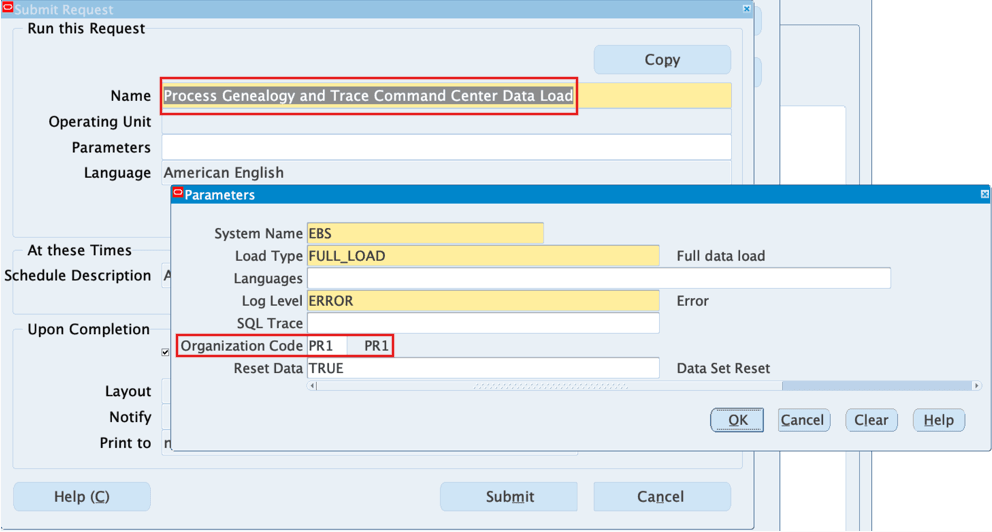
- Select Submit to run the full data load for a specific organization. A request is submitted automatically to load the transactions of various datasets.
Note that the full data load that you run for the Genealogy and Trace dashboard, depends on profile “GME: Days for Genealogy & Trace Data Load” (Default value 365) to get time-fenced data.
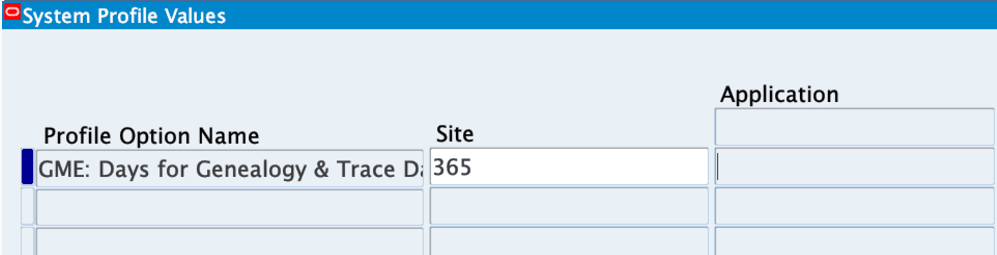
The targeted load option reduces initial data-load scope and helps you load information in the Genealogy and Trace Dashboard more quickly for priority organizations.
Steps to enable and configure
Ensure Oracle Enterprise Command Center Framework Release 12.2 V14 or later is available for this functionality and complete the setups to enable the Quality Command Center.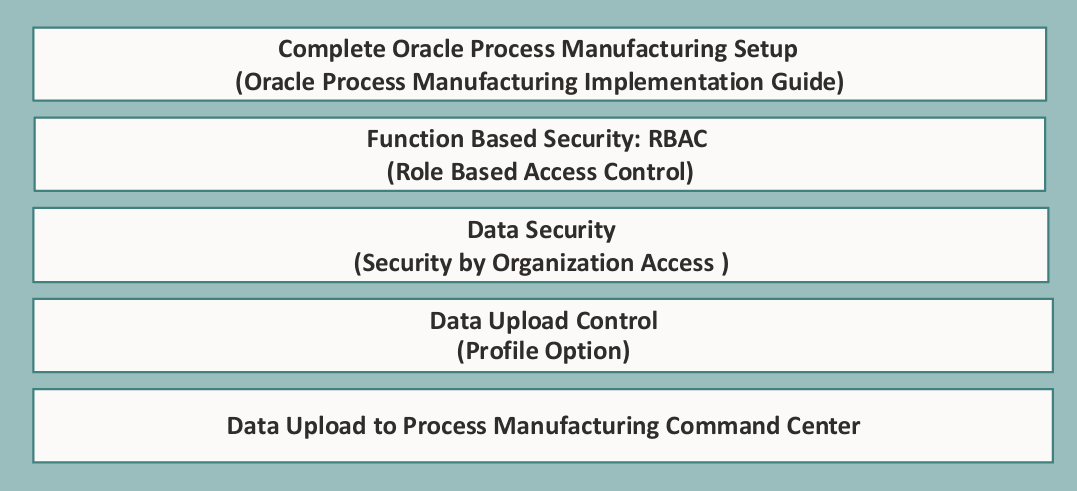
Tips and considerations
- Use the Process Manufacturing Command Center's selected refinements and result-table drilldowns during testing to move from a metric to the transaction or setup page where you can take action for a batch.
- Rework visibility depends on accurate links between original and rework batches - include rework-heavy scenarios in testing.
Key resources
- Oracle Process Manufacturing Process Execution User's Guide:
- Chapter: Oracle Process Manufacturing Command Center Setup
- Topic: Loading Process Manufacturing Command Center Data
- Chapter: Oracle Process Manufacturing Command Center Setup
- Oracle E-Business Suite User's Guide:
- Chapter: Enterprise Command Centers
- Topic: Overview of Oracle Enterprise Command Center
- Chapter: Enterprise Command Centers
- R12.2.14+ TOI: Implement and Use Process Manufacturing - Oracle Process Manufacturing Command Center