Create Single Requisition per Sales Order for ATO Items
You can now use create a single Requisition for a sales order. Prior to this release, requisitions for ATO items were often generated individually or in multiple batches per sales order. You can group requisitions by sales order and enable setups to override other grouping options available in the Requisition Import concurrent program.
To create a single requisition for a sales order for ATO items:
- Create a sales order.
- Book the sales order.
- Progress the sales order or run the AutoCreate Purchase Requisitions concurrent program.
- Run the Requisition Import concurrent program.
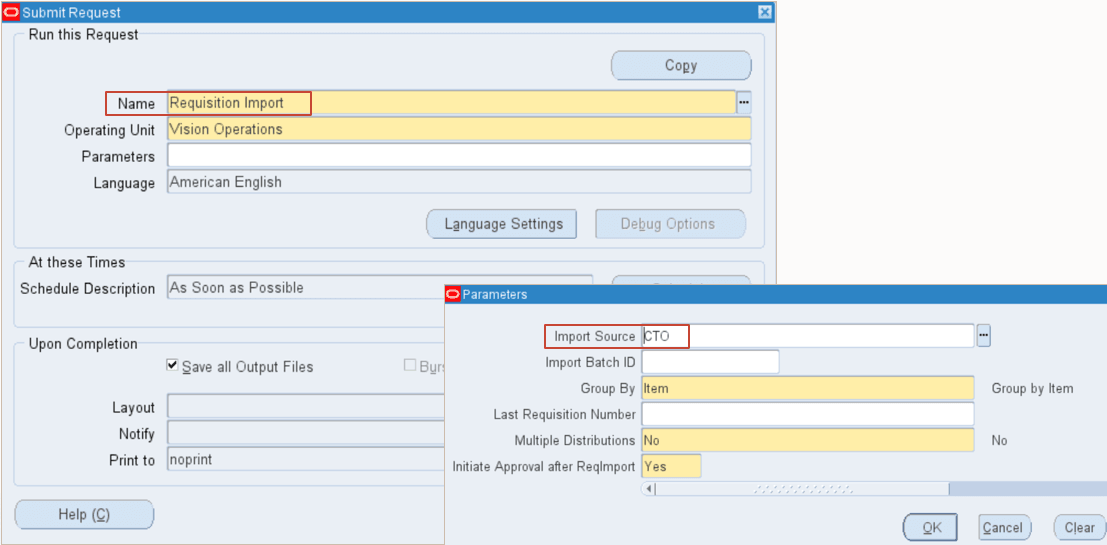
- View requisitions grouped by sales order:
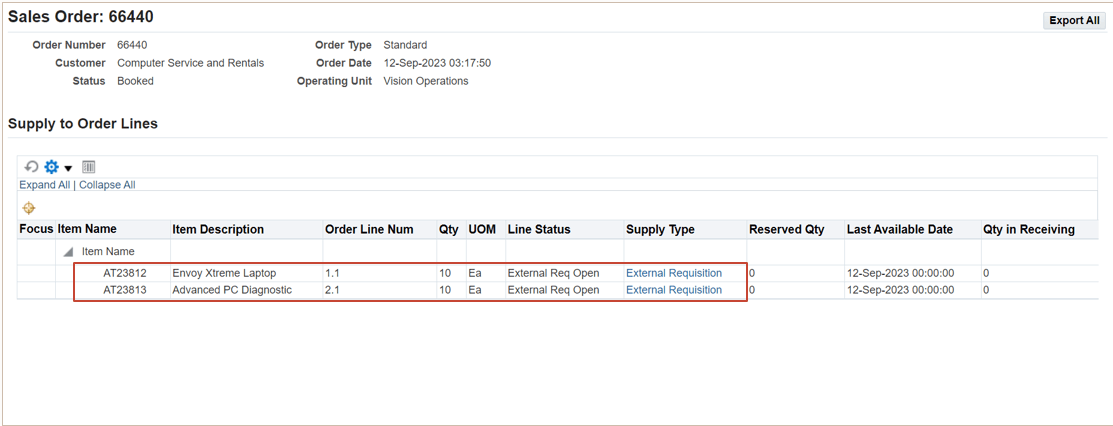
View external requisitions: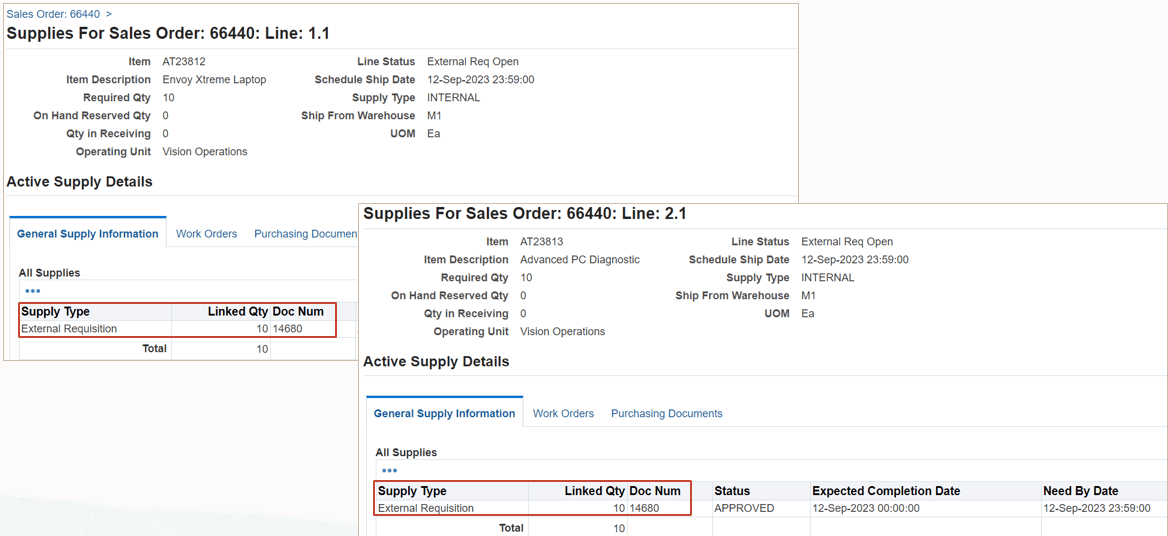
View requisition summary: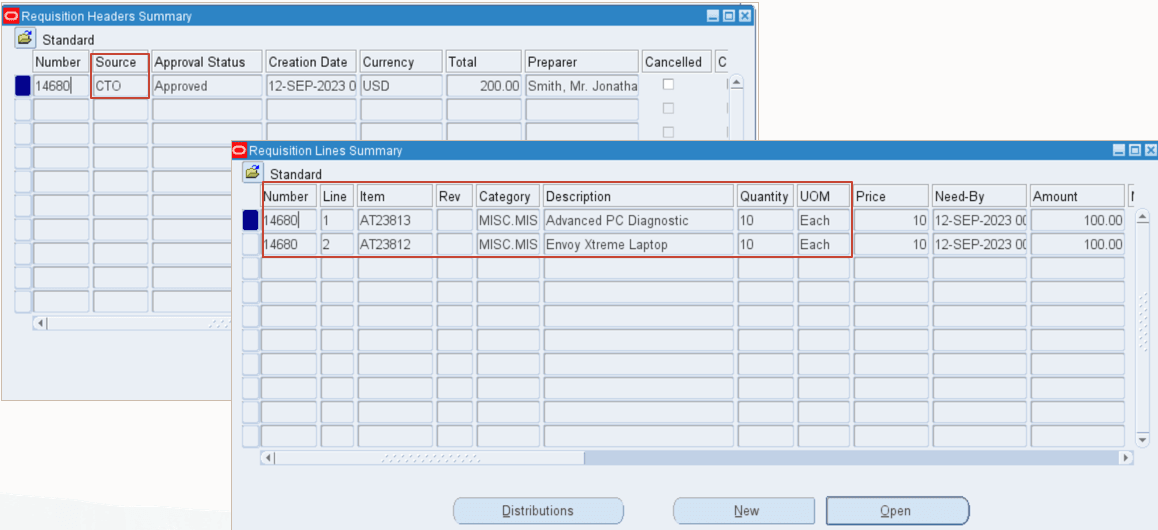
The ability to create a single requisition for a sales order for ATO items enable you to group requisitions by sales order and override other grouping options available in the Requisition Import concurrent program.
Steps to enable and configure
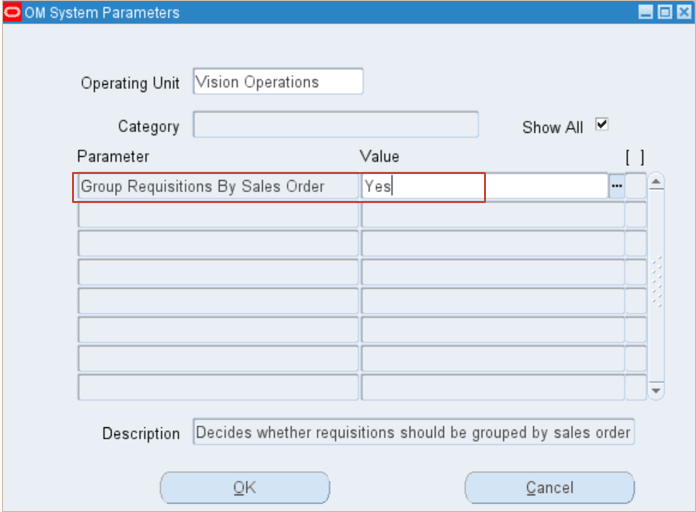
In the OM System Parameters window, set the Group Requisitions by Sales Order parameter to Yes.
Tips and considerations
When you set the “Group Requisitions by Sales Order” parameter to Yes, other grouping options such as item, supplier, and so on are ignored.
Key resources
- Oracle Configure to Order Process Guide:
- Chapter: Setup
- Topic: Order Management Setup > One Requisition for Each Sales Order
- Chapter: Setup
- R12.2.13 TOI: Implement and Use Discrete Manufacturing - WIP, MES and CTO Enhancements