Split Sales Order Quantity Across Multiple Work Orders in AutoCreate Final Assembly (AFAS)
You can use the AutoCreate Final Assembly Orders (AFAS) concurrent program to split the sales order quantity across multiple work orders to manage job execution using a custom hook. This enables you to decide the number of work orders to be created based on the fixed work order quantity or fixed number of work orders. Prior to this release, the AFAS program did not provide the flexibility in determining how work orders were created for sales order line quantities, often resulting in one work order per line without the ability to customize options.
- Create a sales order.
- Book the sales order.
- Progress the sales order or run the AutoCreate Purchase Requisitions concurrent program.
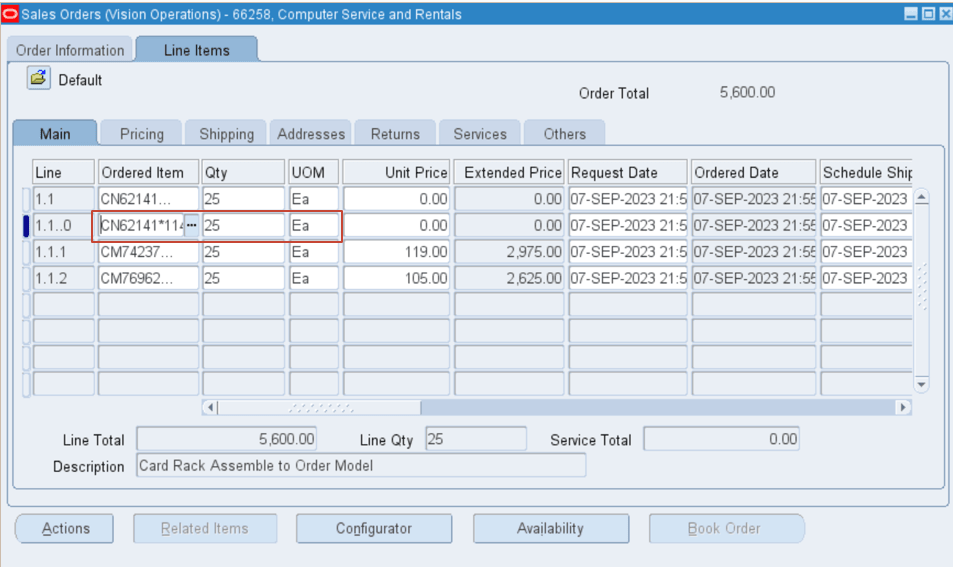
- Run the AutoCreate Final Assembly Orders (AFAS) concurrent program.
- Verify that the work orders are created based on custom hook setup.
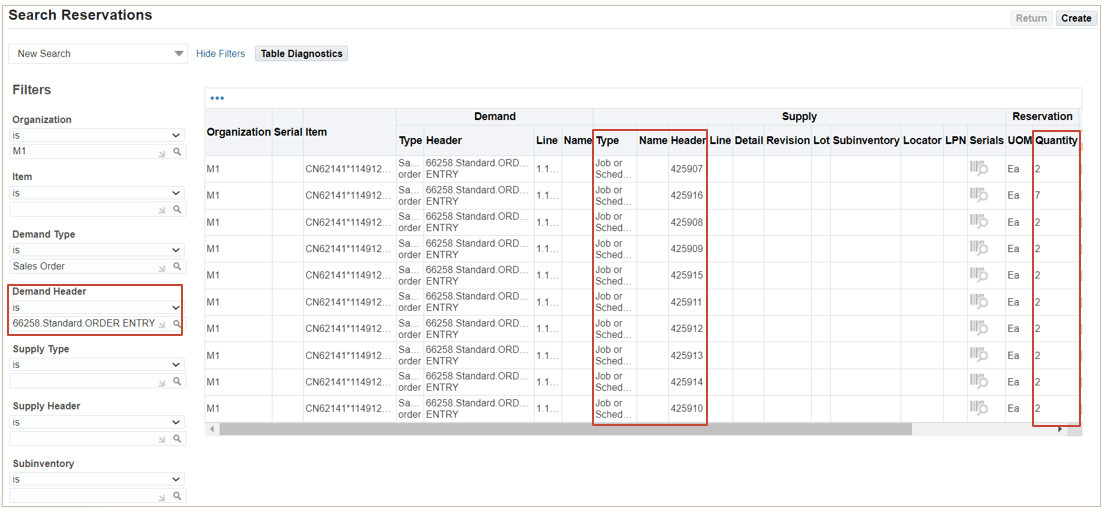
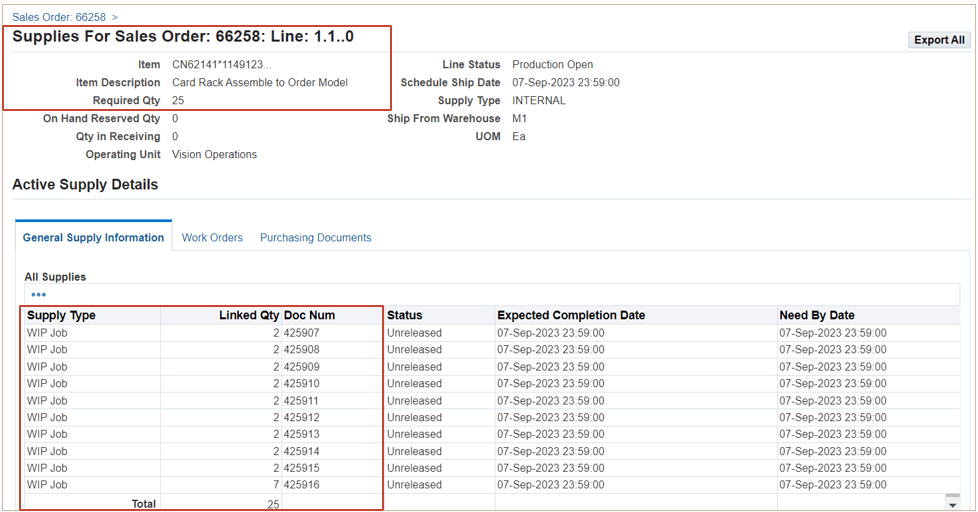
The ability to run the AFAS concurrent program to split the sales order quantity across multiple work orders enables you to:
- Split the sales order quantity across multiple work orders to manage job execution.
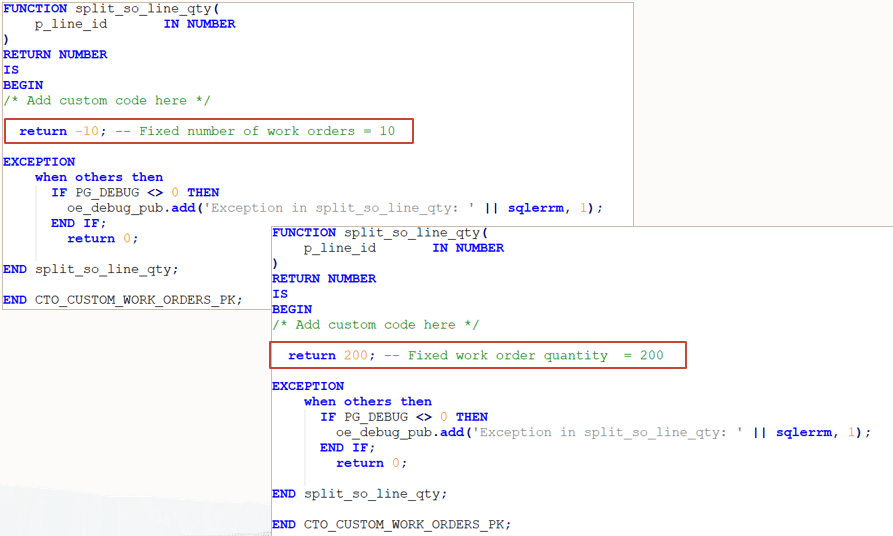
- Decide the number of work orders to be created based on a fixed work order quantity or a fixed number of work orders.
Steps to enable and configure
Configure the custom hook in the AFAS program to define the fixed number of work orders or fixed work order quantity for sales order line processing.
Tips and considerations
None
Key resources
R12.2.13 TOI: Implement and Use Discrete Manufacturing - WIP, MES and CTO Enhancements