Run AutoCreate Configuration Items for Specific Operating Unit
You can run the AutoCreate Configuration Items concurrent program at an intermediary level for a given operating unit. This creates configuration items for all items in sales order lines for the selected operating unit. Prior to this release, the AutoCreate Configuration Items program processed sales orders across all operating units without the option to filter by a specific unit, which could lead to inefficiencies in targeted processing.
To autocreate configuration items for all items in sales order lines for a selected operating unit:
- Create sales orders in multiple operating units
- Run the AutoCreate Configuration Items concurrent program for an operating unit.
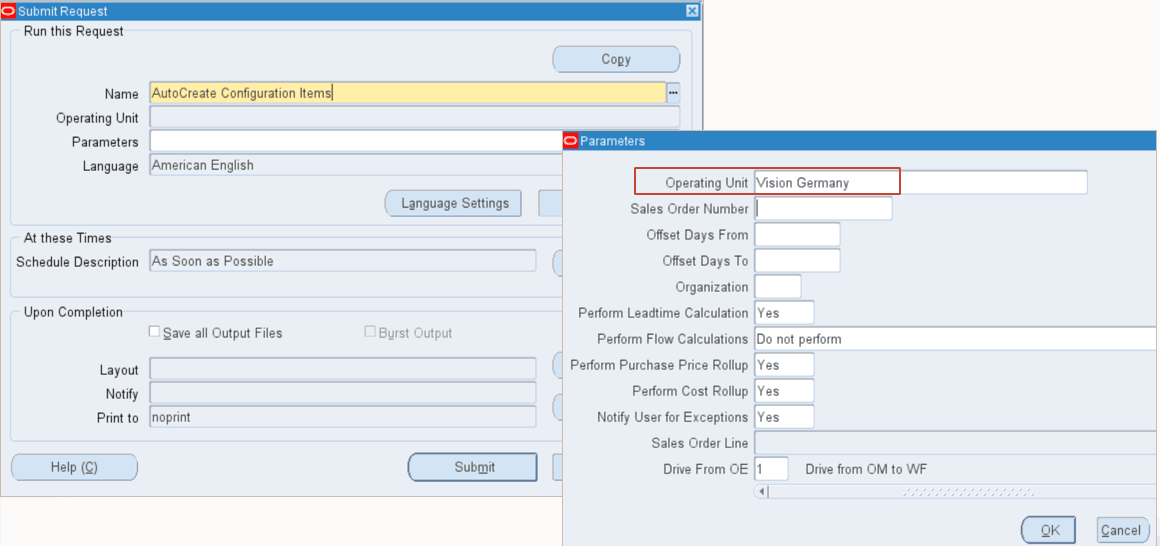
- Verify the creation of configuration items for all items in the sales order lines for the selected operating unit.
This feature benefits users with multiple operating units (OU) and multiple sales order lines in each of the OUs because it enables the creation of autocreate config items for all items in sales order lines for the selected operating unit.
Steps to enable and configure
Setup the global security profile::
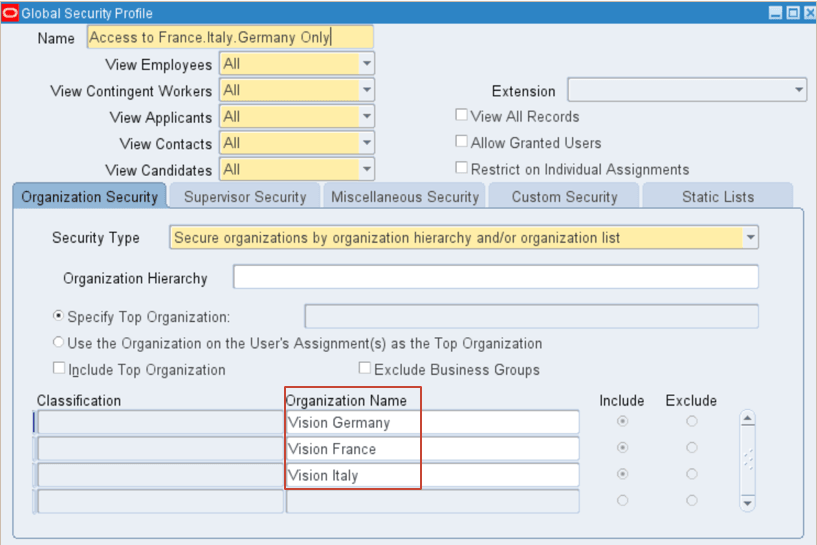
Setup the “MO: Security Profile” with the global security profile values.
Tips and considerations
- The organization parameter in the AutoCreate Configuration Items concurrent program work is independent of the operating unit parameter. This enables the handling of scenarios where a sales order is created in one operating unit and is shipped from a different operating unit. For example, a sales order is created in France with shipping warehouse in Italy.
- AutoCreate Configuration Items concurrent program runs for all operating units if a specific operating unit is not selected.
Key resources
- Oracle Configure to Order Process Guide
- Chapter: Create and Process Configurations
- Topic: Batch vs. Online Mode in Create Configuration Item
- Chapter: Create and Process Configurations
- R12.2.13 TOI: Implement and Use Discrete Manufacturing - WIP, MES and CTO Enhancements