Update Operation Progress % for Job Operation
You can now manually update the operation progress percent for a job operation in the Operation Details page.
To update the operation progress percent for a job operation:
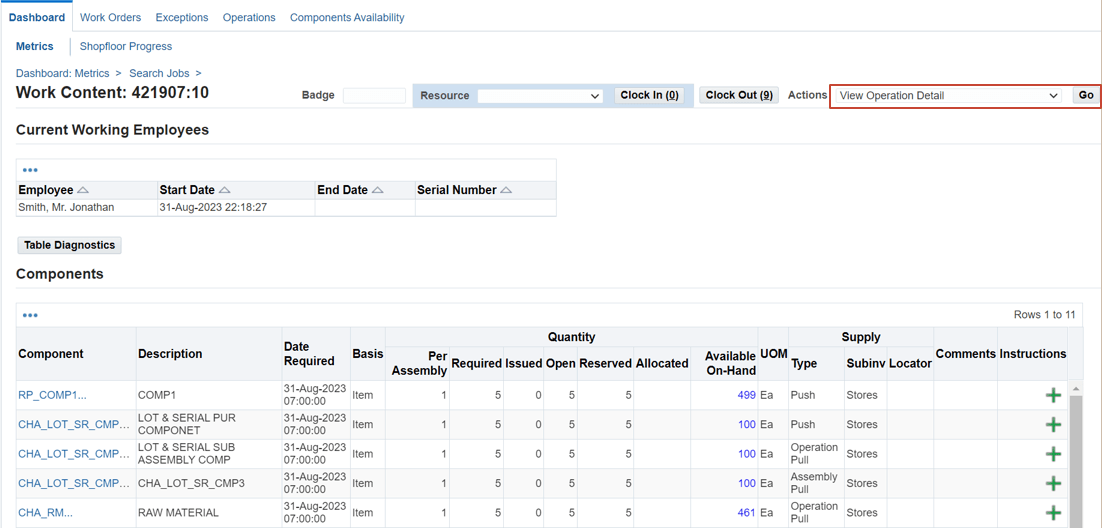
- Navigate to the Operation Details page. You can navigate to the Operation Details Page from Dispatch List and Work Content from the MES Workstation or the MES Supervisor Workbench.
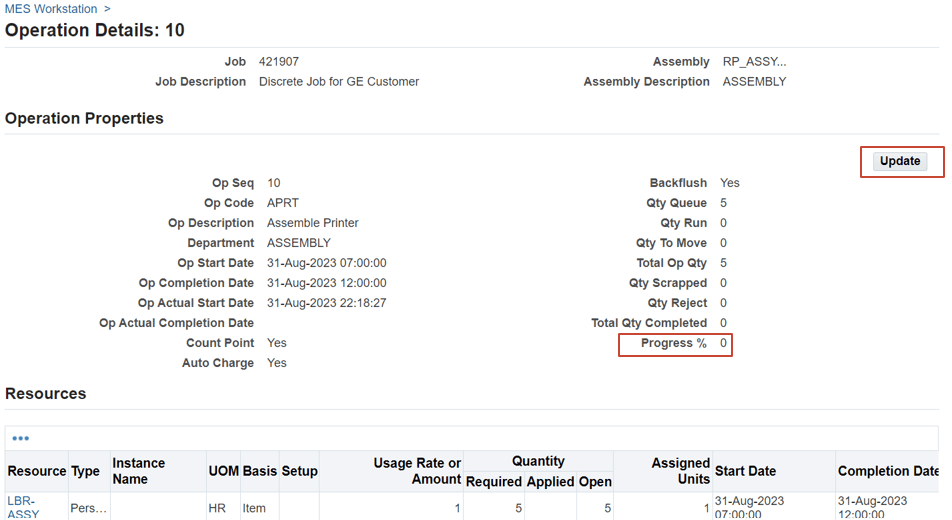
- On the Operation Details page, in the Operation Properties region you can view the Progress %. To update the Progress % for an operation, click Update.
- On the Update popup page that opens, enter a value between 0 and 100 in the Progress % field.
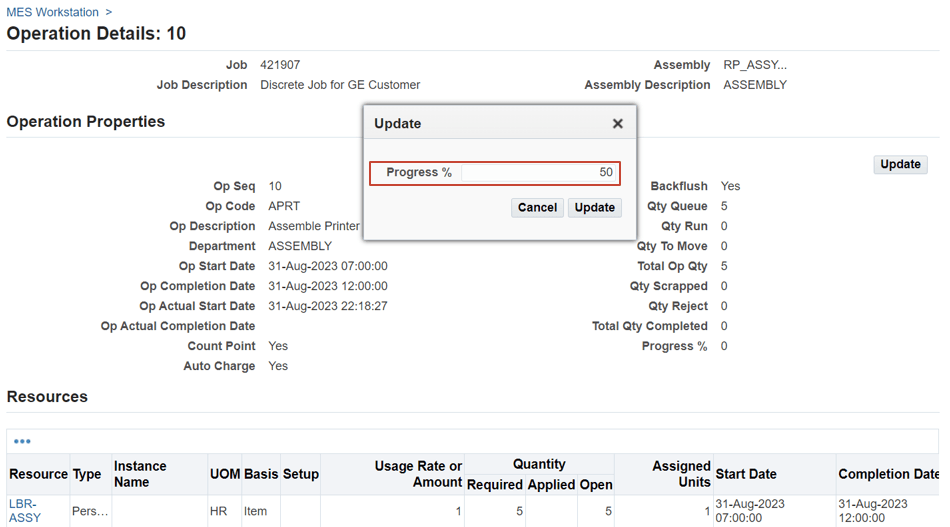
- Click Update.
When you update the progress percent for a job operation, this update displays in the Operation Properties region when you open the Operation Details page for the job operation using the View Operation Detail action in the Dispatch list as well as from the Work Content page actions
Steps to enable and configure
To directly open the View Operations Details page from the Dispatch List and Work Content page to monitor and update the progress percentage for an operation:
- Select the View Operation Detail action as a button or choice list action using the Job Operation Actions parameter to ensure the action appears in the Dispatch list:
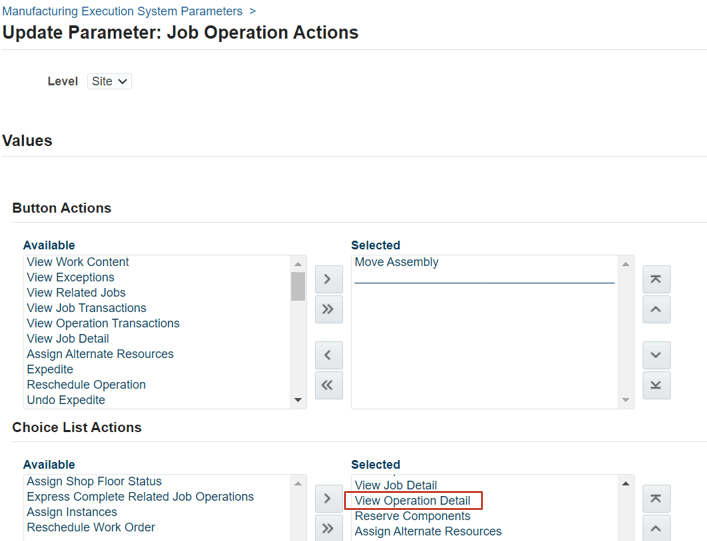
- Select the View Operation Detail action as a button or choice list action using the Work Content Actions parameter to ensure the action appears in the Work Content page:
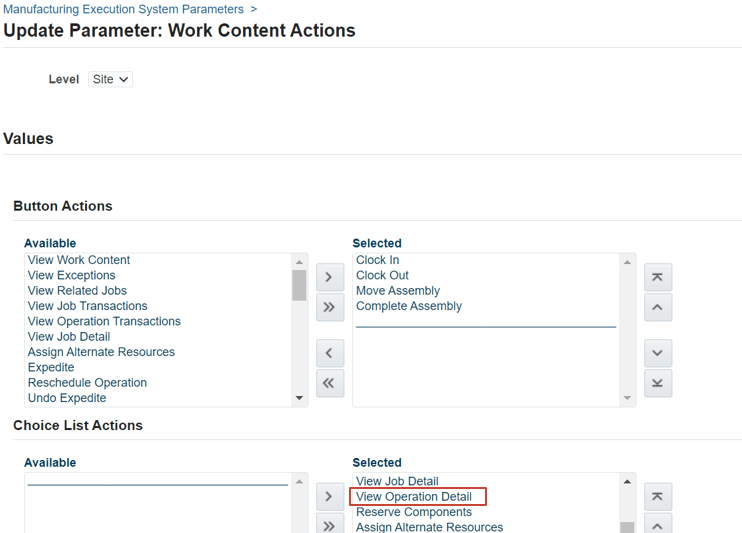
.
Tips and considerations
Ensure that you can directly open the View Operations Details page from the Dispatch List and Work Content page to monitor and update the progress percentage for an operation.
Key resources
- Oracle Manufacturing Execution System for Discrete Manufacturing User's Guide:
- Chapter: MES Administrator
- Topic: MES Administrator
- Chapter: MES Workstation
- Topic: Viewing Dispatch Lists
- Topic: Viewing Work Content
- Chapter: MES Supervisor
- Topic: Viewing Operation Details
- Chapter: MES Administrator
- R12.2.13 TOI: Implement and Use Discrete Manufacturing - WIP, MES and CTO Enhancements