Log Nonconformances from MES Workbench and Touchscreen UI
You can capture and manage quality issues effectively with the ability to log nonconformances directly from the MES Workbench and Touchscreen Workbench user interface in the Manufacturing Execution System for Process Manufacturing. Prior to this release, recording nonconformances required the Process Execution application user interfaces such as the Batch Steps window.
Now you can log nonconformances for a batch, batch step, batch step activity, or resource within MES for Process Manufacturing using the:
- Batch Operation page of the Operator Workbench.
- Process Instructions page of the Touchscreen Workbench.
To log nonconformances from MES Workbench and Touchscreen Workbench UI:
- Create the required and applicable nonconformance plans in the Quality Workbench.
- Record nonconformances from the MES workbench or the Touchscreen Workbench.
- Analyze the nonconformance and take necessary corrective actions.
Record a nonconformance for a batch in the Operator Workbench: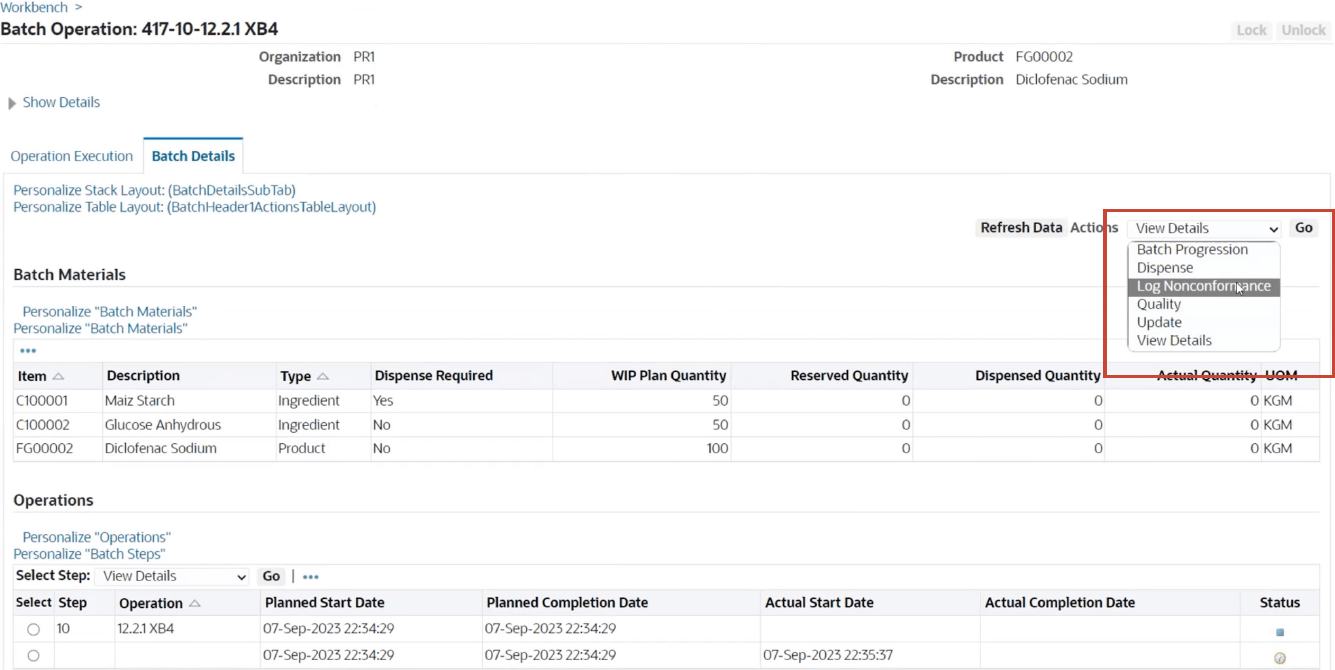
Record a nonconformance for a batch step in the Operator Workbench: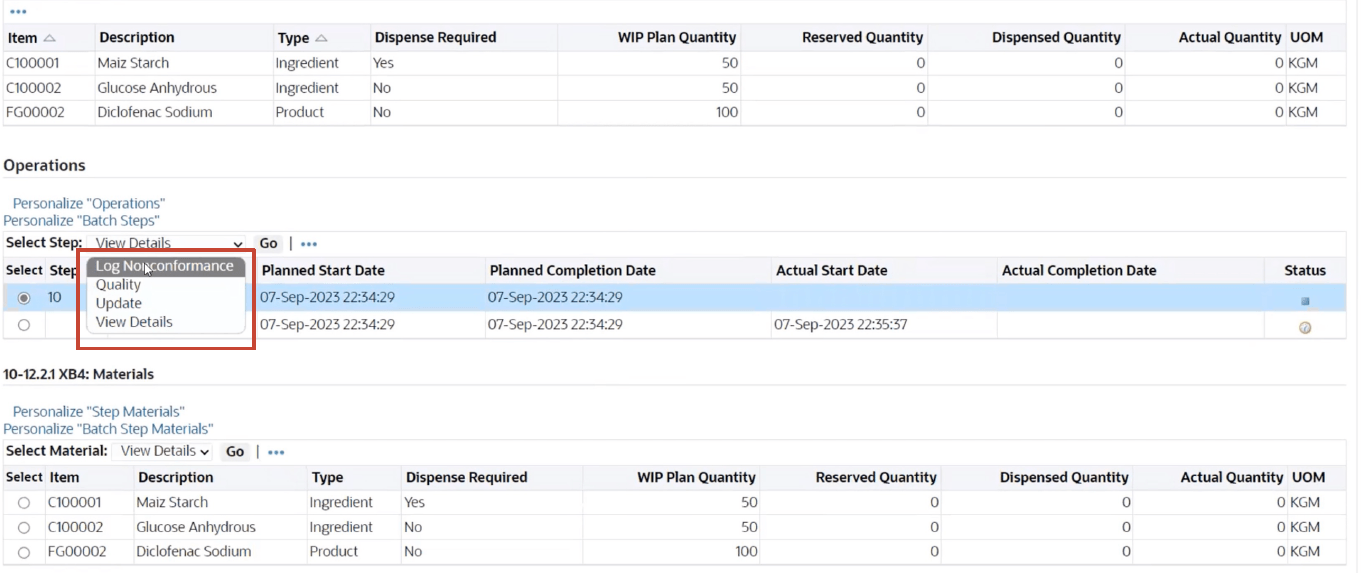
Record a nonconformance for a batch step activity in the Operator Workbench: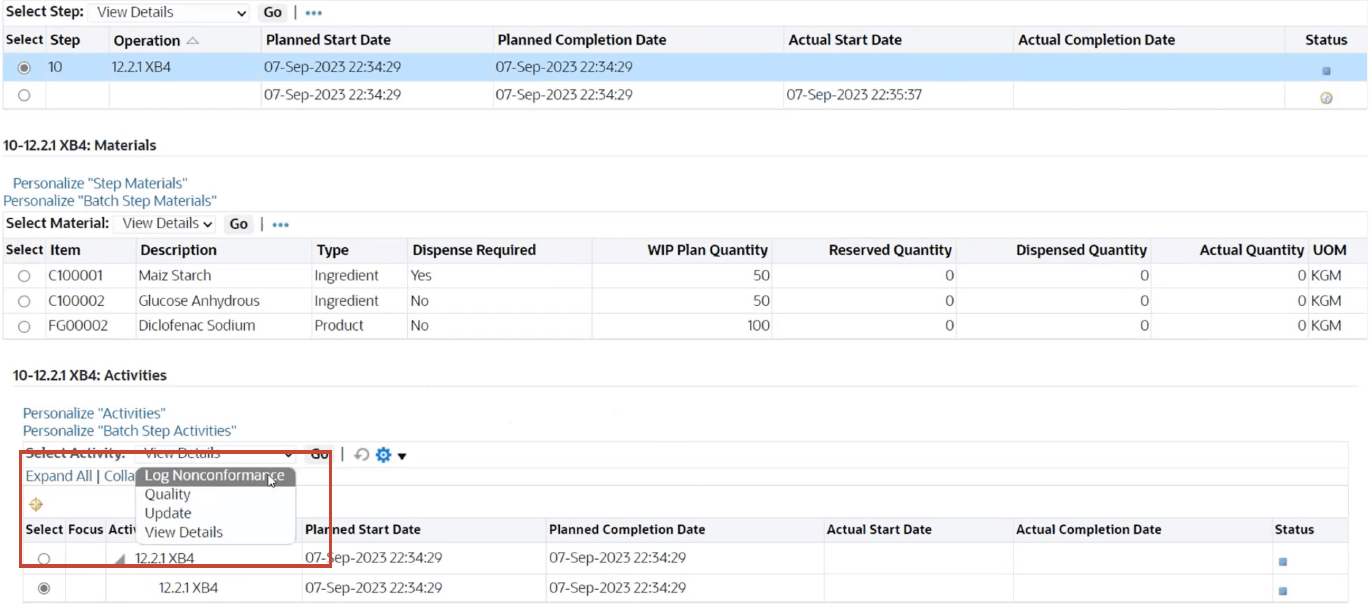
Enter quality results for a nonconformance collection plan: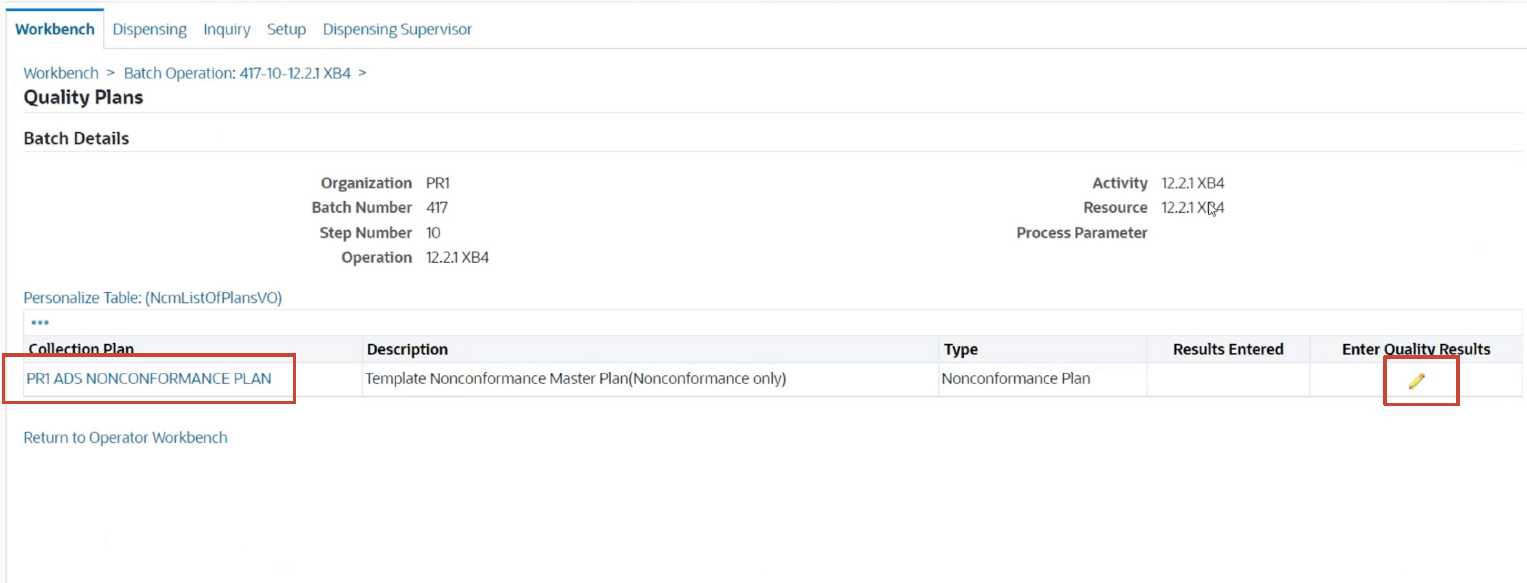
Record a nonconformance from the Touchscreen Workbench UI: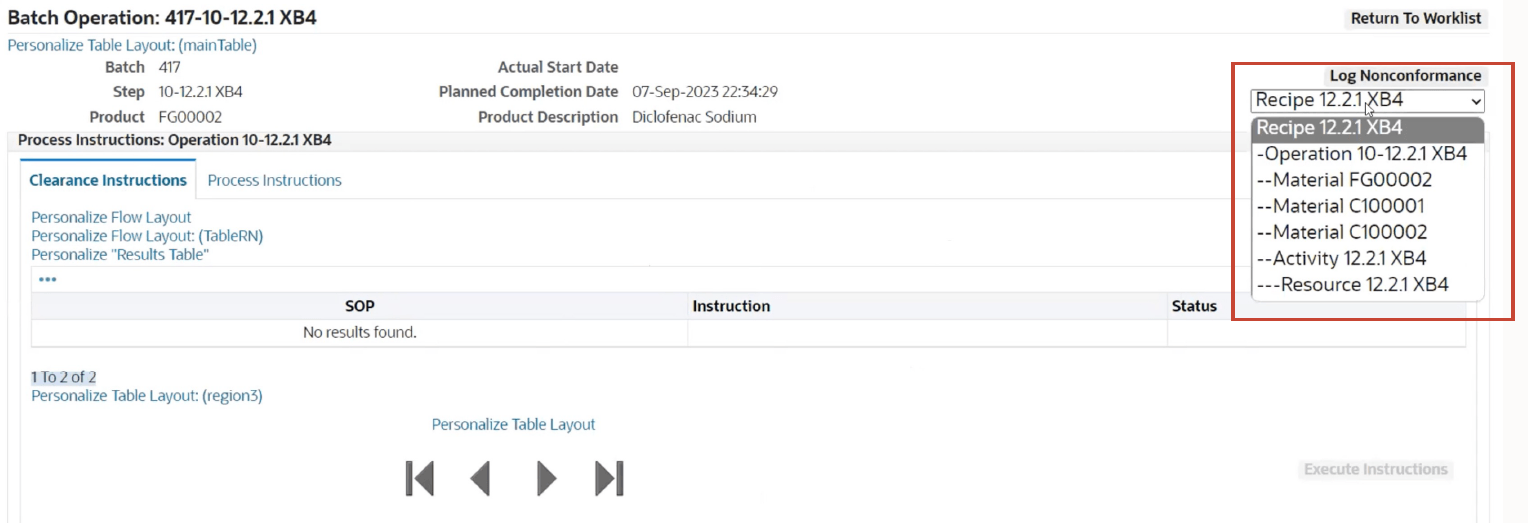
Steps to enable and configure
- Set up nonconformance tracking in the Oracle Quality application.
- Set up nonconformance tracking.
- Identify the batch, operation, step, activity, or resource where the nonconformance occurred.
Tips and considerations
Ensure the following to efficiently log nonconformances for batches:
- Define a collection plan in Oracle Quality for OPM transactions with the collection type as Nonconformance.
- Create a batch with recipe which has at least one step.
- Create a batch with recipe with Enhanced PI indicator checked.
- Create at least one Process Instruction.
Key resources
- Oracle Manufacturing Execution System for Process Manufacturing User's Guide:
- Chapter: Setup
- Topic: Setting Up Nonconformance Tracking
- Chapter: Nonconformance Tracking
- Topic: Logging Nonconformances
- Chapter: Setup
- R12.2.13 TOI: Implement and Use Process Manufacturing - Process Quality and MES Enhancements