Manage Backorders in Orders Dashboard
This enhancement enables organizations to proactively address high-priority customer orders that become backordered due to insufficient inventory availability on the requested fulfillment date and limited incoming supply from manufacturing or procurement.
With this capability, customer service representatives can quickly evaluate existing order reservations across the order portfolio, identify orders scheduled for future shipment, and make informed decisions to reallocate reserved inventory to more urgent backordered orders. This helps improve customer satisfaction, optimize inventory utilization, and ensure that critical customer commitments are fulfilled in a timely manner.
Use this feature to:
- Review and prioritize sales order lines that are backordered.
- Fulfill the backorders by navigating to the Transfer Demand page of Oracle Inventory.
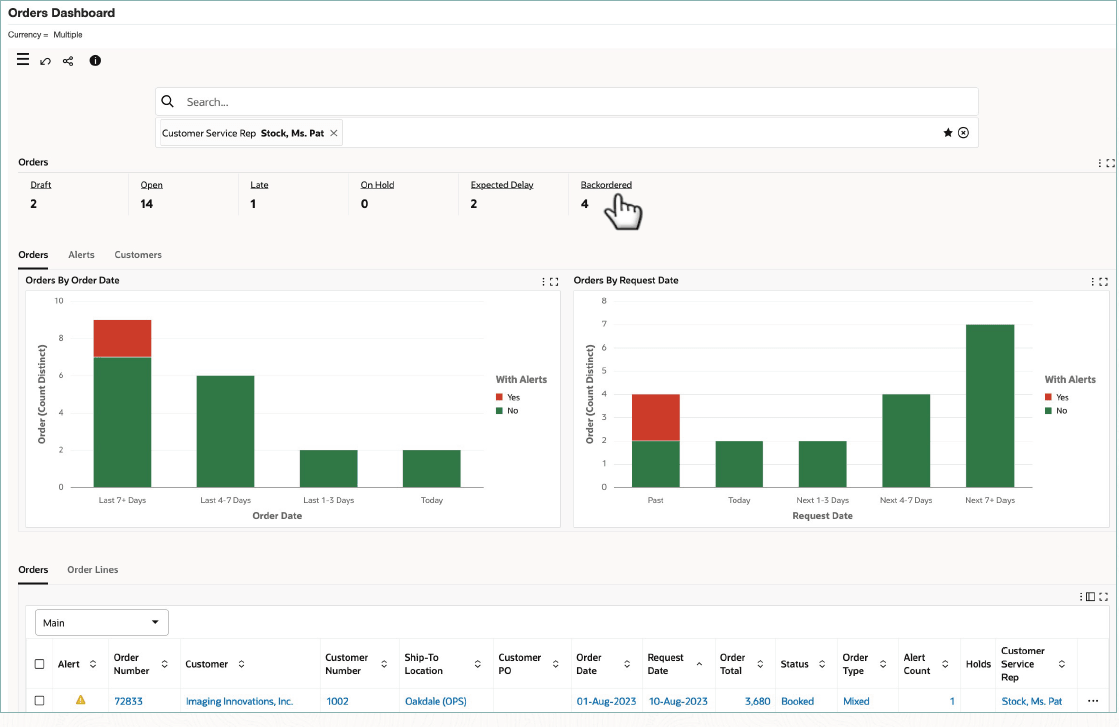
The Orders dashboard now includes the Backordered metric that shows the number of sales orders with at least one backordered sales order line. For the backordered line, a new page Reserved Orders and Shipments added in this release provides a detailed view of reserved orders with future ship dates as well as orders shipped in past to help customer service representative to quickly identify low priority order from which reservations can be transferred.
Orders Dashboard with Backordered Metric
To fulfill a backordered sales order line, click Find Reserved Orders to open the Reserved Orders and Shipments drawer. The Find Reserved Orders action is available only for sales order lines with the "Backordered" status.
Find Reserved Orders
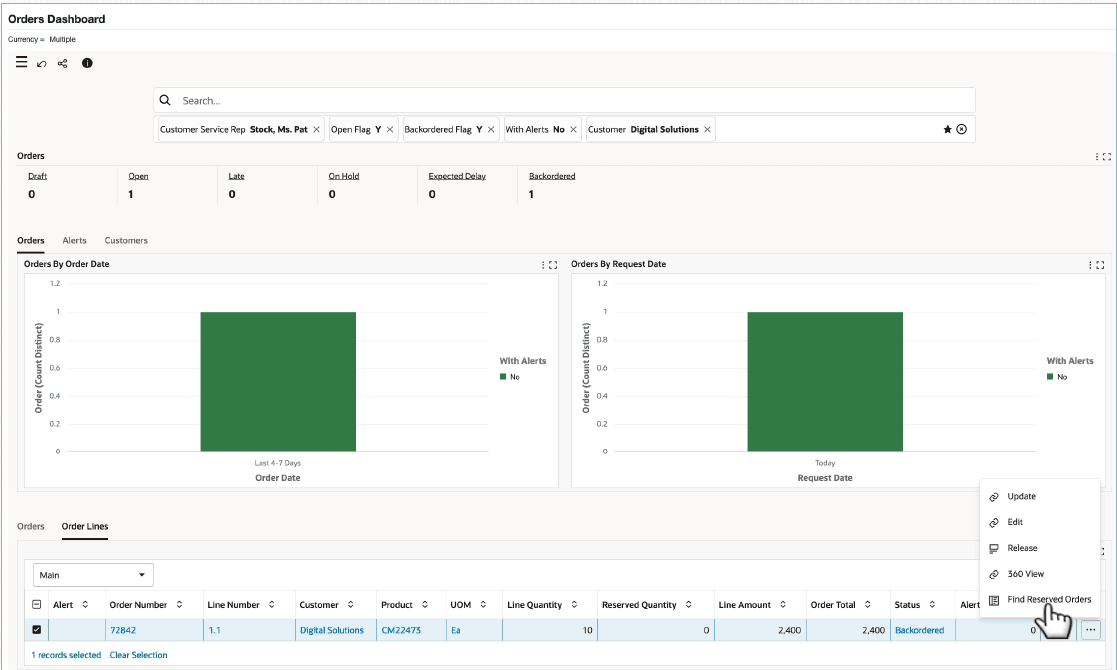
When you select the Find Reserved Orders action for a sales order line in the Order Lines results table, the Reserved Orders and Shipments drawer appears.
Reserved Orders and Shipments
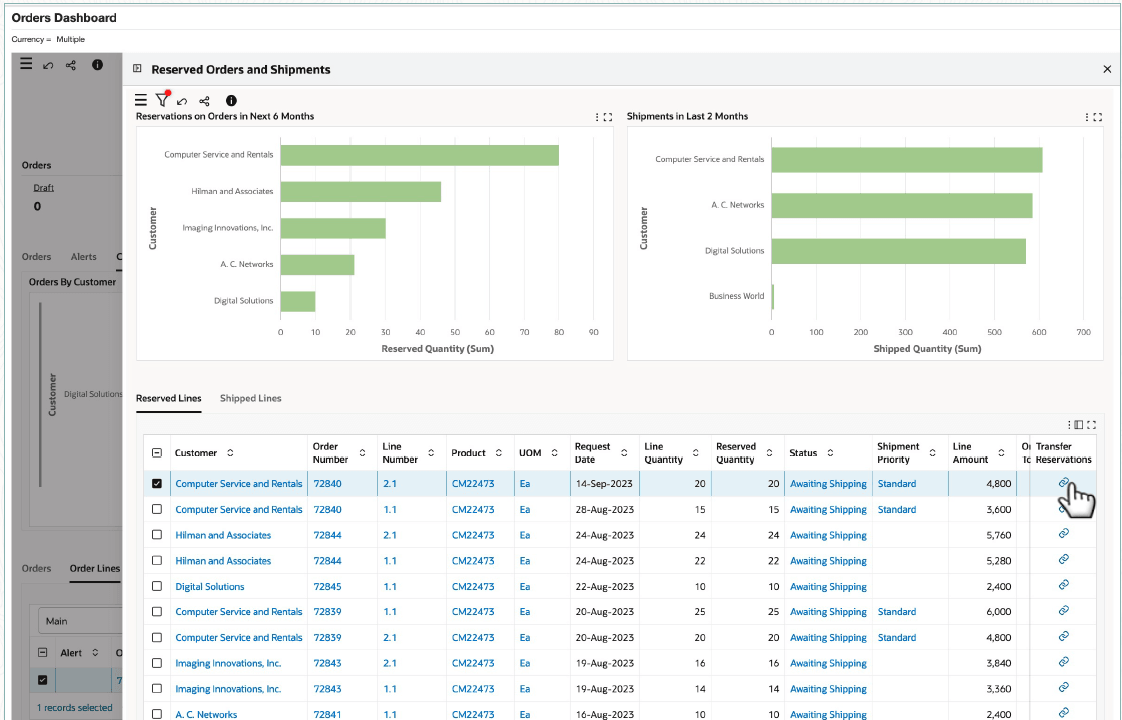
Use this drawer to:
- Get insight into reserved orders.
- Analyze past shipments.
- Use the Transfer Reservations action to act on sales order lines that are backordered. For example, you can fulfil a high priority sales order line that is backordered by transferring the reservation from a future low priority sales order line.
Transfer Quantity
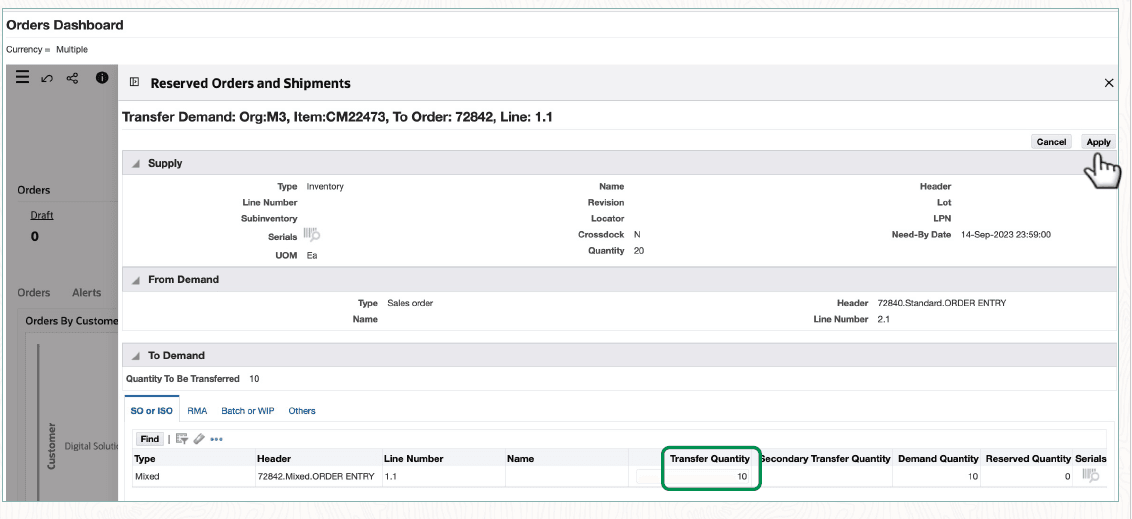
After you click Apply on the Reserved Orders and Shipments page, requery the order on the Orders dashboard and verify that the backordered line has the stock. Warehouse can perform pick release and ship the order.
Steps to enable and configure
To facilitate managing backorders by transferring demand on the Transfer Demand and Search Reservations pages of Oracle Inventory, ensure that users of Orders Dashboard can access the relevant inventory organizations.
Tips and considerations
- Ensure users have the organization access to transfer the demand otherwise Transfer Demand icon may not be enabled in the Search Reservation HTML page.
- The “Transfer Reservations” feature is available in EBS 12.2.10 and above. In prior releases, Transfer Reservations action is not available in the “Reserved Orders and Shipments” page
- Check additional tips for new feature in release 12.2.13
Key resources
- Oracle Order Management User's Guide
- Orders Dashboard
- Oracle Order Management Implementation Manual
- Setup and Configuration Steps for Order Management Command Center
- Loading Order Management Data
- Setup and Configuration Steps for Order Management Command Center
Transfer of Information