View Spend Management Metrics in Procurement Operations Dashboard
View additional spend management metrics in the Procurement Operations, Summary Dashboard. The metrics help buyers connect requisition, order, agreement, and supplier work to spend management outcomes.
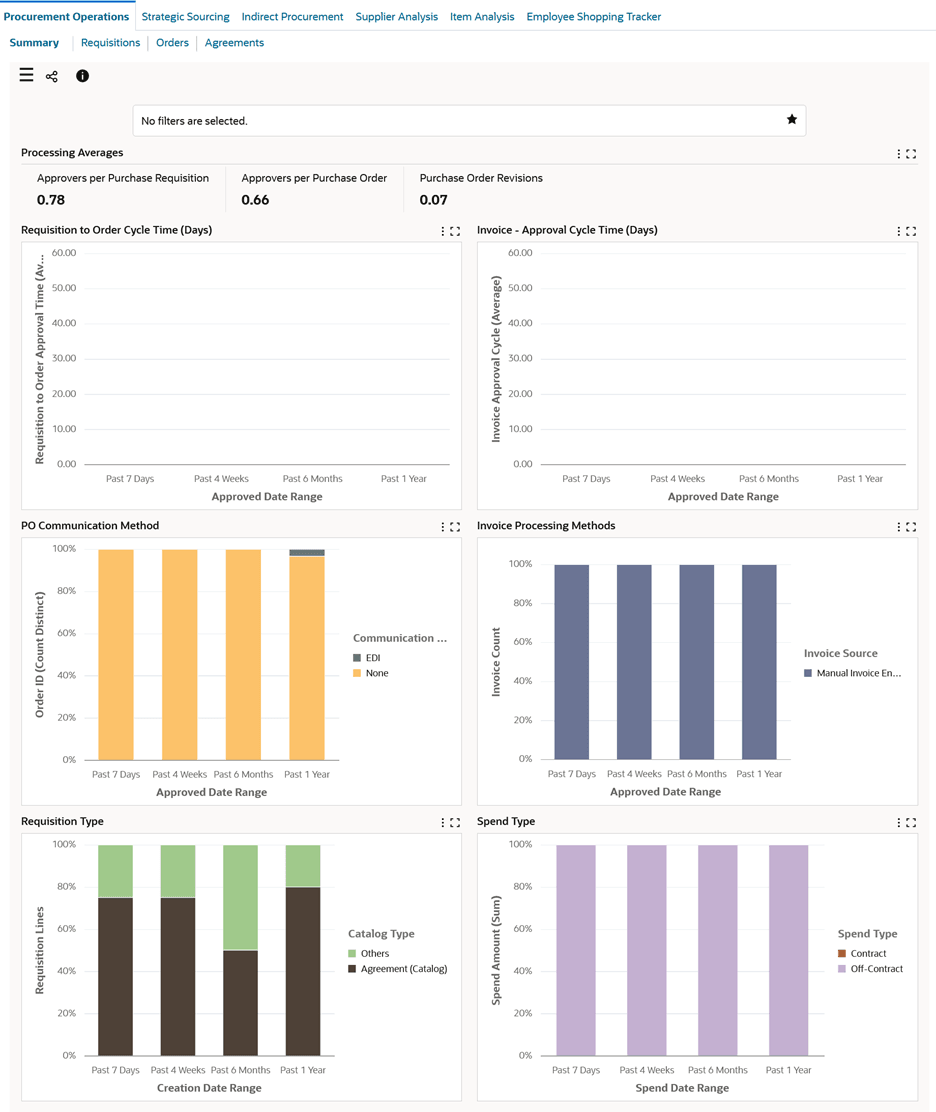
Use the Summary dashboard metrics for information across different procurement documents:
- View the metric trends and determine if the organization’s procurement function is on the right track.
- Keep tabs on spend and requisition types and different cycle times over various time periods
This gives procurement users more context for prioritizing operational exceptions that may affect negotiated spend or off-contract purchasing.
Use the Summary dashboard to:
- Review data of average approvers for purchase requisitions and purchase orders to improve the purchase order management workflows.
- View the average number of revisions to address huge revisions and improve overall process.
- Review the time taken from requisition approval to purchase order approval.
- Use the data to improve the procurement cycle.
- Review time spent on approval of payables invoices from different invoice sources.
- Identify and implement procedures to expedite invoice payments.
- Gain insight into the preferred purchase order communication methods.
- Monitor catalog usage for purchase requisitions and requisition lines.
- Work toward efficient catalog management.
- Assess spend behavior on spend types such as iExpense, Contract, and Off-Contract.
- Evolve best practices to mitigate procurement risks.
Summary Dashboard
Steps to enable and configure
- Apply the Procurement Command Center update that delivers spend management metrics in the Procurement Operations Dashboard and confirm the required Oracle Enterprise Command Center Framework level is installed and enabled.
- Grant the Procurement Command Center pages, actions, function security, and data access to the procurement users who will use the feature.
- Run the applicable Procurement Command Center data load as an initial full load, then schedule incremental refreshes that match the operational review cycle.
- Validate the dashboard metrics, refinements, result tables, and action links with representative requisitions, orders, agreements, suppliers, items, and negotiations.
Tips and considerations
- Confirm responsibility, operating unit, buyer, supplier, and document security before broad rollout so users see the right records and actions.
- Use selected refinements and result-table drilldowns during testing so users can move from a summary metric to the transaction or setup page where action is taken.
- Review spend-related metrics with sourcing and category owners so operational follow-up aligns with category management priorities.
Key resources
Oracle Purchasing User's Guide
Transfer of Information
R12.2.13 TOI: Implement and Use Purchasing - Oracle Procurement Command Center