Manage Complex Purchase Orders for Service Procurement in Procurement Operations Dashboard
Manage complex purchase orders for Service Procurement in the Procurement Operations, Orders Dashboard. The dashboard adds service procurement metrics such as overdue pay items and pending work confirmations.
Buyers and services procurement users can monitor service-related exceptions alongside other procurement operational work.
Use the Services Procurement tab in the Orders dashboard to review pay items that are overdue and work confirmations that are pending approval.
Pending Work Confirmations: This metric shows the number of work confirmations that are pending buyer approval.
Services Procurement Tab
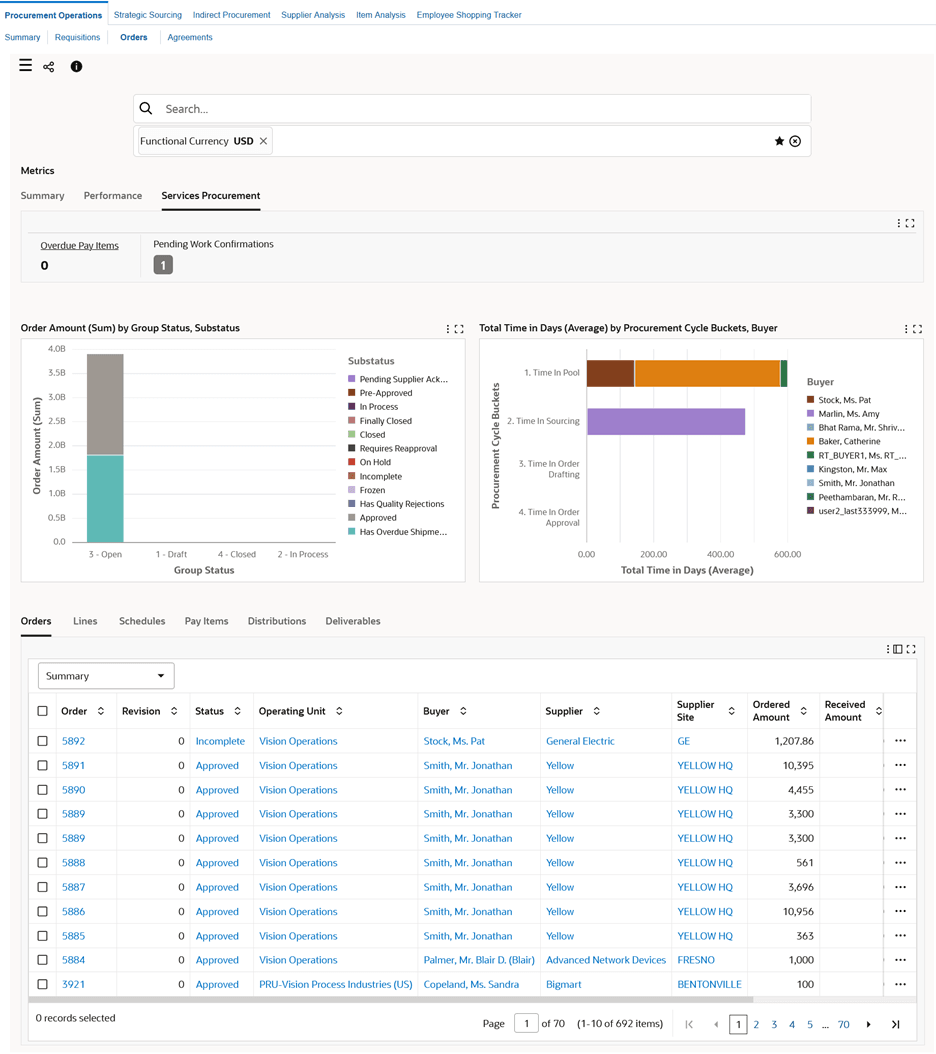
Click the metric and then select the work confirmation. The Orders results table displays the order for the work confirmation.
In the Orders results table, click the row-level actions icon, and select Order Details to see the details of the work confirmation. For a work confirmation, the Order Details dashboard filters data based on the selected order and displays work confirmation details.
Steps to enable and configure
- Apply the Procurement Command Center update that delivers Service Procurement support in the Procurement Operations Dashboard and confirm the required Oracle Enterprise Command Center Framework level is installed and enabled.
- Grant the Procurement Command Center pages, actions, function security, and data access to the procurement users who will use the feature.
- Run the applicable Procurement Command Center data load as an initial full load, then schedule incremental refreshes that match the operational review cycle.
- Validate the dashboard metrics, refinements, result tables, and action links with representative requisitions, orders, agreements, suppliers, items, and negotiations.
- Validate complex service purchase orders, work confirmations, progress payments, and contingent labor/service procurement security with users who manage those processes.
Tips and considerations
- Confirm responsibility, operating unit, buyer, supplier, and document security before broad rollout so users see the right records and actions.
- Use selected refinements and result-table drilldowns during testing so users can move from a summary metric to the transaction or setup page where action is taken.
- Coordinate metric validation with services procurement owners because service procurement exceptions often depend on work confirmation and progress-payment processes.
Key resources
Oracle Purchasing User's Guide
Transfer of Information
R12.2.13 TOI: Implement and Use Purchasing - Oracle Procurement Command Center