Filter CLM Awards and IDVs Using Document Style
This enhancement adds Document Style as a refinement for CLM Awards and IDVs in the command center. Users can narrow award and IDV results by the document style used to create the document, which helps separate different agreement or award structures in dashboards and charts.
The main benefit is faster analysis when teams manage multiple award or IDV document styles in the same command-center work area.
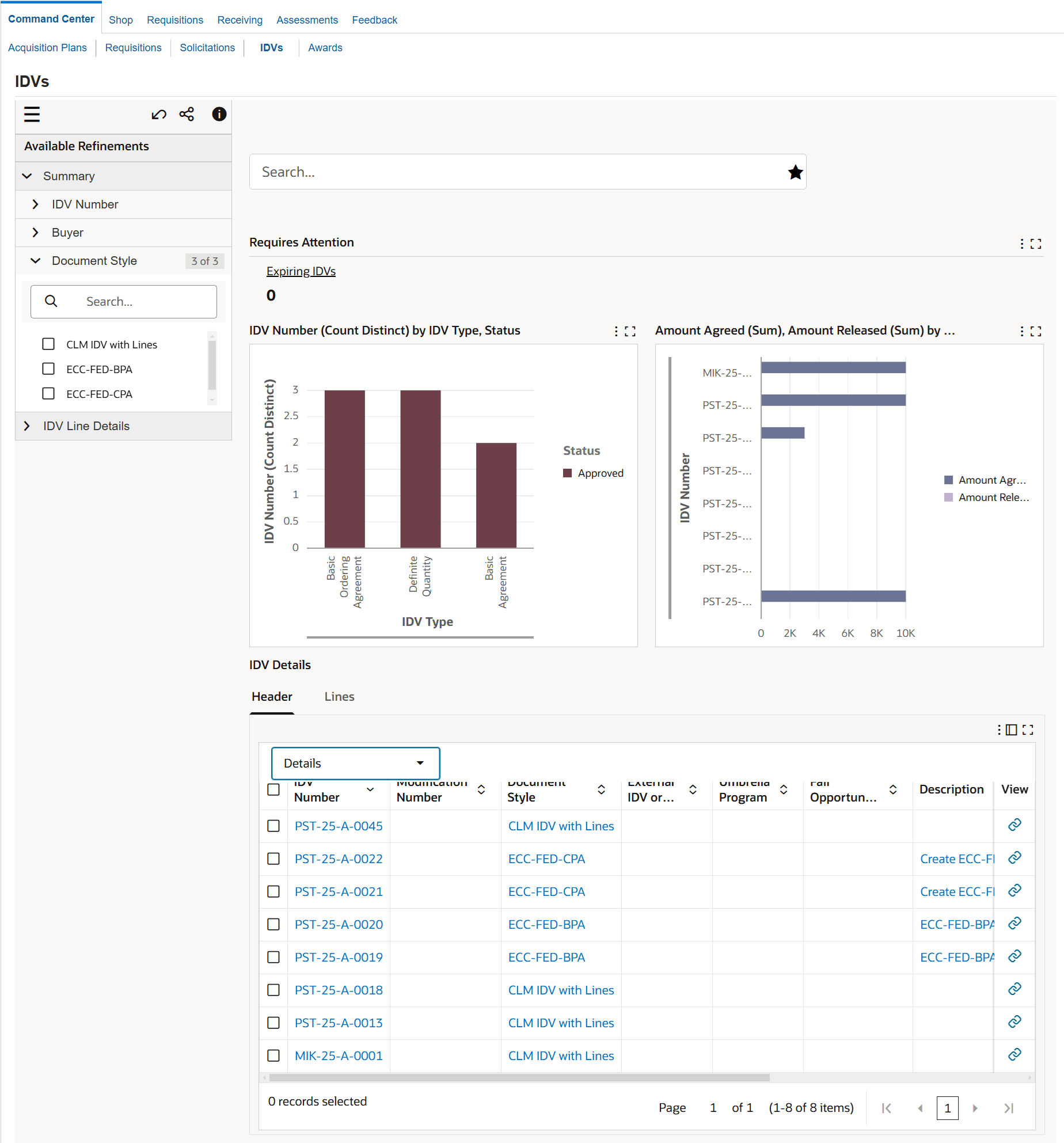
IDVs Dashboard: If you select the Document Style refinement to search for IDVs, then the Header results table in the IDV Details tab displays the document styles associated with the IDVs.
IDVs Dashboard Document Style Refinement
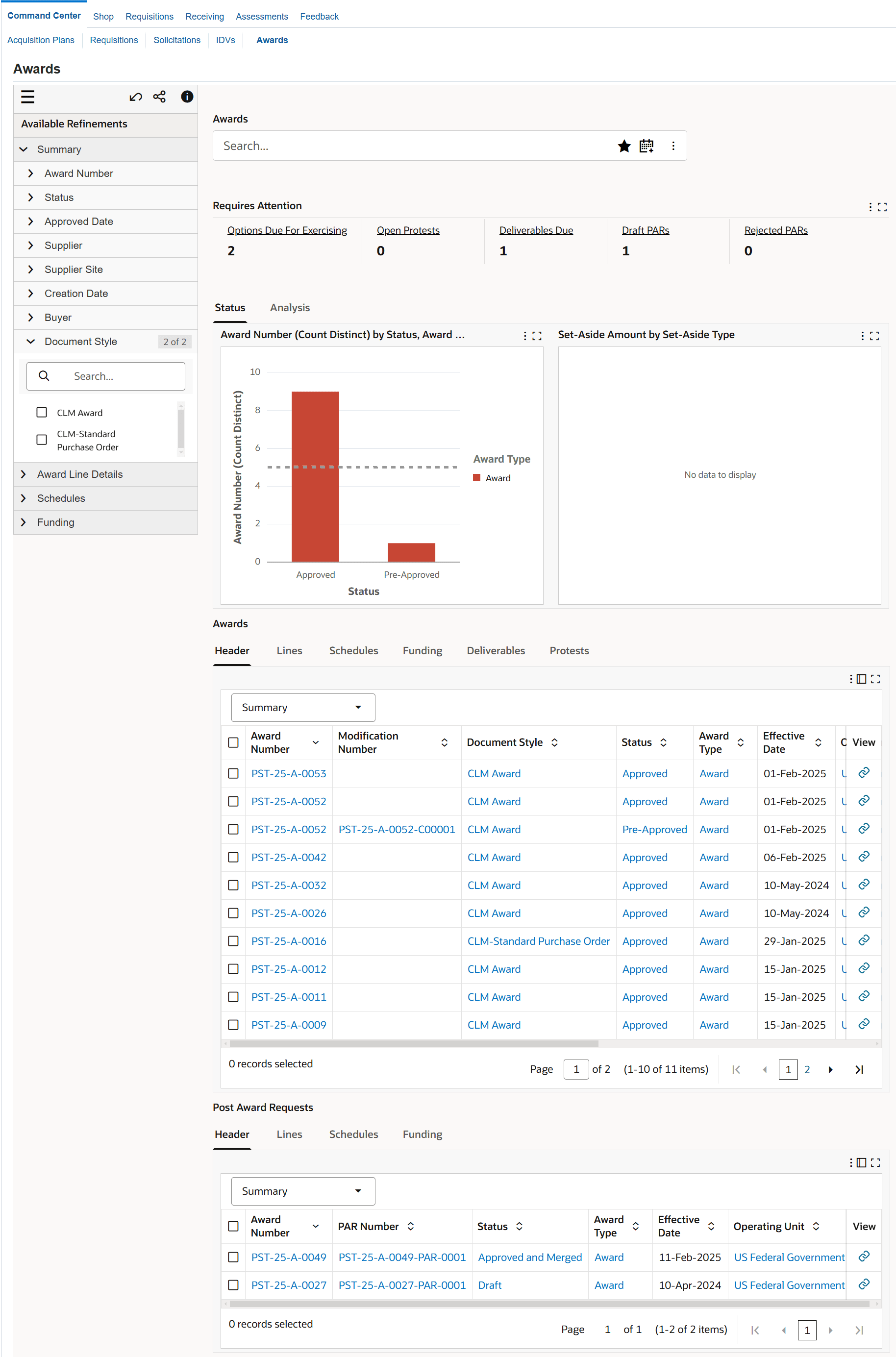
Awards Dashboard: If you select the Document Style refinement to search for awards, then the Header results table displays the document styles associated with the awards.
Awards Dashboard Document Style Refinement
Steps to enable and configure
- Apply the 12.2.14+ CLM for Public Sector Command Center update and confirm the Awards and IDVs data sets include Document Style.
- Verify document styles are configured and used consistently for awards and IDVs in CLM Public Sector setup.
- Run the PO CLM ECC Data Load so document style values appear in the Awards and IDVs dashboards.
- Confirm the Document Style refinement and any saved searches or result-table layouts meet user needs.
Tips and considerations
- Review document style naming conventions before rollout so filters are understandable to buyers and contracting specialists.
- Update saved searches that should automatically limit results to specific award or IDV styles.
Key resources
- Oracle Contract Lifecycle Management for Public Sector Implementation Guide
- Oracle Contract Lifecycle Management for Public Sector Command Center Setup
- Setup and Configuration Steps for CLM Command Center
- Oracle Contract Lifecycle Management for Public Sector Command Center Setup
- Oracle Contract Lifecycle Management for Public Sector Purchasing User Guide
- Oracle Contract Lifecycle Management for Public Sector Command Center
- CO IDVs Dashboard
- CO Awards Dashboard
- Oracle Contract Lifecycle Management for Public Sector Command Center
Transfer of Information
R12.2.14+ TOI: Implement and Use Contract Lifecycle Management for Public Sector Command Center