Enter Supplier Contacts as Free Text When Creating Awards
Contracting officers can now edit the supplier contact information in the Award Addresses and Suppliers tab, Suppliers region, if there is no contact defined for a supplier or a contact is not selected in the Award Headers page.
When supplier contact information is not available in the supplier record, users can now enter the supplier contact details directly during processing. This improves productivity and reduces errors by eliminating the need for contracting officers to identify and maintain specific supplier contacts in the supplier master, where such information can be difficult to manage and keep current.
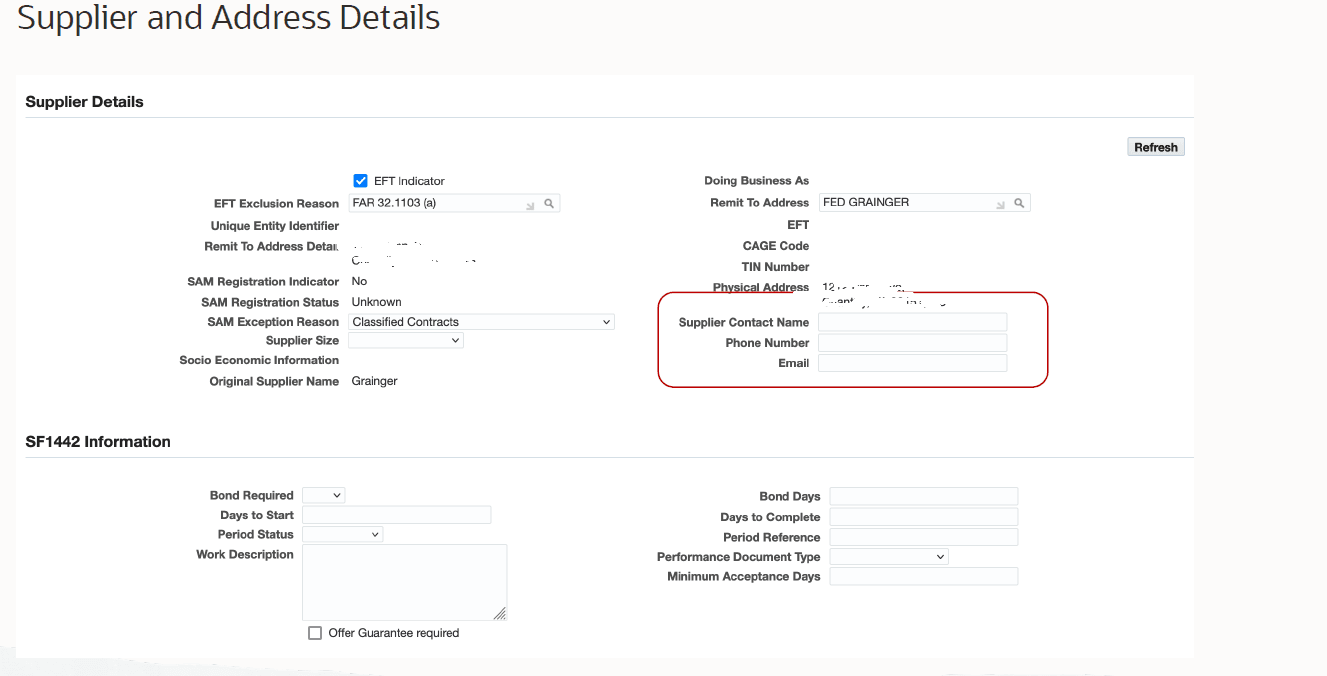
When you create or update an award, if contact details for a supplier are not available in supplier master data, then you can add this information in the following fields of the Supplier Details region. At the header-level, if you change the supplier for whom the contact details are available, then the contact information of the changed supplier defaults to these fields.
- Supplier Contact Name
- Phone Number
When you provide the supplier contact information manually in the surrogate offer and award the contract to the same supplier, the contact information provided in the surrogate quote defaults to the supplier contact fields in the supplier Addresses region. You can edit the supplier contact information (defaulted from the surrogate offer) if required.
Supplier Details
Steps to enable and configure
You don't need to do anything to enable this feature.
Tips and considerations
None
Key resources
Oracle Contract Lifecycle Management for Public Sector Purchasing User Guide
Transfer of Information
R12.2.13 TOI: Implement and Use Contract Lifecycle Management for Public Sector - API for Modification to De-Obligate Award Funds