Manage Intergovernmental Order Lifecycle Using G-Invoicing Dashboard
The G-Invoicing Dashboard offers a centralized view of GT&C terms, order lifecycles, and potential bottlenecks in delivery or quality, helping agencies maintain on time performance and efficient supply pipelines. The G-Invoicing Dashboard also supports proactive alerts for modifications and order closures.
Prior to Release 12.2.15, agencies relied on multiple data points to track GT&Cs and the overall order lifecycle without unified alerts, or a single and cohesive interface.
This feature:
- Brings GT&C, order lifecycle, modification, closure, performance, and exception visibility into one dashboard experience.
- Helps users manage bottlenecks and lifecycle risks before they affect delivery, quality, or settleme
G-Invoicing Dashboard
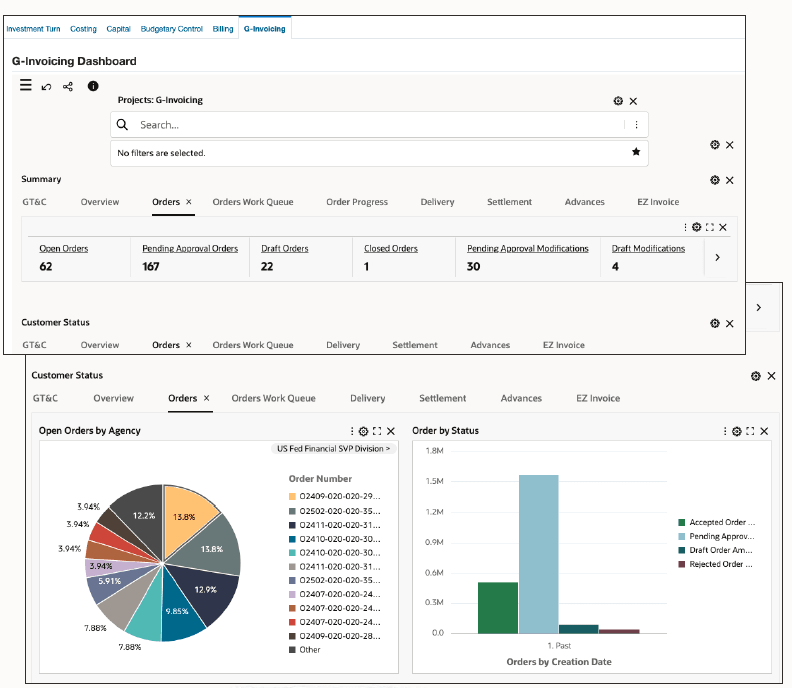
To manage intragovernmental lifecycle, use the following metrics and charts introduced in this release:
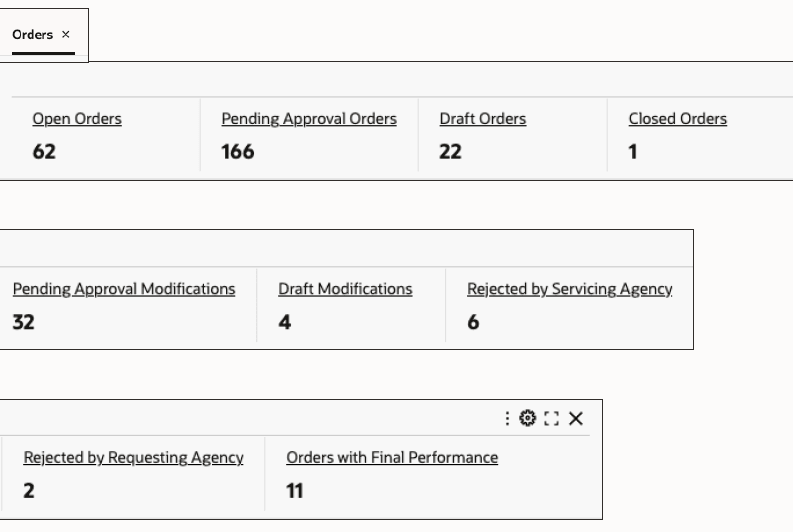
Screenshot of the Orders Tab Metrics
Overview Tab Metrics
- Open Order Amount
- Open GT&C
- Settled Amount
- Delivered Amount
- Trading Partners
- G-Invoicing Communication Issues
Orders Tab Metrics
- Open Orders
- Pending Approval Orders
- Draft Orders
- Closed Orders
- Pending Approval Modifications
- Draft Modification
- Rejected by Servicing Agency
- Rejected by Requesting Agency
- Orders with Final Performance
Orders Work Queue Tab Metrics
- Orders in Approval Preparation
- Orders in Approval Queue
- Orders in Funding Confirmation
- Orders in Requesting Agency Approval
- Modification in Approval Preparation
- Modification is Approval Queue
- Modification in Funding Confirmation
- Modification in Requesting Agency Approval
Order Progress Tab Metrics
- Open Order Amount
- Revenue Budget
- Actual Revenue
- GL Accounted Revenue
- Unearned Revenue
- Actual Cost
- Deferred Performance
Settlement Tab Metrics
- Delivered
- Settled
- Accepted
- Receipts
- Receipts Applied on Invoice
- Refunds
- Acceptance Adjustments
- Delivery Adjustments
- Quality Performance Percent
- Delivery performance with Pending Adjustments
Advances Tab Metrics
- Advance Order Amount
- Advance Received
- Advance Receipt Amount
- Advance Delivered
- Advance Pending Delivery
- Advance Refunded
- Advance Receipt Refund
Charts
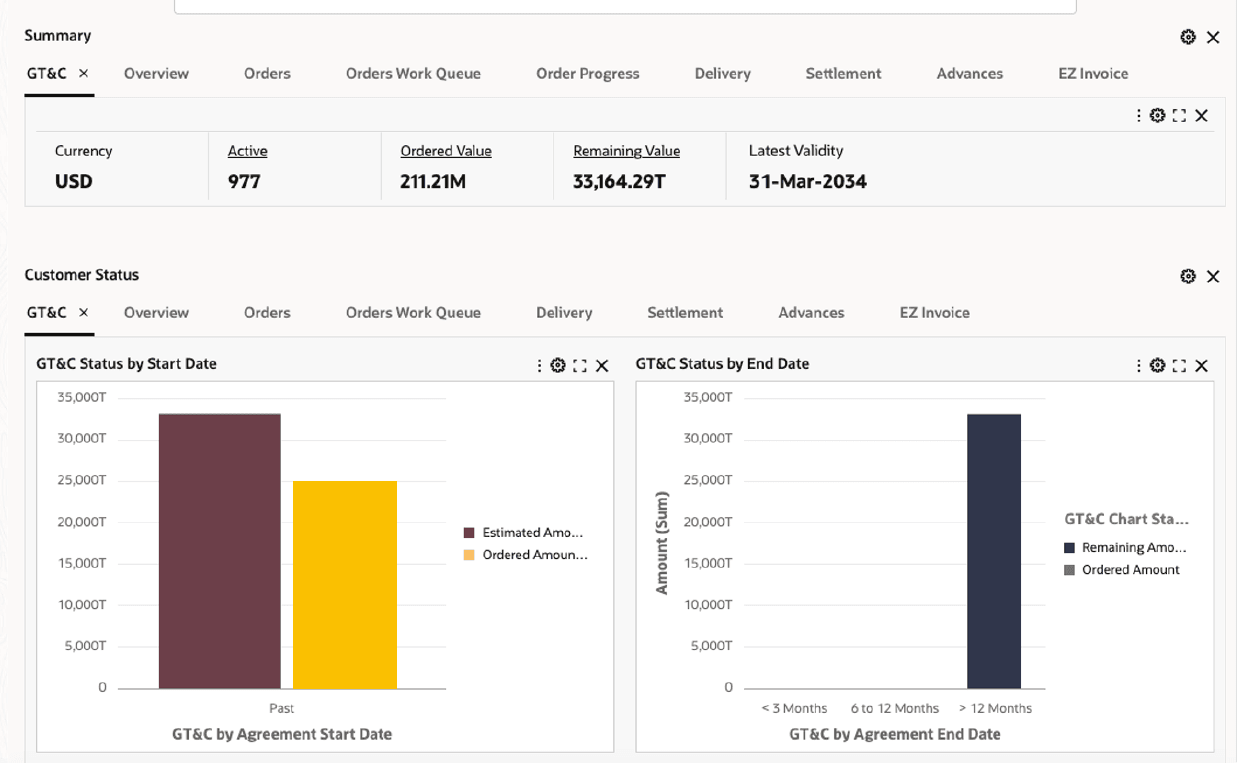
Screenshot of GT&C Charts
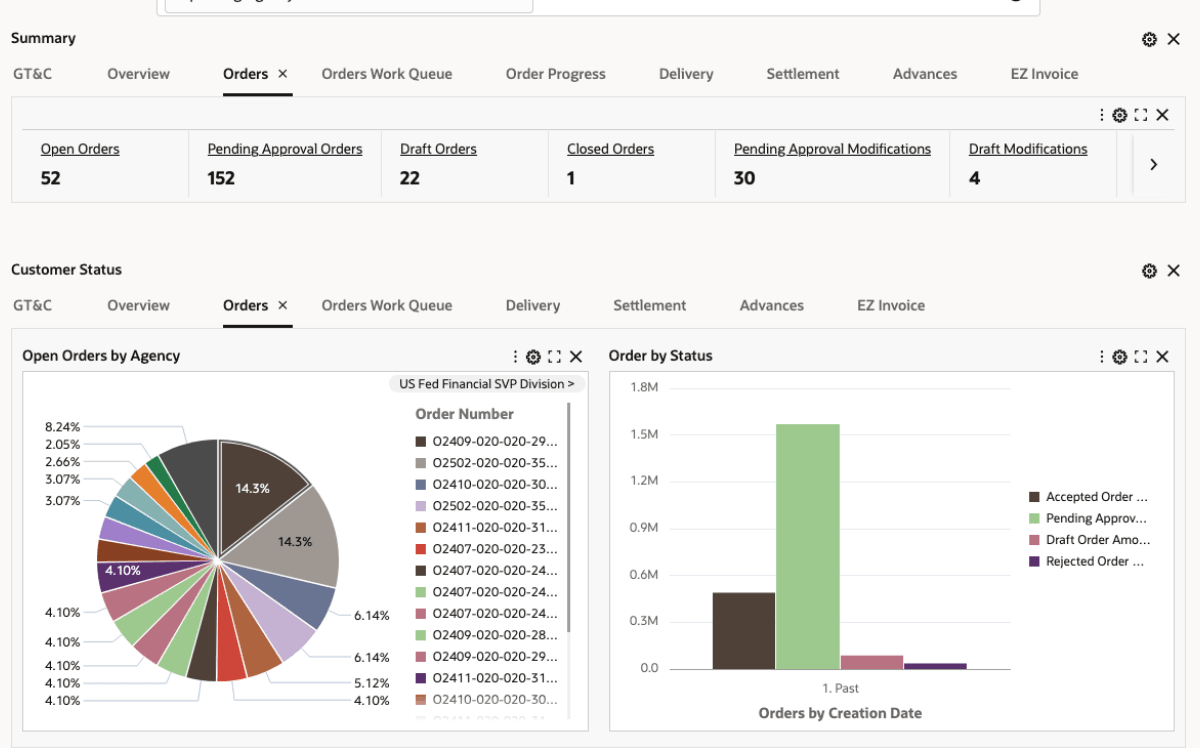
Screenshot of Orders Charts
Charts
- GT&C status charts
- Overview charts: Display overall status and activities in the last 3 periods.
- Orders charts: Display open orders by agency and order by status
- Orders Work Queue tab displays charts - Orders and Modifications
- Delivery Readiness and Delivery status charts
- Settlement Adjustments and Settle Status charts
- Advances chart displays the total open order amounts for advance-enabled orders, and displays amounts by the Advance Status values.
New Actions
Use the following actions available from the Orders results table:
- View Costing Details
- View Billing Details
- View Budget Details
Steps to enable and configure
- Run the Projects G-Invoicing ECC Full Data Load to load any changes in the aging template (profile) and history range.
- Run the Projects G-Invoicing ECC Incremental Data Load on a daily basis to load transaction update and related details for projects
Tips and considerations
These changes are available from ECC release V11.
Key resources
Oracle E-Business Suite G-Invoicing Process Guide
- Chapter: Enterprise Command Center
- Topics:
- Projects Command Center Configuration
- G-Invoicing Dashboard
- Topics:
Transfer of Information
R12.2.14+ TOI: Implement and Use Project Planning and Control - Oracle Projects Command Center - G-Invoicing