Saving a Configuration
Caution:
You must be within the My Configurations folder in order to save a configuration.
To save a configuration that you have created (or modified), select Save Definition:
Highlight the node for the definition you want to save.
From the Configuration Assistant toolbar, select File > Save Definition.
Note:As an alternate method, perform either of the following actions:
Click the Save Definition button.
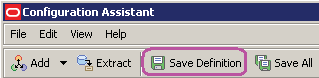
Use the keyboard shortcut: Ctrl+S