Understanding Color Codes
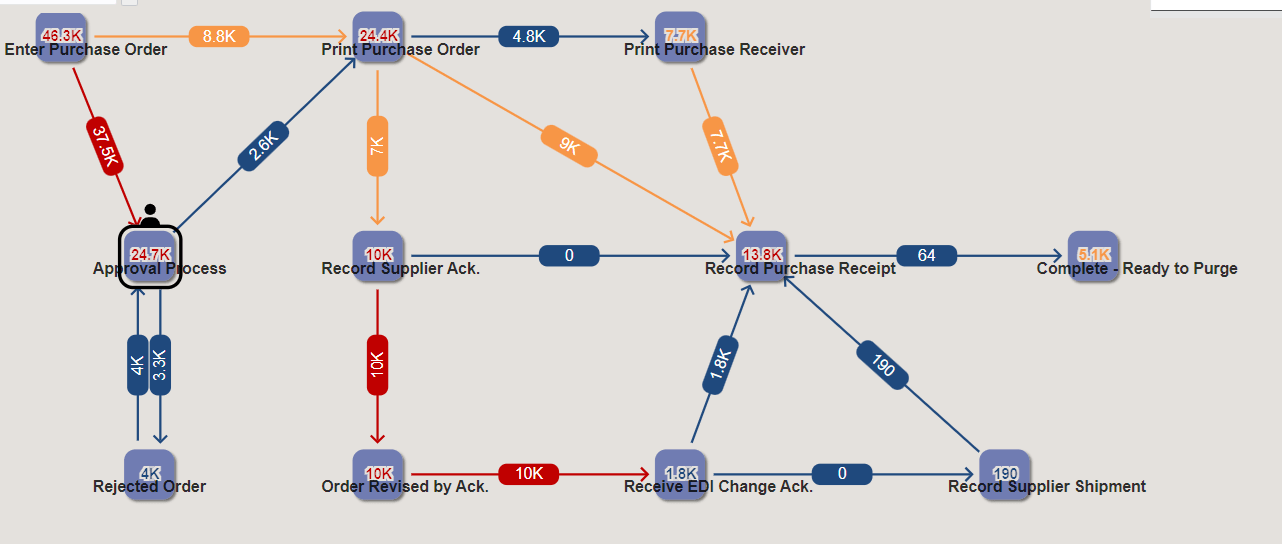
You can determine the status of the nodes and links by their color codes.
The threshold values for nodes and links can be defined using the Node Metrics and Link Metrics options. This table explains the colors and their corresponding statuses:
| Colors | Status | Icons displayed in Node Metrics and Link Metrics Options |
|---|---|---|
|
Blue |
Metrics within a normal threshold |
|
|
Orange |
Metrics above or below a warning threshold |
|
|
Red |
Metrics above or below a critical threshold |
|


This example screenshot displays nodes, links, and their values in different colors to indicate the normal, warning, and critical statuses.