Creating a Compartment for Reference Architecture
This section shows you how to create a compartment in Oracle Cloud Infrastructure.
On the Oracle Cloud Infrastructure Welcome page, you can click the About Compartments link for additional information.
- The user interface for the Oracle Cloud Infrastructure Console is constantly evolving. For the most up-to-date descriptions and navigation, refer to Using the Console.
- You should have a fundamental understanding of Oracle Cloud Infrastructure. It is highly recommended that you review the extensive collateral information, including training, at this site:
- You must have a subscription to Oracle Cloud Infrastructure and and an administrator account in the platform. For more information, refer to this site:
- To access the Oracle Cloud Infrastructure Console, you must use a supported browser.
Creating a Compartment
- As the user for which you will create a public key to access the OpenTofu
staging server, log in to Oracle Cloud Infrastructure using the following
URL, which leads to the tenancy for which you want to provision
infrastructure using the JD Edwards EnterpriseOne Infrastructure
Provisioning
Console:
https://console.<your_region-ad>.oraclecloud.com/#/a/For this tutorial, we will use this URL:
https://console.us-ashburn-1.oraclecloud.com/#/a/ - On the Oracle Cloud Infrastructure Console Home page, click the navigation
menu in the upper-left corner.
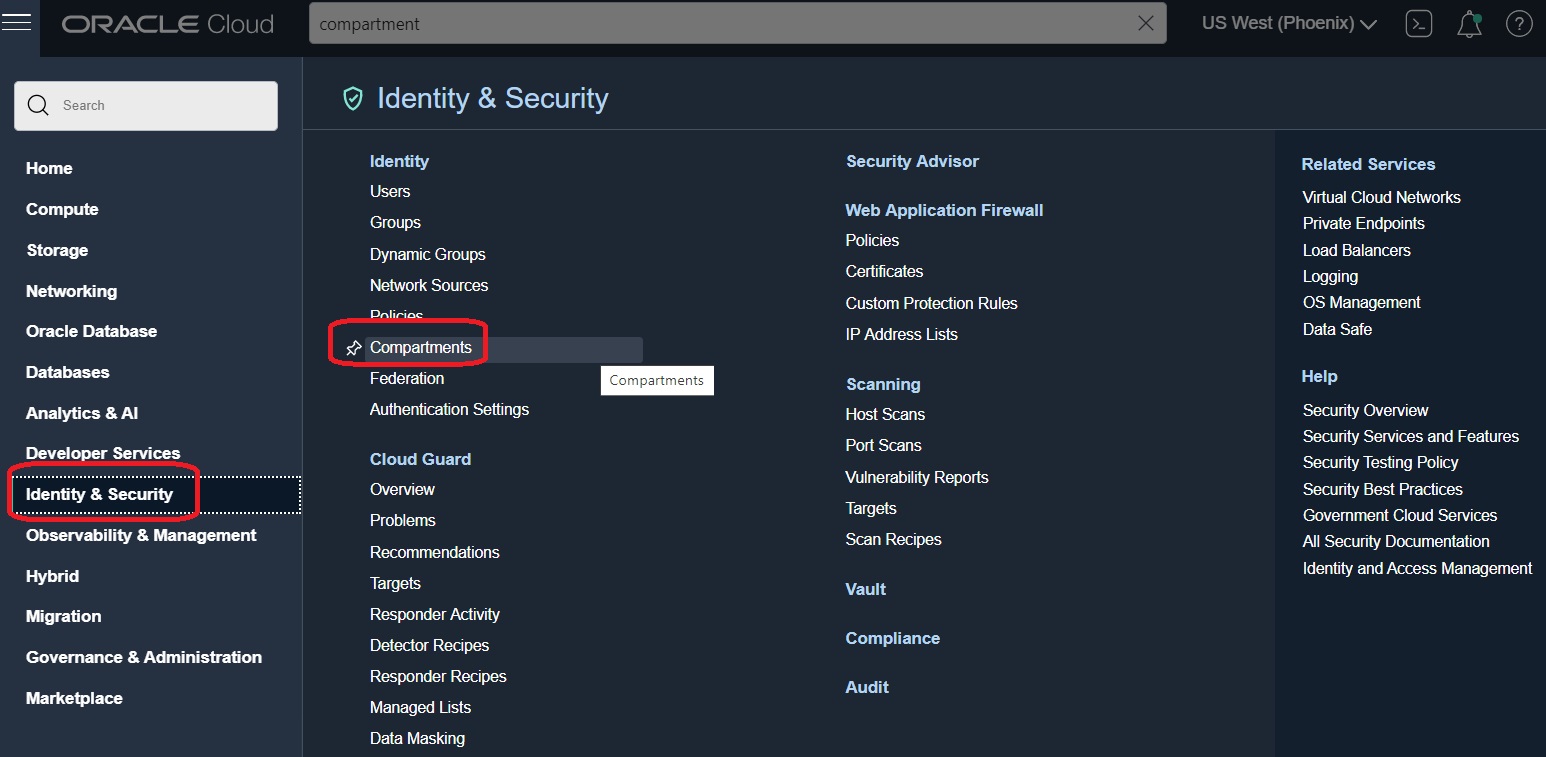
- Click the Identity & Security section in the left pane, and select the Compartments service.
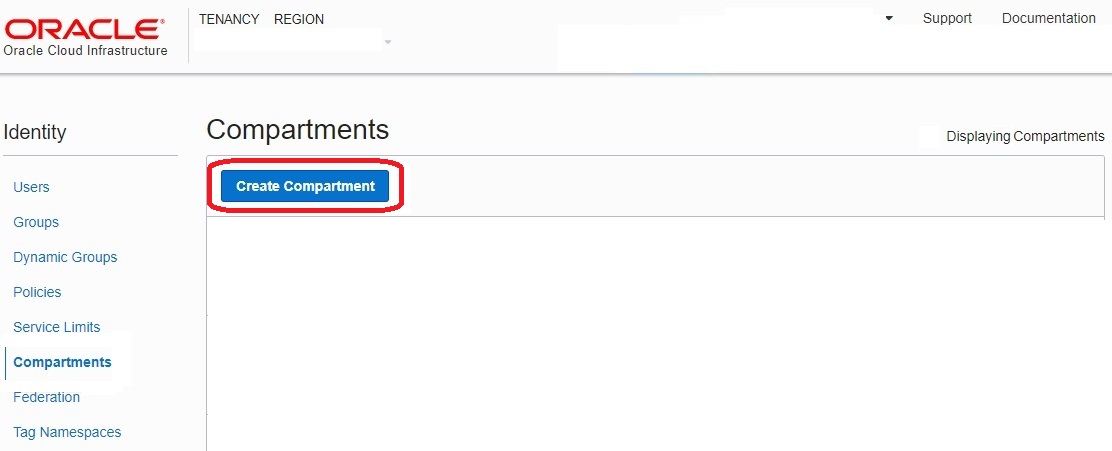
- In the Compartments section, click the
Create Compartment button.
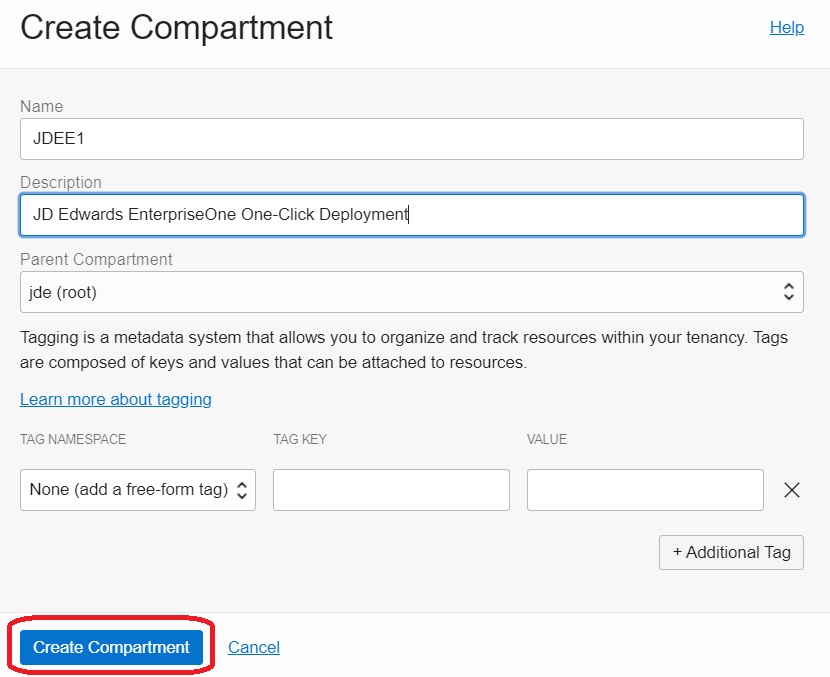
- On the Create Compartment dialog box, complete these fields:
- Name
Enter a name for the compartment.
- Description
Enter a description for the compartment.
- Tags
Optionally you can enter tag information in these fields. For more information, click the link Learn more about tagging in the dialog box.
- Name
- Click the Create Compartment button.