Creating Rules for a VCN Security List for Infrastructure Provisioning
This section shows you how to create rules for a virtual cloud network (VCN) security list in Oracle Cloud Infrastructure to use the VCN for JD Edwards EnterpriseOne infrastructure provisioning.
Prerequisite
- You must have created a virtual cloud network by following the steps described in the preceding section "Creating a Virtual Cloud Network" of this Learning Path.
- The user interface for the Oracle Cloud Infrastructure Console is constantly evolving. For the most up-to-date descriptions and navigation, refer to Get to Know the Console.
- You should have a fundamental understanding of Oracle Cloud Infrastructure. It is highly recommended that you review the extensive collateral information, including training, at this site: Oracle Cloud Infrastructure
- You must have a subscription to Oracle Cloud Infrastructure and and an administrator account in the platform. For more information, refer to this site: Getting Started with Oracle Cloud
- To access the Oracle Cloud Infrastructure Console, you must use a supported browser. See Browser Issues.
Creating Rules for a VCN Security List
You must create rules for the public subnet that was automatically created by the workflow wizard when you created the VCN.
- Navigate to Networking, Virtual Cloud Networks.
- In the List Scope section, verify that the correct compartment is
selected.
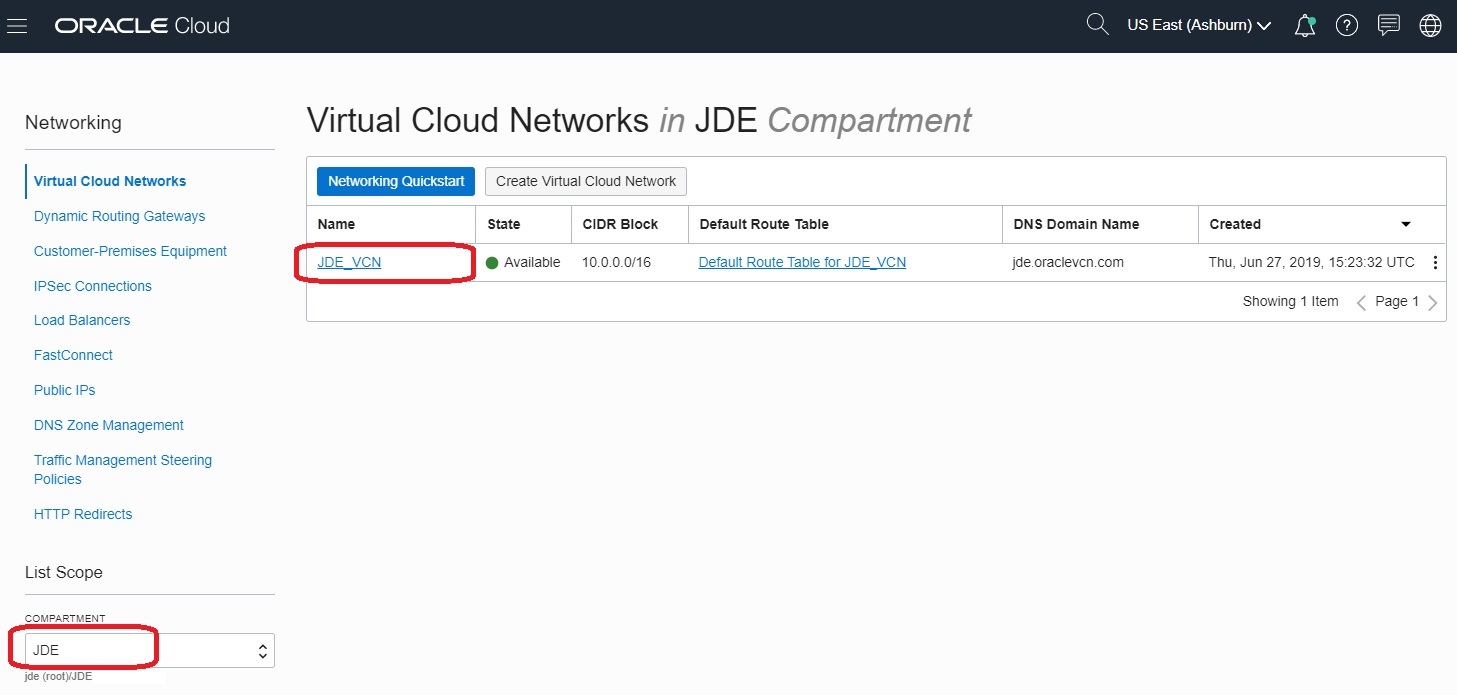
- Click the link for the VCN you created.
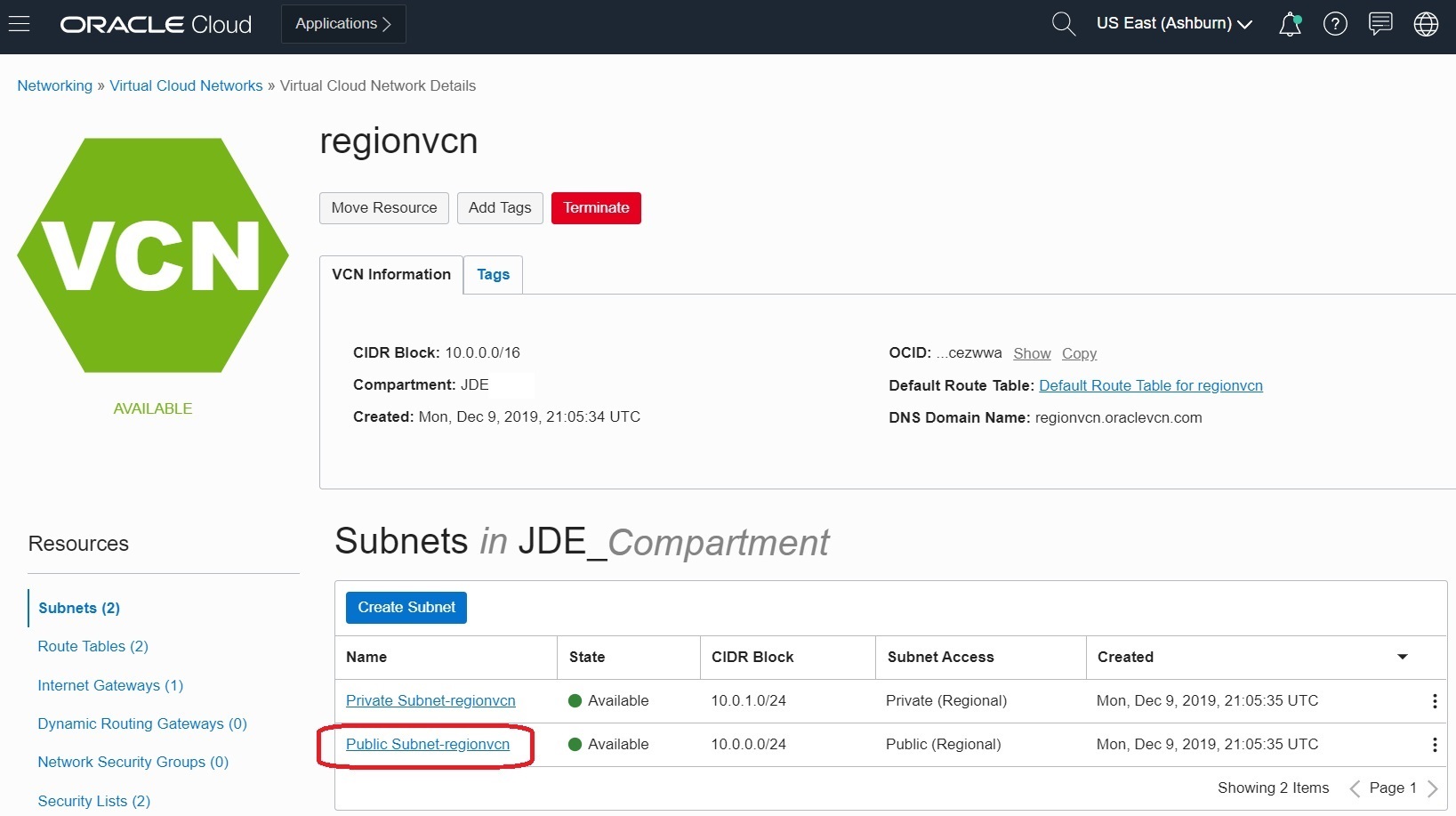
- In the Subnets in JDE_ Compartment, section, click the
Public-subnet-<vcn_name> link.
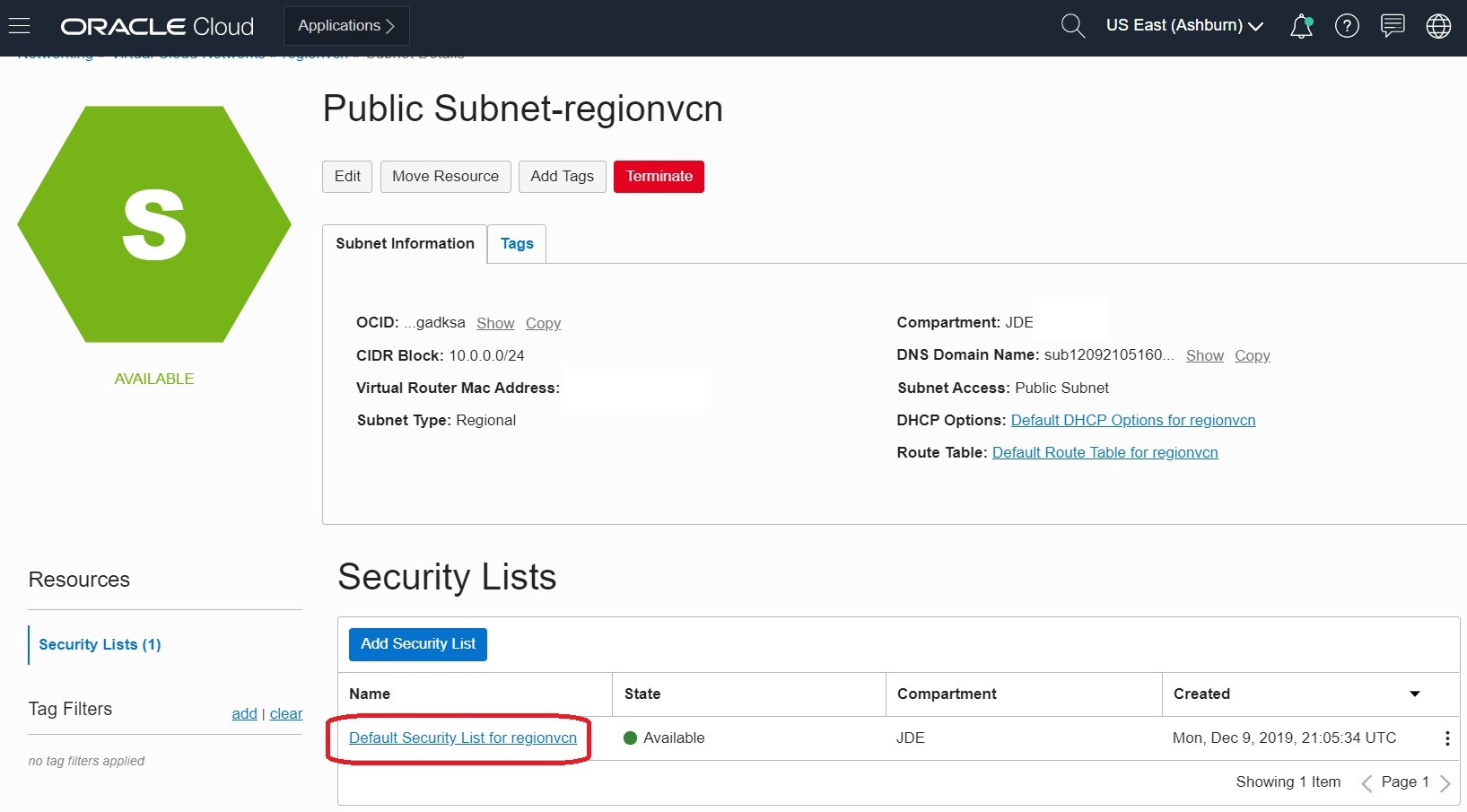
- In the Security Lists section, click the link Default Security List for
<vcn_name>.
- To create additional rules that are required for JD Edwards EnterpriseOne
One-Click Provisioning, click the Add Ingress Rule button.
Because this VCN is only for the infrastructure staging server, you only need to open port 5901 with a source CIDR of 0.0.0.0/0. This is the listen port of the VNC Server.
-
Use these values to define the new rule for the listen port of the VNC server:
Source CIDR: 0.0.0.0/0
Destination Port Range: 5901
-
Click the Save Security List Rules button to complete the setup for Ingress Rules.
-
You can accept the default Egress Stateful rule that allows Egress to all destinations, all protocols, and all traffic for all ports.
