Using Reentrant Mode
This section shows you how to use the reentrant mode of the Infrastructure Provisioning Console for these use cases:
- Infrastructure Provisioning Failed
- Scaling Up (Adding) Servers
Prerequisite
- You must have already created a Linux instance and set up the OpenTofu staging server on it.
Using Re-entrant Mode
Two scenarios are supported for the reentrant mode of the Infrastructure Provisioning Console:
- Infrastructure Provisioning Failed
- Scaling Up (Adding) Servers
Infrastructure Provisioning Failed
In this case, the user has previously started the infrastructure provisioning process by
clicking the Finish button in the Infrastructure Provisioning Console, and upon
execution, the infrastructure provisioning process failed at some point and did not
complete as expected. An example of a failed process is shown in the screenshot
below: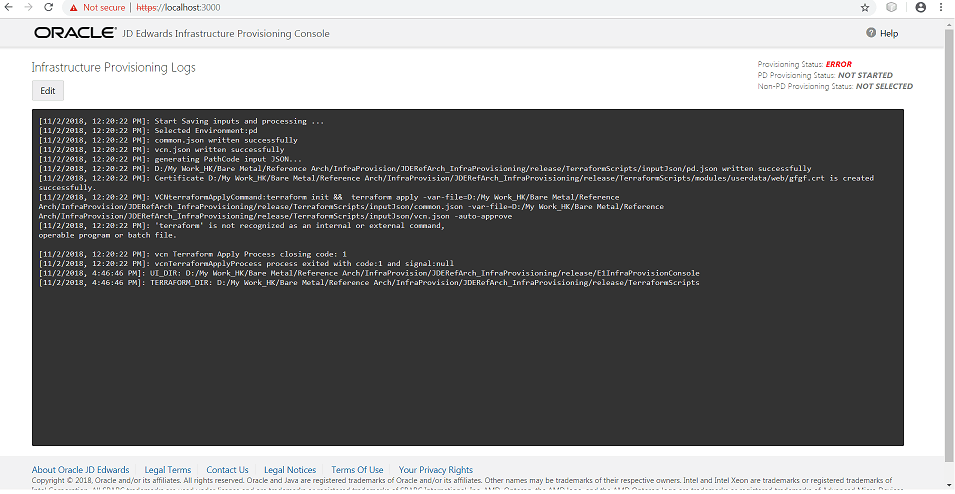
To invoke the reentrant mode, click the Edit button to return to the input screen of the Infrastructure Provisioning Console. At this point you can navigate to the final screen in the Provisioning Console and again click the Finish button. The infrastructure provisioning process will resume from the point where it previously stopped.
Scaling Up (Adding) Servers
If you have completed infrastructure provisioning successfully, you can reenter the Infrastructure Provisioning Console to scale up (add) servers.
- Start the Infrastructure Provisioning Console on the OpenTofu staging server. For this tutorial the server is located here:
https://localhost:3000 - After the Infrastructure Provisioning Console is running, if required you can increase the server count in the input screen. When all the counts are set, click the Finish button to provision additional servers.
Note: When you are adding Enterprise Servers or HTML Web Servers, you should expect downtime for the existing servers that are running until the infrastructure provisioning is complete.