Creating an Oracle Web Application Firewall (WAF) Policy
This section shows you how to configure an Oracle Cloud Infrastructure service for a Web Application Firewall (WAF) policy for use with Oracle JD Edwards EnterpriseOne.
WAF is designed to protect applications from malicious and unwanted internet traffic with a cloud-based, PCI-compliant, global web application firewall service. By combining threat intelligence with consistent rule enforcement on Oracle Flexible Load Balancer, Oracle Cloud Infrastructure Web Application Firewall strengthens defenses and protects internet-facing application servers and internal applications. For additional information, refer to this Oracle Cloud Infrastructure documentation: Web Application Firewall Policies.
This section describes how to create a WAF policy with these characteristics:
- Basic Information
- Access Control
- Rate Limiting
- Protections
- Select Enforcement Point
- Review and Create the WAF Policy
Creating an Oracle Web Application Firewall (WAF) Policy
In Oracle Cloud Infrastructure, search for "Web Application Firewall".
- Click "Create WAF Policy”.
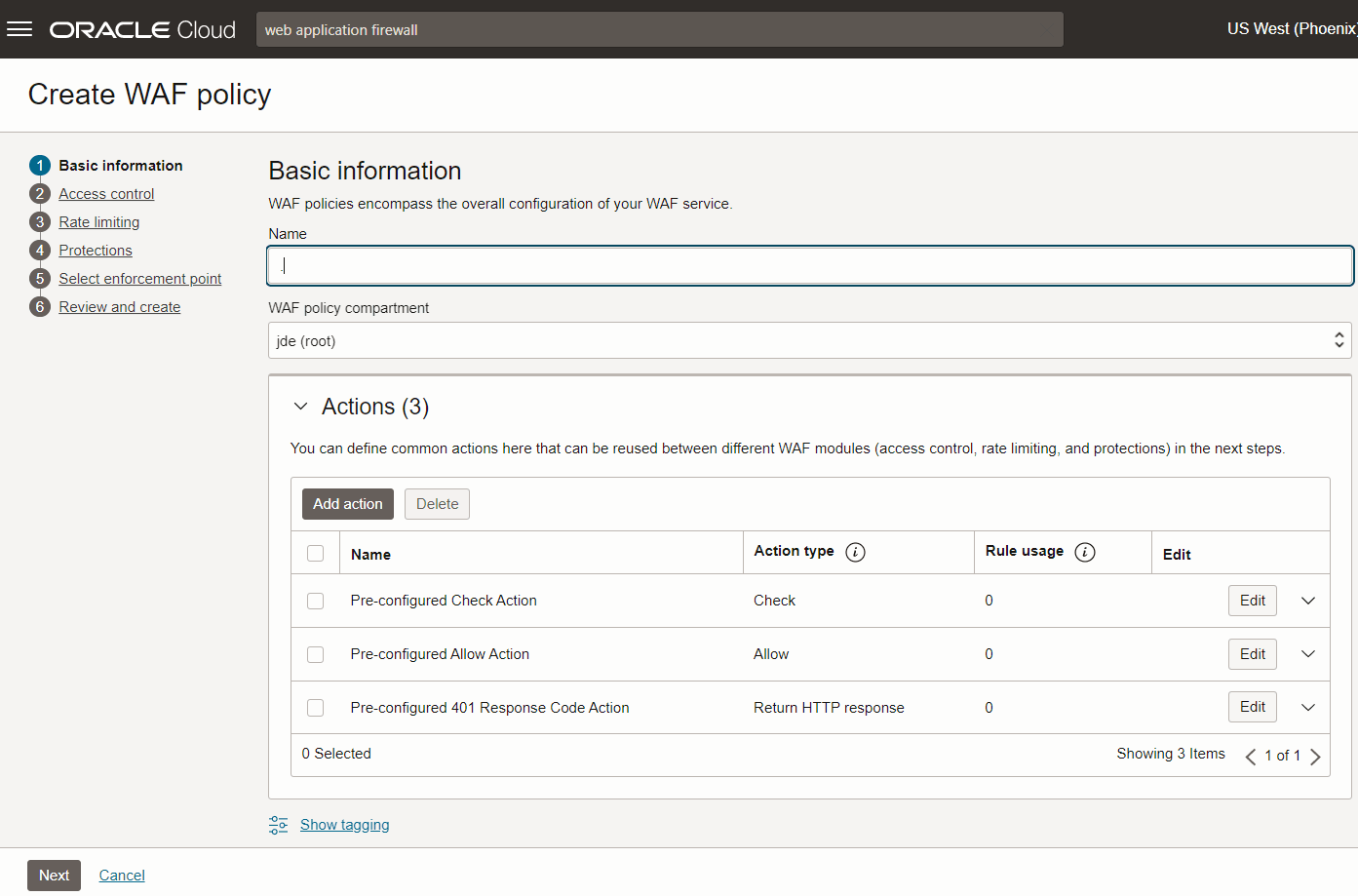
- On Basic information complete fields for name and compartment.
- You also need to define the Actions as per your requirement.
- Click the Next button.
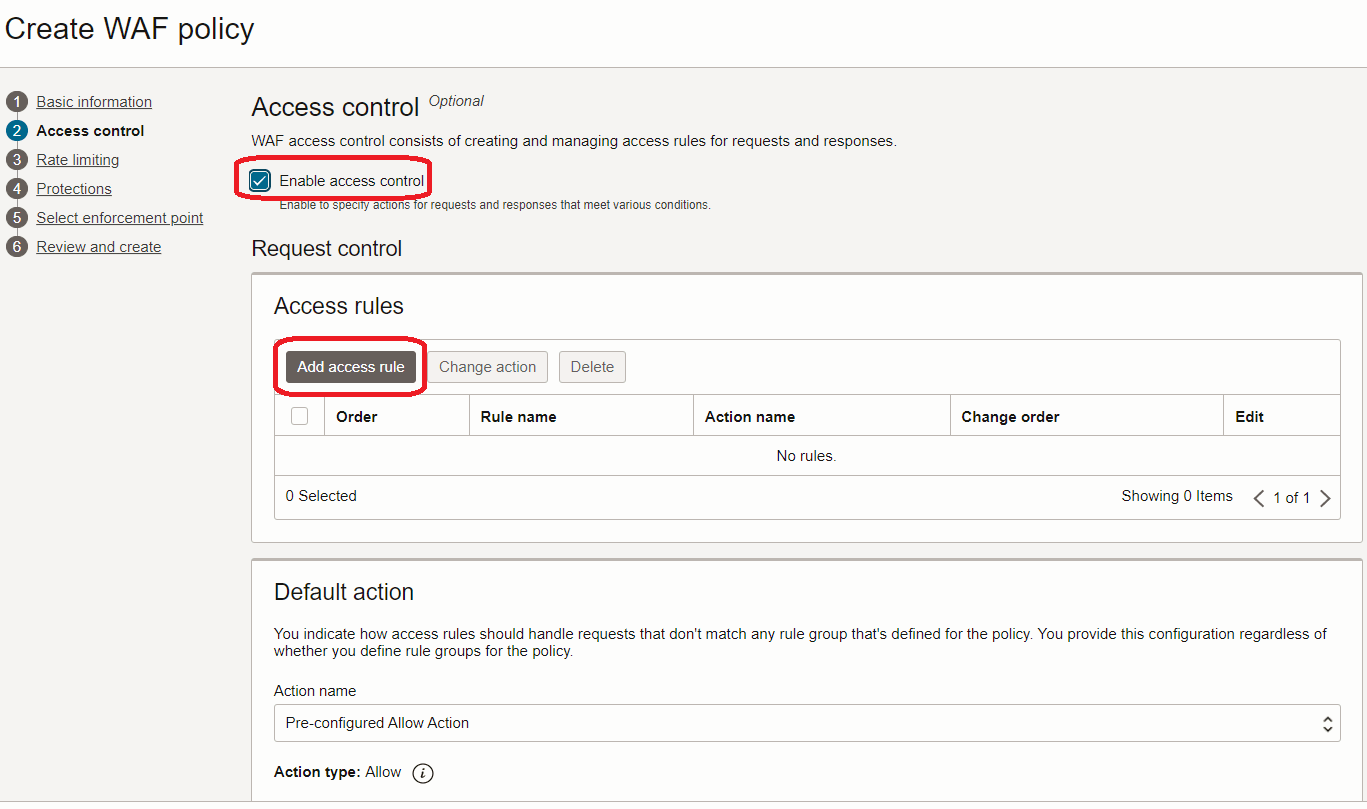
- On Access Control (optional), if you want to add access rules, click the
Add access rule button.
Note: Since access control requirements vary based on organizational security policies, Oracle recommends that customers configure rules based on their specific requirements.
- Click the Next button.
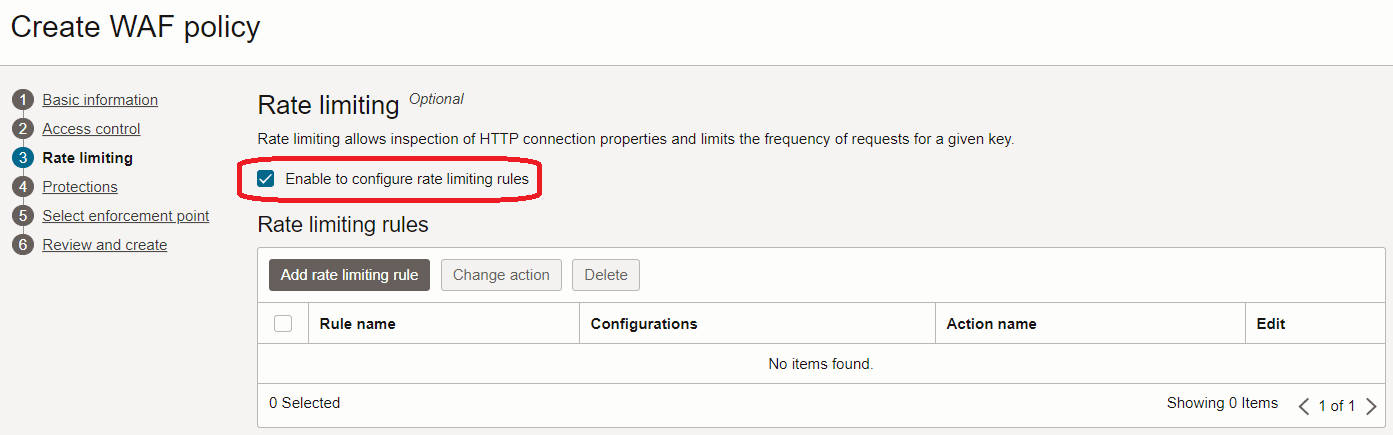
- On Rate Limiting, if you want to allow inspection of HTTP connection properties and
limit the frequency of requests for a given key., click the Add rate limiting
rule button. Note: Since rate limiting requirements vary based on organizational security policies, Oracle recommends that customers configure rules based on their specific requirements.
- Click the Next button.
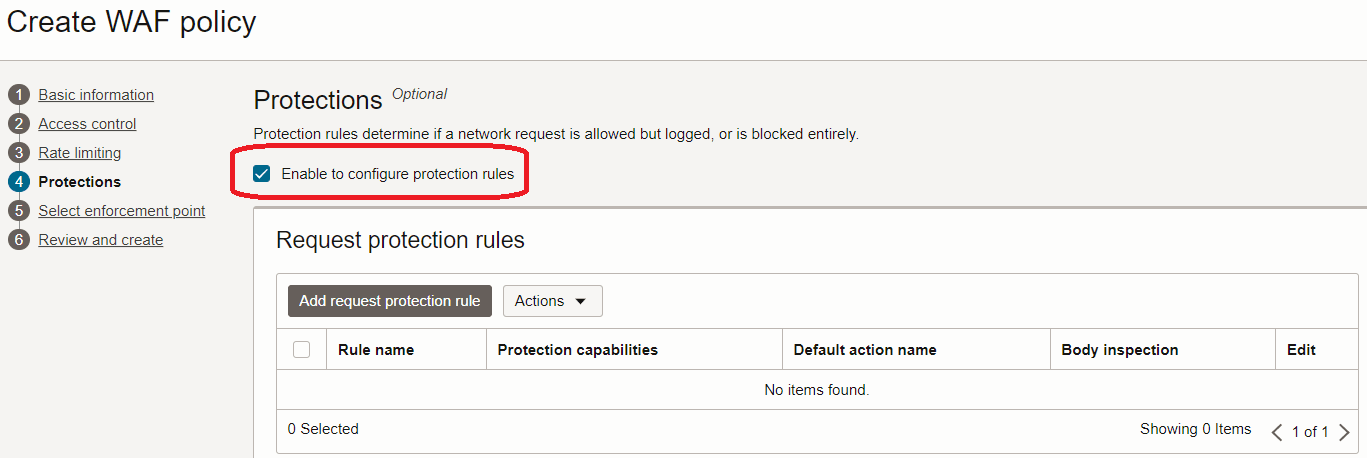
- On Protections, you can create rules to determine if a network request is allowed
but logged, or is blocked entirely.
For use with JD Edwards EnterpriseOne, Oracle recommends that you configure Protection Capabilities as follows:
- Click the Enable to configure protection rules button.
- Select the Condition type for the protection rules you are adding.
- Define all the rules you want to set for incoming requests by clicking the
Choose Protection Capabilities button.
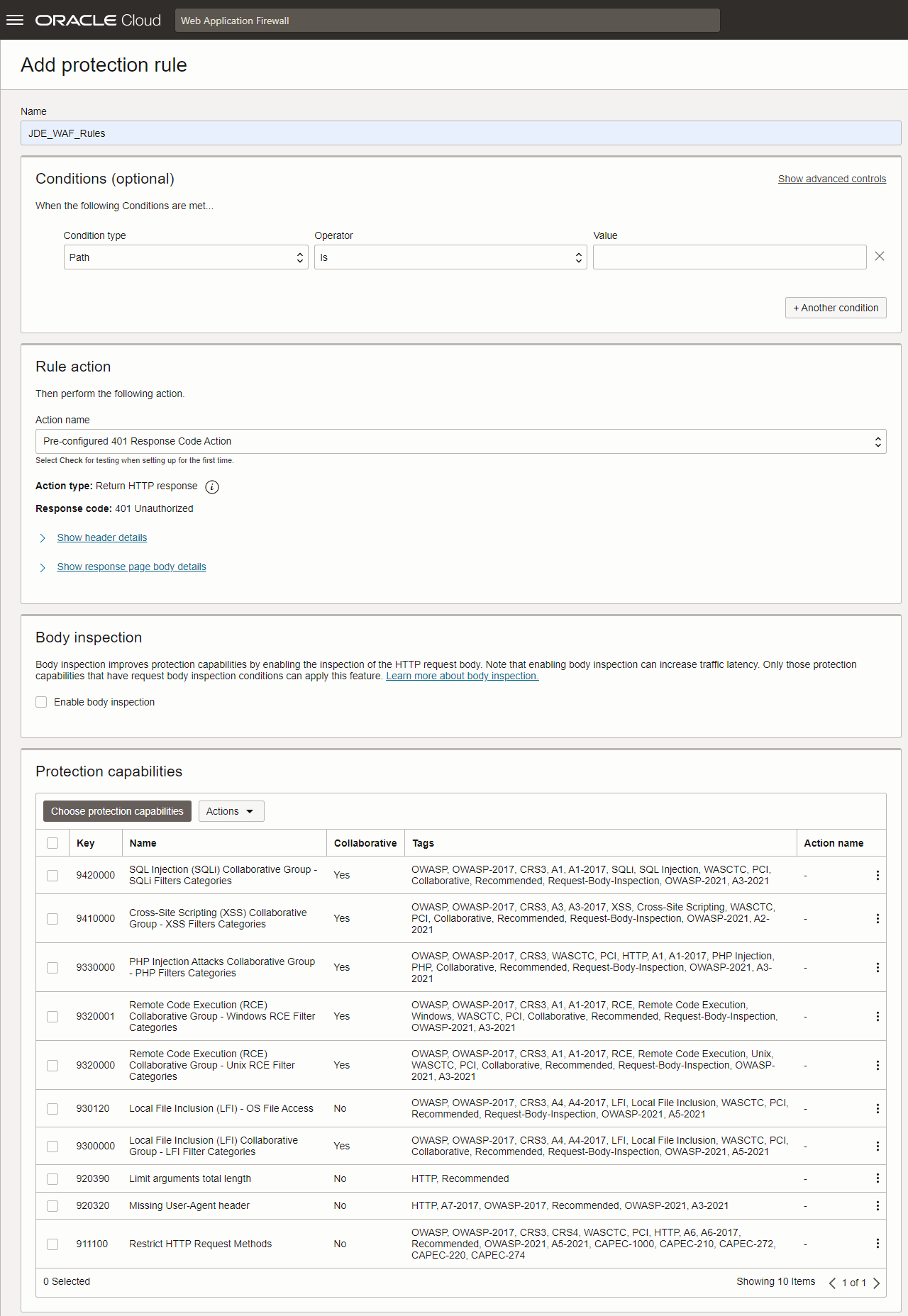
- As shown in the screen shot above, the recommended set of Protection
Capability IDs for JD Edwards EnterpriseOne includes:
- 9420000
- 9410000
- 9330000
- 9320001
- 9320000
- 930120
- 9300000
- 920390
- 920320
- 911100
Note: Since protection requirements vary based on organizational security policies, Oracle recommends that customers configure rules based on their specific requirements. For any rules that you create, Oracle recommends that you follow all the system-suggested actions for a triggered rule based on the condition you are setting. - Click the Next button.
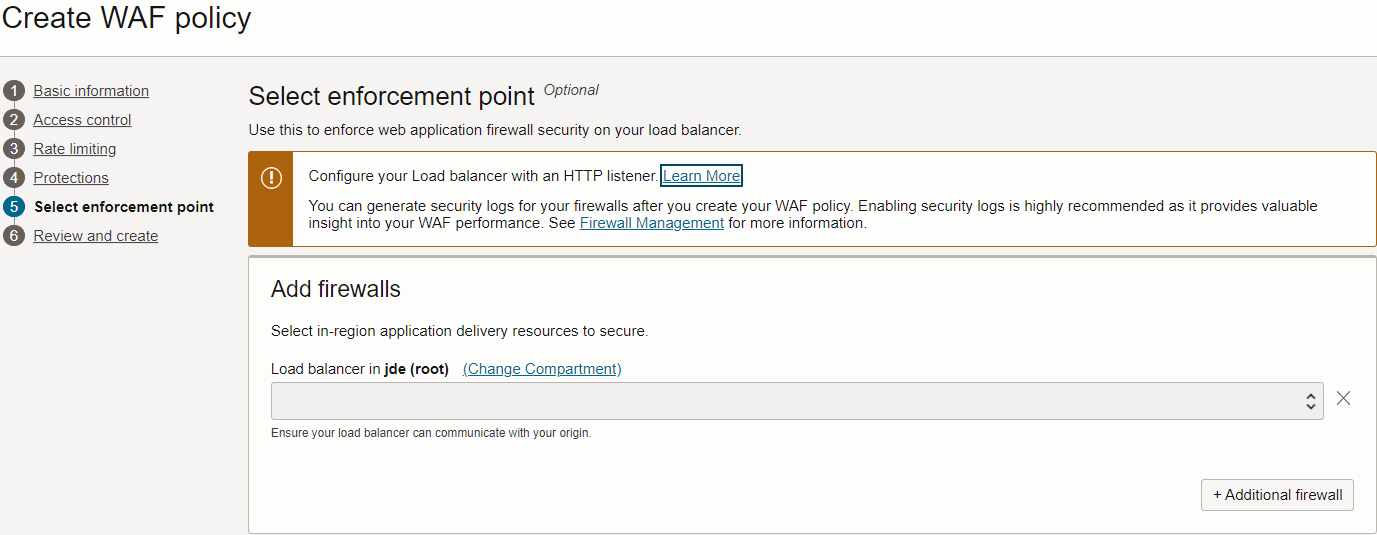
- On Select Enforcement Point, you can configure your Load balancer with an HTTP
listener. Additionally, you can add firewalls by selecting the specific in-region
application delivery resources to secure. Note: Since enforcement requirements vary based on organizational security policies, Oracle recommends that customers configure this functionality based on their specific requirements.
- Click the Next button.
- On Review and Create, review your settings and when approved, click the Create WAF policy button to complete the process.