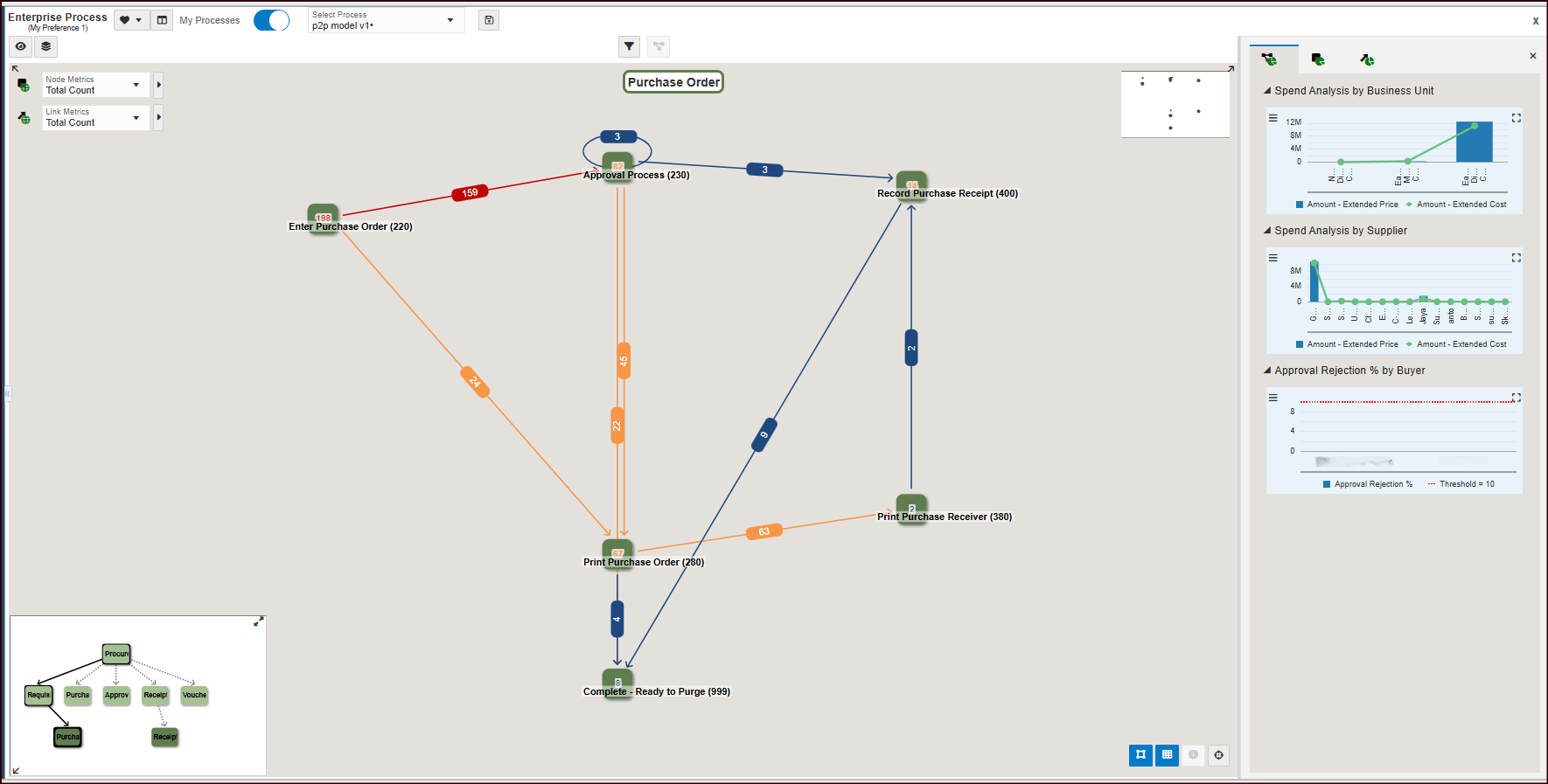
You can select the child node in the Hierarchy Map to view the connected
process. Alternatively, right-click the Connected Process node – which
displays the Generate PO from Requisition to Purchase Order button and select
Drill into Connected Process to navigate to the linked process.
You
can analyze the connected Purchase Order (child) process diagram. The
starting node displays the value selected in the Create Process – Start
Status field for the purchase order process. The diagram presents nodes
representing tasks within the purchase order process and links indicating the
connections between them.
Additionally, the Hierarchy Map at the bottom left corner of the
window displays the connected parent and child processes. You can resize the map by
dragging and dropping or hide it as needed.
To return to the requisition process, select Requisition in the Hierarchy
Map.
For more information, see "Analyzing an Enterprise Process" in JD Edwards
EnterpriseOne Tools Enterprise Process Modeler Guide.