Generating XSD Schemas
The features using Entity Registry can use web services. Depending on what entities are referenced by the messages on the service operation, select an action of Generate XSD for the entity name that is considered the top level used. Selecting the Generate XSD action creates the message schemas of the API for that entity.
To do so, perform the following steps:
-
Access the top level entity name referred by the messages in the service operation and select the Generate XSD action (this may not necessarily be the parent entity name. It depends on what entities are referenced by the messages on the service operation).
-
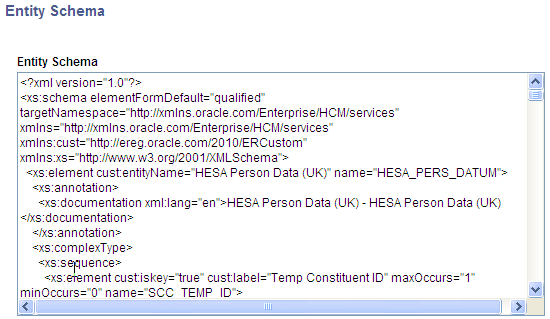
After selecting the Generate XSD action, the entity schema is displayed:
This example illustrates the fields and controls on the Entity schema generated for the Constituent entity (parent entity). You can find definitions for the fields and controls later on this page.
-
Select the entire generated schema and paste it into the appropriate messages to modify the overall schema.
-
Navigate to Search for the relevant message. In the Schema tab, click the Edit Schema button and paste in the generated schema. Save the component.
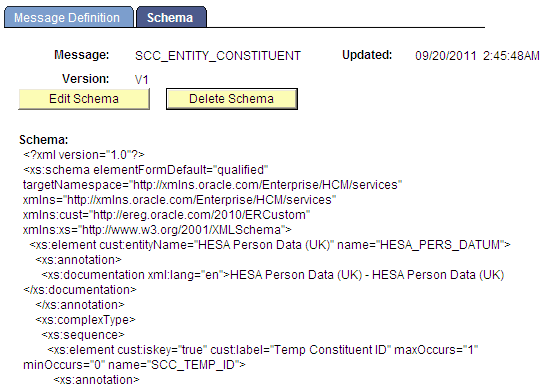
For example, suppose you generated the schema for the Constituent entity. Navigate to the message Schema page. Search for the message called SCC_ENTITY_CONSTITUENT. Click the Edit Schema button and paste the generated schema as shown in screen shot below.
This example illustrates the fields and controls on the Constituent message partial schema. You can find definitions for the fields and controls later on this page.
Note:
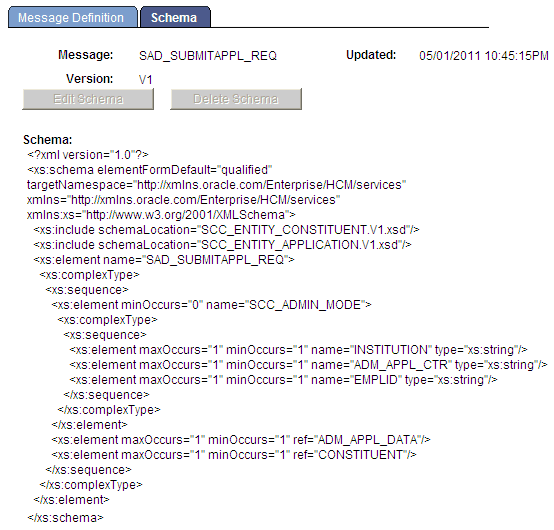
The messages where you paste the schema are entity messages. These messages must be created with a message type of Part NonRowset based. This means they can be used by any Nonrowset based message. The web services created for your transaction can also refer to delivered entity messages. For example, a message with AAWS admission transaction, SAD_SUBMITAPPL_REQ message, calls both SCC_ENTITY_CONSTITUENT and SCC_ENTITY_APPLICANT message schema in its schema.
It is easy to maintain the entity messages as their schema can be generated from the Entity Registry page. Entity messages can be reused in any request or response message as per your requirement.
This example illustrates the fields and controls on the Example of a web service message calling the schema of a Part NonRowset message. You can find definitions for the fields and controls later on this page.
-
Once the schemas have been updated, the service WSDL needs to be republished in order to have all the new or updated entities recognized. In order to do that delete the existing WSDL under Select the appropriate service WSDL and press delete.
Republish the service WSDL under