Setting Up External Education Comments
To define default comments for external education data, use the External Education Comments component (SAD_EXT_COM_TBL).
Default comments that are defined on the External Education Comments page can be entered in the Education component, at the transcript level, career level, or for a specific course.
This section discusses how to define default comments.
Page Used to Define External Education Comments
| Page Name | Definition Name | Navigation | Usage |
|---|---|---|---|
|
External Education Comments |
SAD_EXT_COM_TBL |
|
Define default comments for external education data. |
Defining External Education Comments
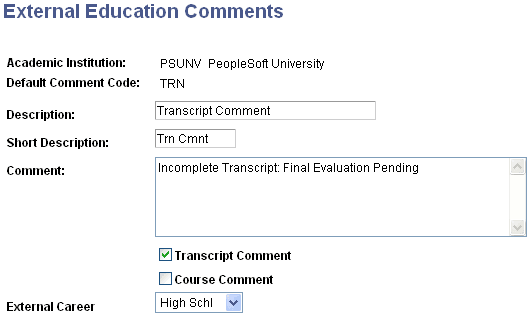
Access the External Education Comments page ().
This example illustrates the fields and controls on the External Education Comments page. You can find definitions for the fields and controls later on this page.
| Field or Control | Description |
|---|---|
|
Default Comment Code |
Enter a code for the default comment. |
|
Description |
Enter a description of the comment code. |
|
Short Description |
Enter an abbreviated description of the comment code. |
|
Comment |
Enter the default text for the comment. |
|
Transcript Comment and Course Comment |
Select to indicate that the default comment relates to a transcript or to a specific course. |
|
External Career |
Enter the external career to which the comment relates. |