Setting Up Adapters
This section discussesSetting Up Adapters.
Page Used to Set Up Adapters
| Page Name | Definition Name | Navigation | Usage |
|---|---|---|---|
|
Adapter Table |
SCC_EPAY_INT_REG |
|
Set up adapters. |
Setting Up Adapters
Access the Adapter Table page ().
This example illustrates the fields and controls on the Adapter Table page. You can find definitions for the fields and controls later on this page.
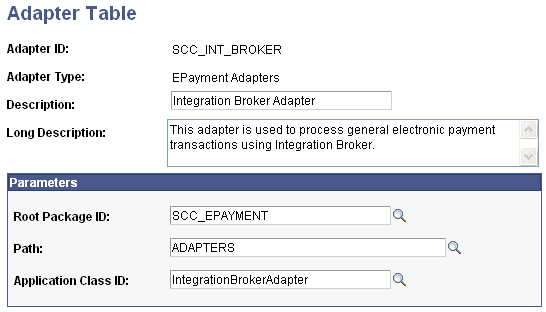
The Adapter ID field identifies the adapter.
Parameters
| Field or Control | Description |
|---|---|
|
Root Package ID |
Select a root Application Class package. |
|
Path |
Select a non-root Application Class package. |
|
Application Class ID |
Select the Application Class of the adapter. |