Defining Search/Match for Loan Counseling Data Import
Access the Loan Counseling page ().
This example illustrates the fields and controls on the Loan Counseling Search/Match Parameters page. You can find definitions for the fields and controls later on this page.
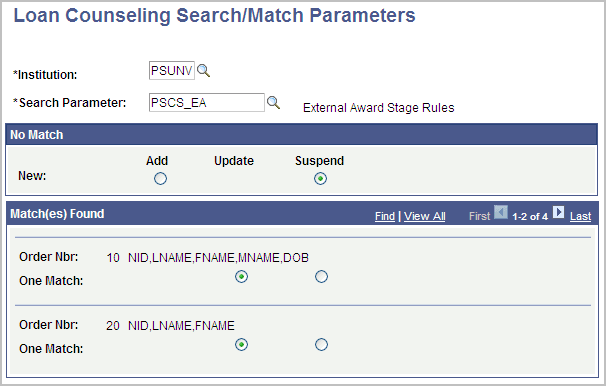
Both the Process COD Counseling Data and Process Exit Counseling Data processes use the Search/Match parameters to determine whether an existing ID in the database matches a record in the corresponding staging tables. The following table lists the limited search fields specific to counseling data.
| Data Field | Search Field Rule |
|---|---|
|
National ID |
NationalIDRule |
|
Last Name |
LastNameSrchRule |
|
First Name |
FirstNameSrchrule |
|
Middle Initial |
MiddleNameRule |
|
Date of Birth |
DateOfBirthRule |
Note:
Search Field Rule "MiddleNameRule" must be defined to only search on the first character.
| Field or Control | Description |
|---|---|
|
No Match |
Select Add or Suspend as the action when no match is found. |
|
Match(es) Found |
Starting from the lowest search order, select Update or Suspend as the action to take when a match is found. In this example, 10 is the lower and most restrictive search rule. |
Related Topics