New User Registration
Steps:
-
The applicant registers and authenticates to access your system.
The applicant should be allowed to access your system by using an existing user ID or by creating a new one. Delivered with your system is a New User Registration login sample page (). The page is a sample user interface that shows how security can be handled to access your system, provision a new or an existing user ID with the security to access your Online Application page and be automatically transferred to that page.
While the New User Registration login sample page requires a kiosk to be deployed (where the anonymous user gets logged in as a true user), also delivered with your system is a New User Registration Tester page (SCC_NUR_TESTER) (). This page allows you to evaluate the benefits of integrating a self-service transaction such as Online Application to New User Registration framework.
Note:
Do not deploy the New User Registration Tester page in a production environment.
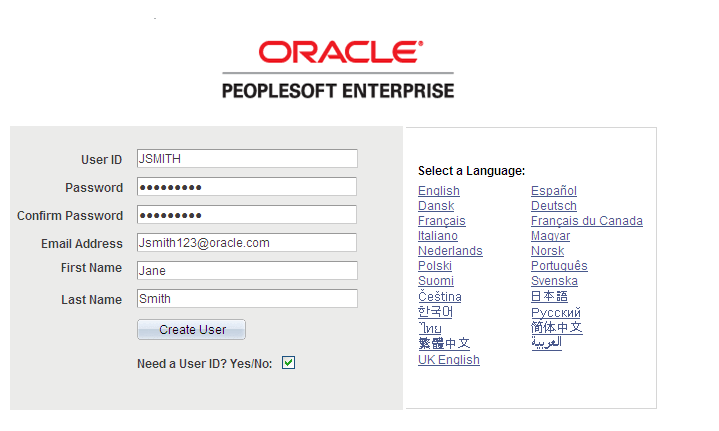
This example illustrates the fields and controls on the New User Registration Tester page.
-
The applicant can use an existing user ID and password, or can create a new one by selecting the Need a User ID? Yes/No check box. When doing so the Confirm Password and any other constituent fields you may want to add to the page are displayed. When the applicant clicks the Create User button, the system invokes the SCC_USERREG_CREATEACCT web service operation. This operation provisions an applicant with an ID and password as well as some generic roles. If set up with a New User Registration Context, the New User Registration framework provisions the new or existing user ID with some specific security roles to access the Online Application page and transfers the applicant directly to that page.