Running the Communication Generation Process
Access the Selection Parameters page ().
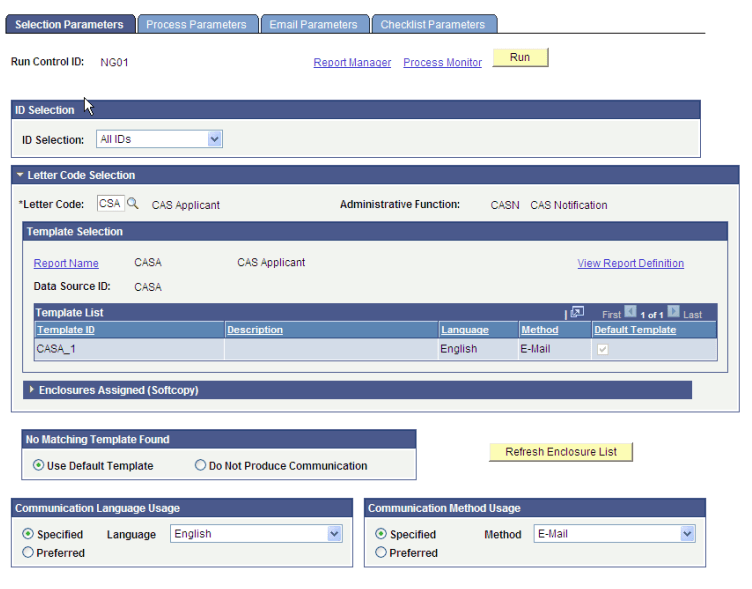
Run the Communication Generation process for each standard letter code to generate the communications for the assigned communications.
The following example shows that the Communication Method is set to E-Mail. Note that the ID Selection value should be set to All Person IDs rather than All IDs as shown on the example.
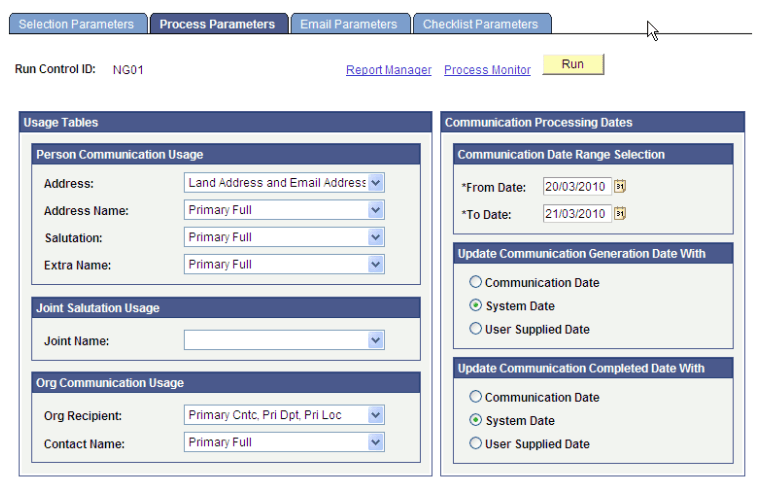
Define the Person Communication Usage values on the Process Parameters page.
This example illustrates the fields and controls on the Process Parameters page (1 of 2).
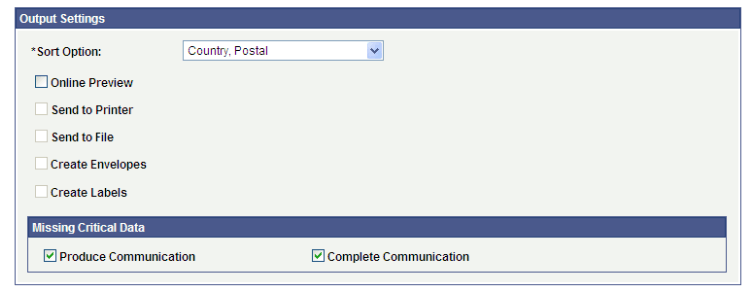
This example illustrates the fields and controls on the Process Parameters page (2 of 2).
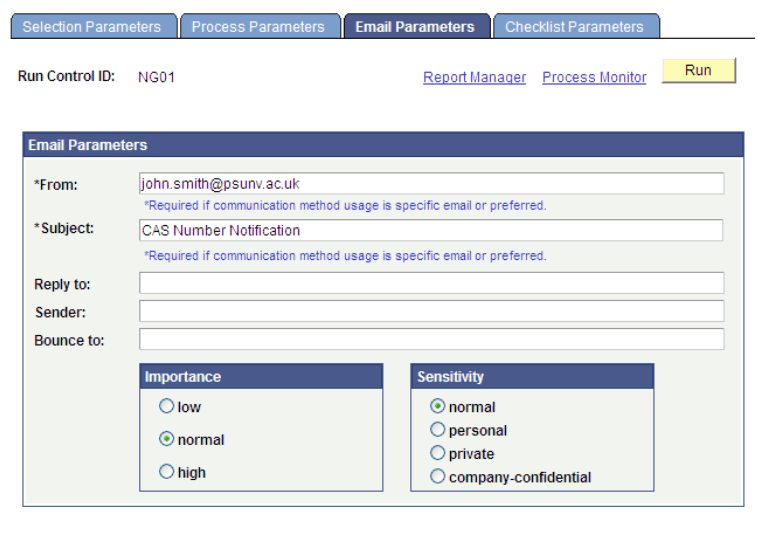
Define the From and Subject values on the Email Parameters page.
This example illustrates the fields and controls on the Email Parameters page.
Review the communications generated by the process on the Communications Management page ().