Viewing Test Score Messages Summary Information
Important:
Test score load and other processes and components discussed in this Processing External Test Scores documentation are deprecated. It is strongly recommended that you use Prospect/Admissions Data Load (PDL) instead. For more information on PDL, see the Prospect/Admissions Data Load documentation.
This section discusses how to use the Test Score Messages page to view a list of all test score messages stored in your suspense files for any record loaded through an external test score load.
Page Used to View Test Score Messages Summary Information
| Page Name | Definition Name | Navigation | Usage |
|---|---|---|---|
|
Test Score Messages |
TST_SCORE_MSG_TBL |
|
View a list of all test score messages stored in your suspense files for any record loaded through an external test score load. |
Viewing Test Score Messages Summary Information
Access the Test Score Messages page ( or ).
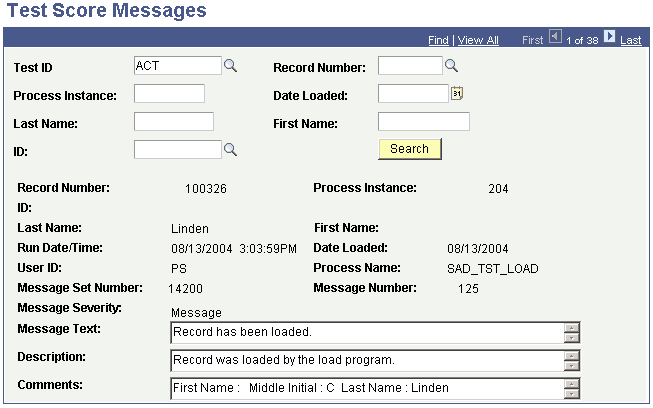
This example illustrates the fields and controls on the Test Score Messages page. You can find definitions for the fields and controls later on this page.
| Field or Control | Description |
|---|---|
|
Test ID |
Enter the test ID for which you want to view the test messages. The fields that appear in the prompt are based on your Test ID security. |
|
Record Number |
Select the record number for which you want to search for test score messages. |
|
Process Instance |
Select the process instance for which you want to search for test score messages. |
|
Date Loaded |
Select the date loaded for which you want to search for test score messages. |
|
Last Name |
Select the last name for which you want to search for test score messages. |
|
First Name |
Select the first name for which you want to search for test score messages. |
|
ID |
Select the ID for which you want to search for test score messages. |
|
Search |
Click to find information matching your search criteria. |