Understanding Supplier Extension Popup Pages
There are two types of supplier extension popup pages:
-
Supplier extension popup page (type 1).
-
Supplier extension popup page (type 2).
The supplier extension popup pages include supplier and contact information on the pop up page.
Supplier Extension Popup Page (Type 1)
The supplier extension popup page (type 1) (SAC_VENDOREXT_POP):
This example illustrates the fields and controls on the Example of supplier extension popup page (type 1). You can find definitions for the fields and controls later on this page.
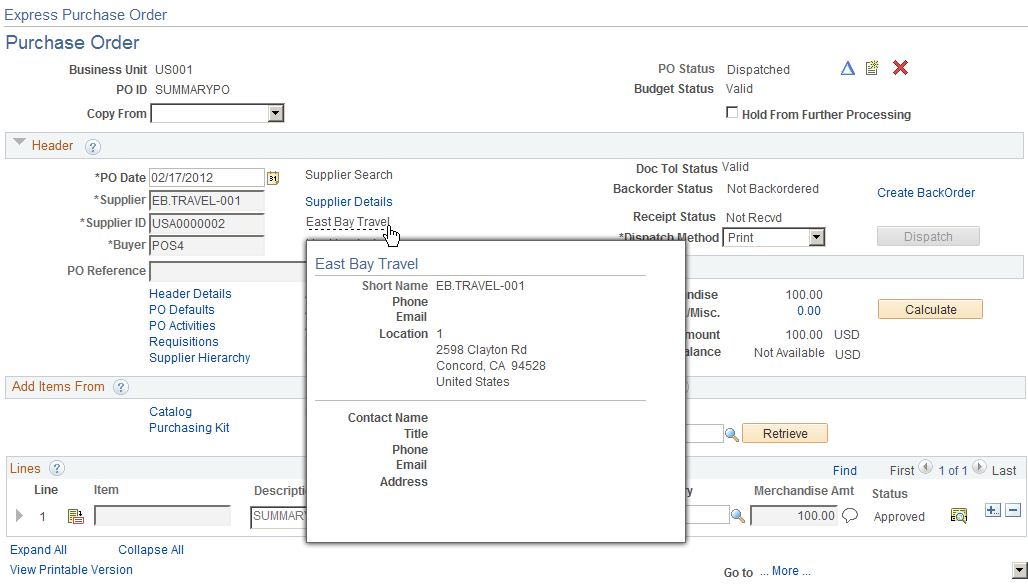
VENDOR is keyed by SETID, VENDOR_ID. VNDR_HLOC_VW is keyed by the additional field VNDR_LOC, and VNDR_HADDR_VW is keyed by ADDRESS_SEQ_NUM. VENDOR_CNT_VW is keyed by SETID, VENDOR_ID, and CNTCT_SEQ_NUM. All of these fields are required at level 0 so that they can retrieve the appropriate rows to display.
An example of where this popup page is used is Maintain Purchase Order – Purchase Order page in PeopleSoft Purchasing.
Supplier Extension Popup Page (Type 2)
The supplier extension popup page (type 2) (SAC_VENDOREXT_POP2):
This example illustrates the fields and controls on the Example of supplier extension popup page (type 2). You can find definitions for the fields and controls later on this page.
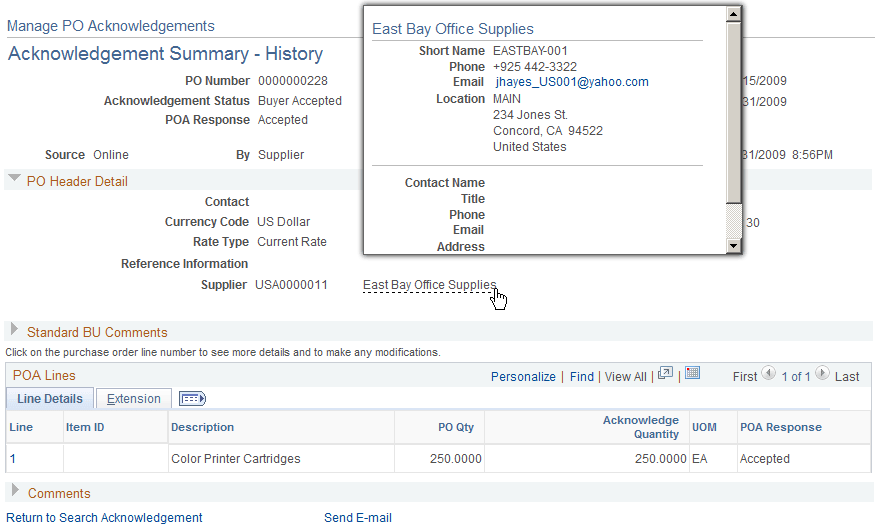
The supplier address is retrieved based on the ADDRESS_SEQ_NUM found in record PO_HDR. The current date is used as the effective date to retrieve the appropriate address row. Email and business phone are also retrieved in this manner.
For the contact, the address used is the one linked to the supplier contact keyed by CNTCT_SEQ_NUM. The business phone and email are also retrieved from this row using the current date as the effective date.
An example of where this popup page is used is Manage PO Acknowledgements page in PeopleSoft Purchasing.