Understanding Supplier Popup Pages
There are three types of supplier popup pages:
-
Supplier popup page (type 1).
-
Supplier popup page (type 2).
-
Supplier popup page (type 3).
Note:
All of these popup pages are visually identical. They differ only in the fields that are required on the main page to populate the data and in how the data is retrieved for each.
Supplier Popup Page (Type 1)
The supplier popup page (type 1) (SAC_VENDOR_POP):
This example illustrates the fields and controls on the Example of supplier popup page (type 1). You can find definitions for the fields and controls later on this page.
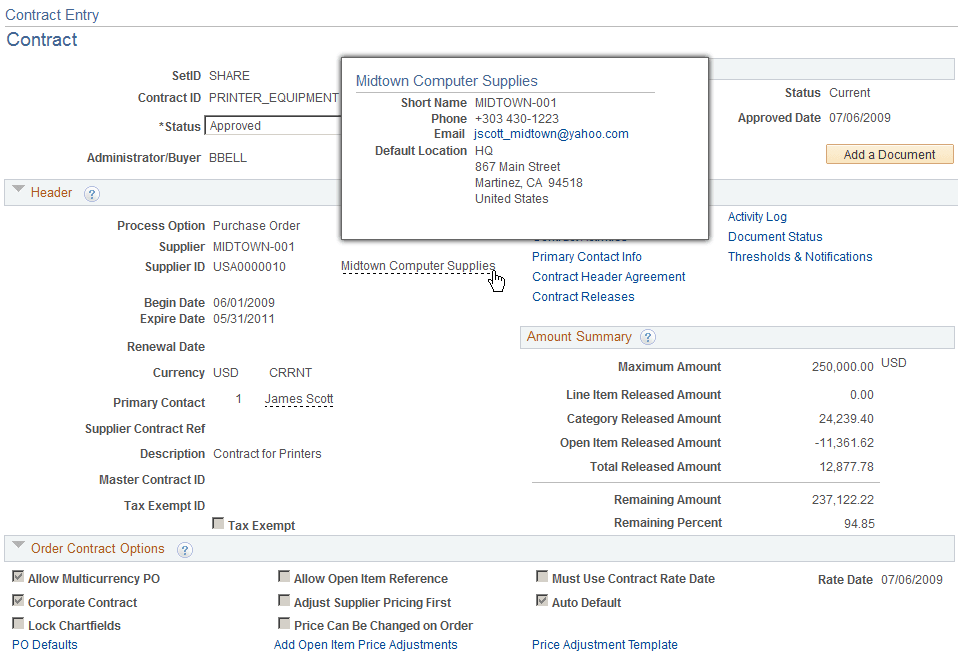
PeopleCode reads a row from VENDOR_LOC using the SETID, VENDOR_ID, and the default location. The current date is used as the effective date. After the row is retrieved, the ordering address sequence number is used to select the correct address to display along with the email ID and business phone.
Examples of where this popup page is used are:
-
Contract Entry - Contract page in PeopleSoft Purchasing.
-
Purchase Order Detail page in PeopleSoft eSettlements.
-
Match Exception Workbench Details page in PeopleSoft Payables.
Supplier Popup Page (Type 2)
The supplier popup page (type 2) (SAC_VENDOR_POP2):
This example illustrates the fields and controls on the Example of supplier popup page (type 2). You can find definitions for the fields and controls later on this page.
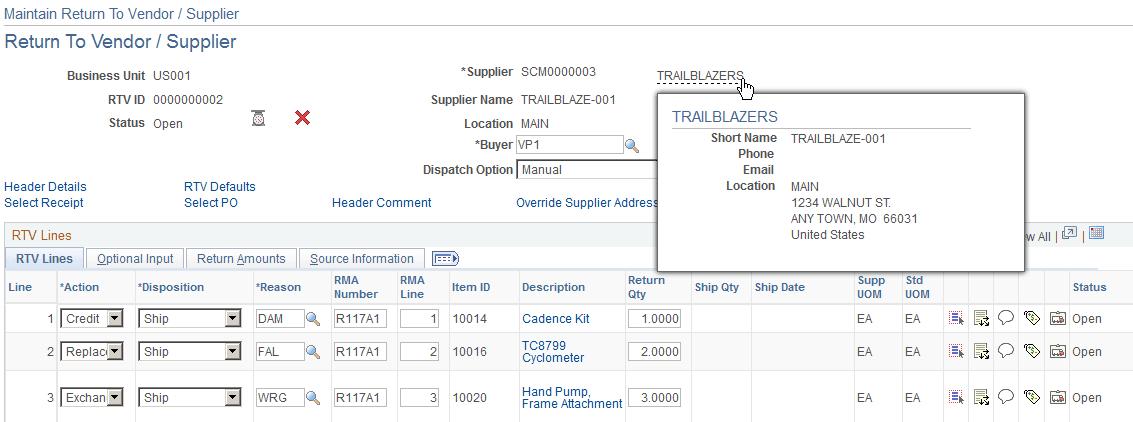
The field ADDRESS_SEQ_NUM references the address that is shown on the page. Email and business phone for this location are shown on the page using the current date as the effective date to retrieve the correct row. VNDR_LOC is used to display the location name.
An example of where this popup page is used is the Return to Supplier page in PeopleSoft Purchasing.
Supplier Popup Page (Type 3)
The supplier popup page (type 3) (SAC_VENDOR_POP3):
This example illustrates the fields and controls on the Example of supplier popup page (type 3). You can find definitions for the fields and controls later on this page.
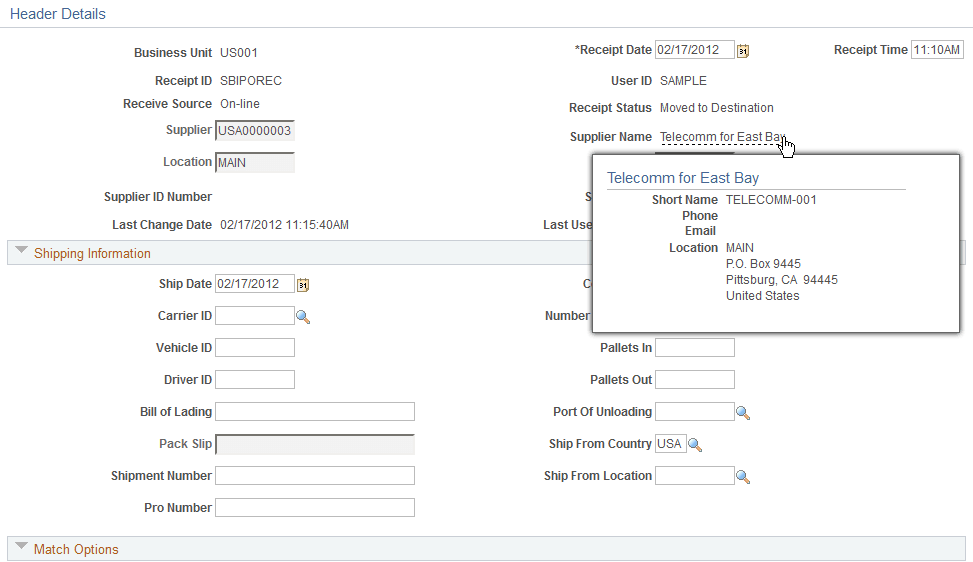
The supplier location identified by the VNDR_LOC field is used to obtain the ordering address key field, which is used to retrieve the correct address to display on the page using the current date as the effective date.
Examples of where this popup page is used are:
-
Maintain Receipts - Header Details page in PeopleSoft Purchasing.
-
Match Exception Workbench Details page in PeopleSoft Payables.