AP/PO Transactions Page
Use the AP/PO Transactions page (AM_WC_PREAM_PEND) to review and act upon AP or PO Transactions assigned to the user.
Navigation:
Click the Pending Transactions: AP/PO Transactions link.
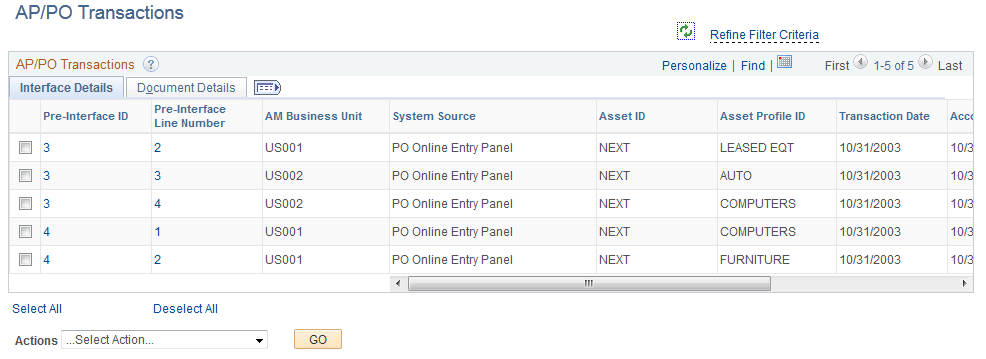
This example illustrates the fields and controls on the AP/PO Transactions Page – Interface Details Tab
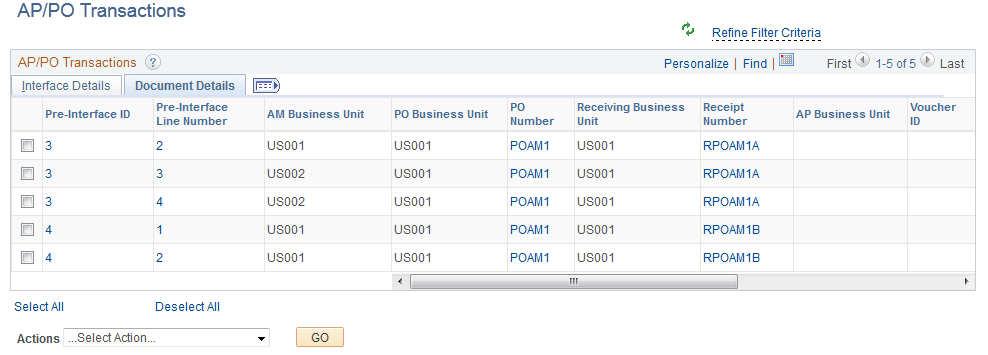
This example illustrates the fields and controls on the AP/PO Transactions Page – Document Details Tab
| Field or Control | Description |
|---|---|
|
Pre-Interface ID |
Click the Pre-Interface ID link to open the Load Preview Pre-AM page. |
|
Pre-Interface Line Number |
Click the Pre-Interface ID link to open the Load Preview Pre-AM page. |
|
PO Number |
Click the PO Number link to open the Purchase Order Inquiry page. |
|
Receipt Number |
Click the Receipt Number link to open the Receiver Line page. |
|
Voucher ID |
Click the Voucher ID page to open Voucher Inquiry page. |
|
Actions |
Perform an action on one or more items that you select in the AP/ PO Transactions grid, and click the GO button. Choose from these actions:
|
|
Retrieve Info From AP/PO |
Select the Retrieve Info from AP/PO action to run the Pre-Interface Loader process and load data from Payables or Purchasing to Asset Management interface tables. |
|
Load Into AM |
Select the Load Into AM action to run Pre-Interface and Transaction Loader processes and populate Asset Management tables with data. |