Exceptions
The Exceptions group includes options to view the following processing errors:
-
Pre-Interface Lines in Error
-
Interface Lines in Error
-
Depreciation Log Errors
-
Assets with Inactive Location
Pre-Interface Lines in Error
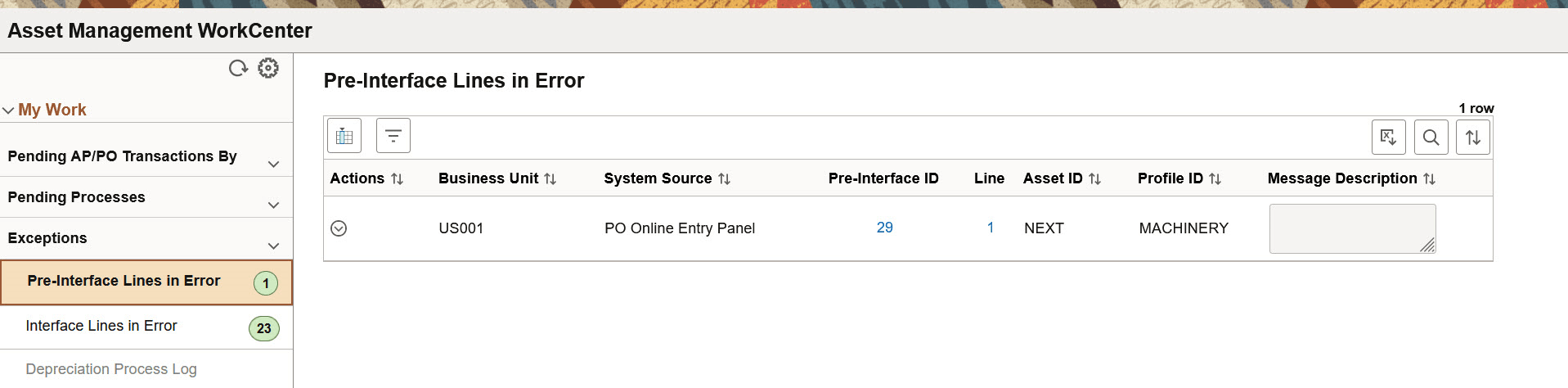
Use the Pre-Interface Lines in Error page (AM_WC_PREAM_ERR_FL) to display pre-interface lines in error and reset or change the transaction status.
This example illustrates the fields and controls on the Pre-Interface Lines in Error page. You can find definitions for the fields and controls later on this page.
| Field or Control | Description |
|---|---|
 (Actions) |
The available actions are:
|
|
Interface ID and Line |
Click the Interface ID or Line number hyperlink to navigate to the Review Transactions page. |
Interface Lines in Error
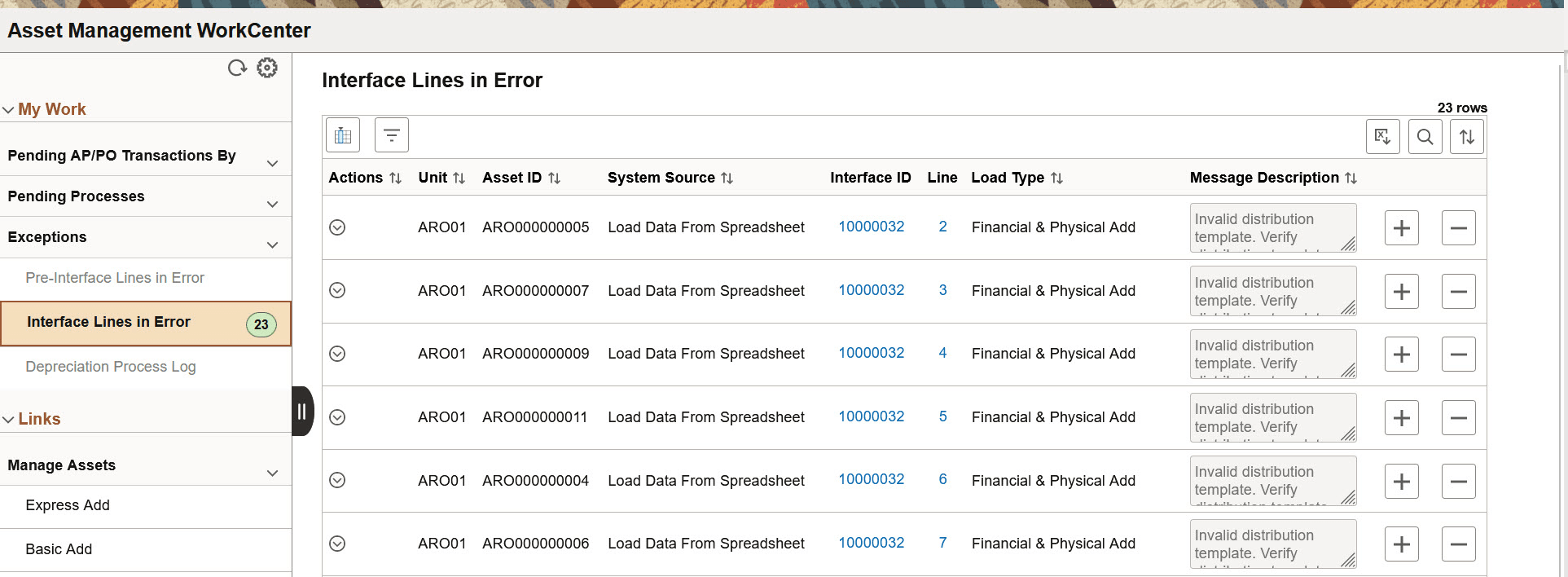
Use the Interface Lines in Error page (AM_WC_INTFC_ERR_FL) to display interface lines in error and reset transactions to pending.
This example illustrates the fields and controls on the Interface Lines in Error page. You can find definitions for the fields and controls later on this page.
| Field or Control | Description |
|---|---|
(Actions) |
The available actions are:
|
|
Interface ID and Line |
Click the Interface ID or Line number hyperlink to navigate to the Review Transactions page. |
Depreciation Process Log
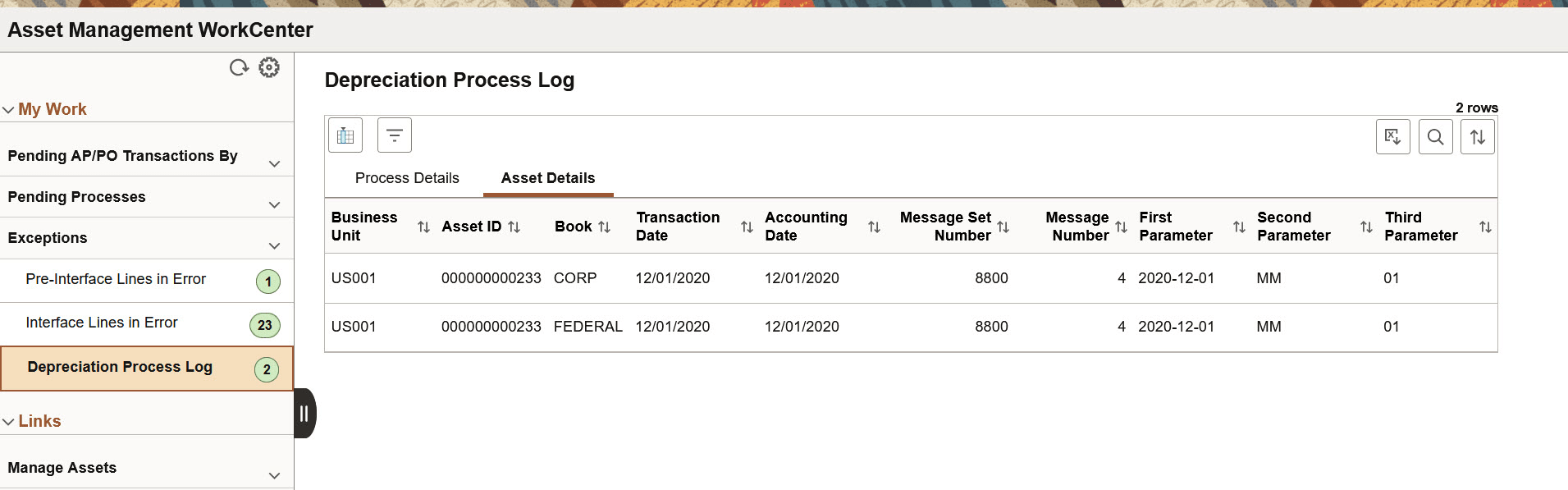
Use the Depreciation Process Log page (AM_WC_DEPR_ERR_FL) to display depreciation rows in error and select to remove from log.
This example illustrates the fields and controls on the Depreciation Process Log page - Process Details tab. You can find definitions for the fields and controls later on this page.
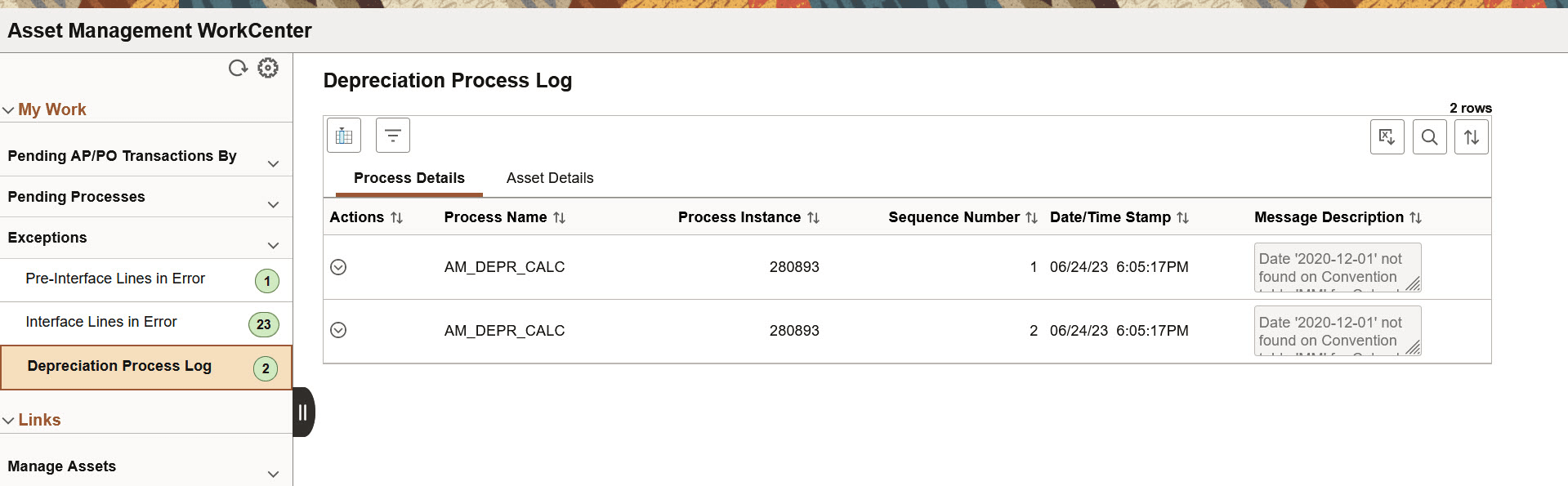
This example illustrates the fields and controls on the Depreciation Process Log page - Asset Details tab. You can find definitions for the fields and controls later on this page.
| Field or Control | Description |
|---|---|
(Actions) |
The available action is Clear Log. Select one or more Process Instances and click the Clear Log action to remove selected logs from the log table. |
Assets with Inactive Location
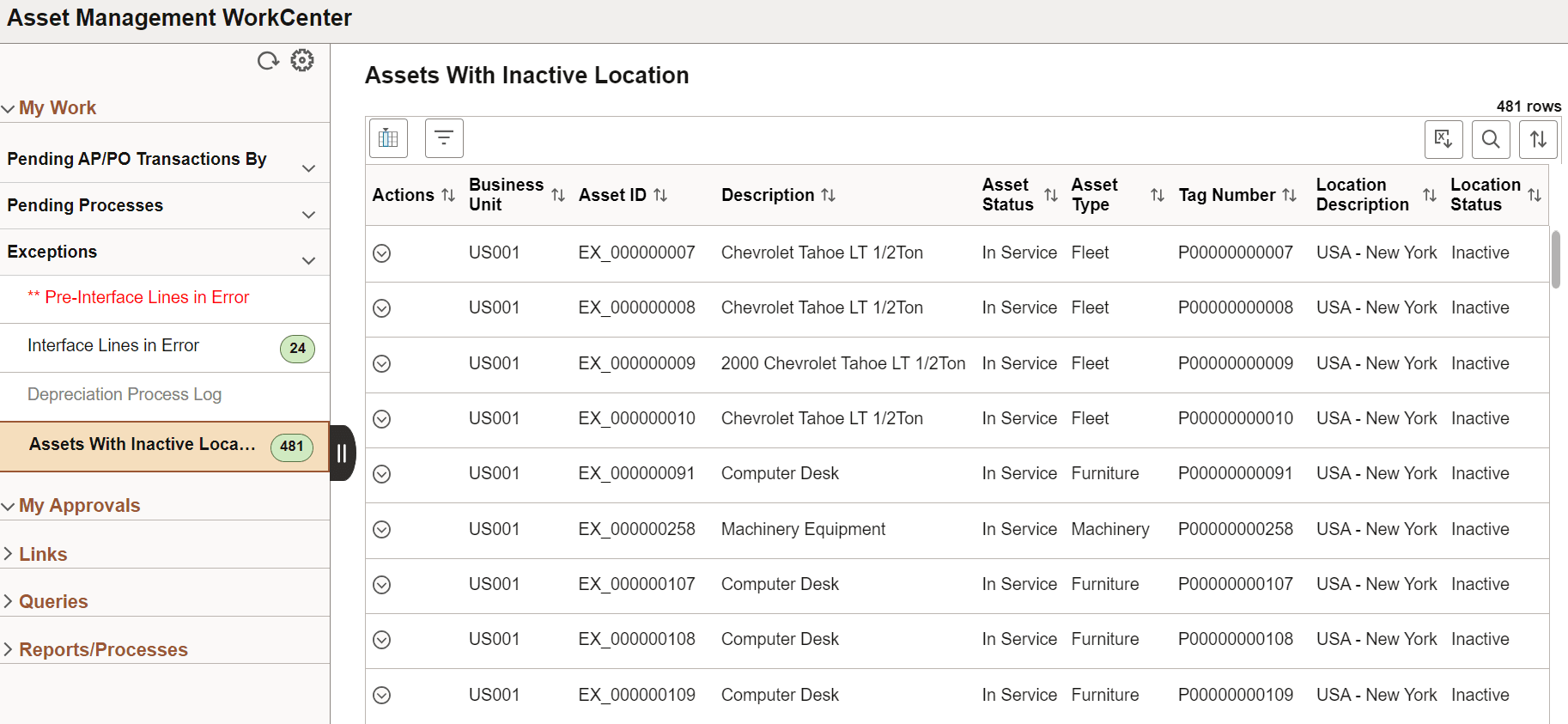
Use the Assets with Inactive Location page (AM_WC_LOC_INACT_FL) to display assets with an inactive location code.
This example illustrates the fields and controls on the Assets with Inactive Location page. You can find definitions for the fields and controls later on this page.
| Field or Control | Description |
|---|---|
(Actions) |
The available action is Update Asset Location. Select one or more assets and click the Update Asset Location action to access the Update Asset Location page and provide a new location for the asset. |