Pending Processes
Use the options in the Pending Processes group to review and complete the pending actions filtered for the user.
Navigation:
Click Pending Processes.
This example illustrates the fields and controls on the Pending Processes group.
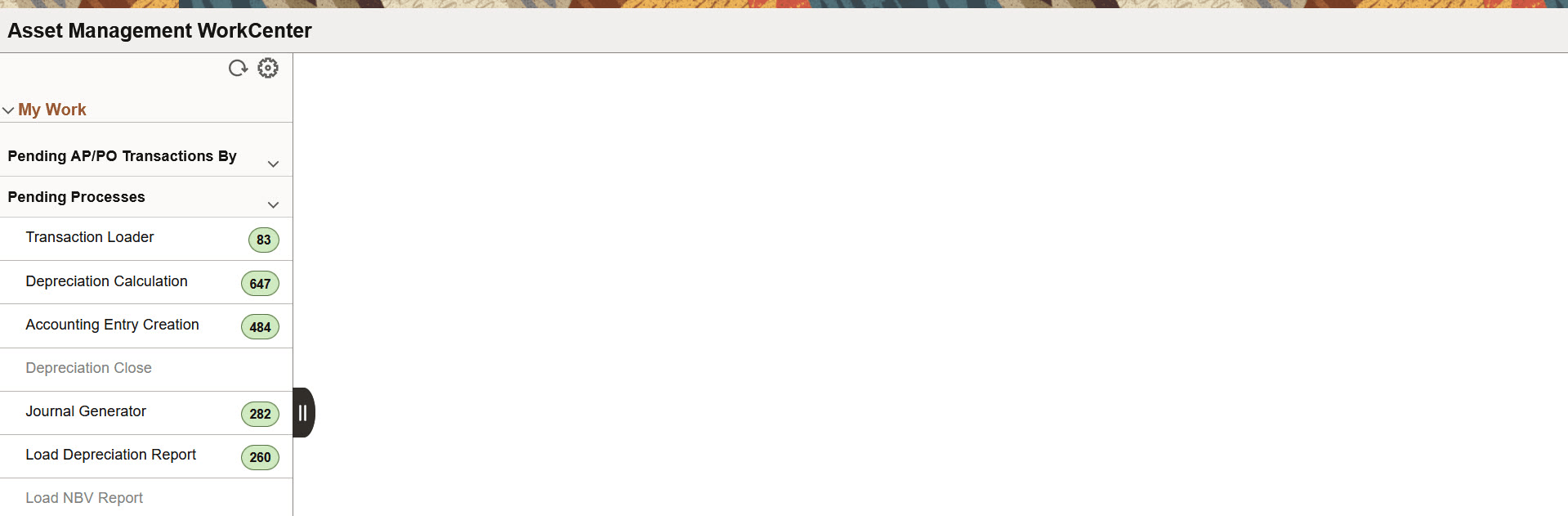
You can perform the pending actions by clicking any of the following options. The number of pending transactions are displayed for each.
-
Transaction Loader
-
Depreciation Calculation
-
Accounting Entry Creation
-
Depreciation Close
-
Journal Generator
-
Load Depreciation Report
-
Load NBV Report
Transaction Loader
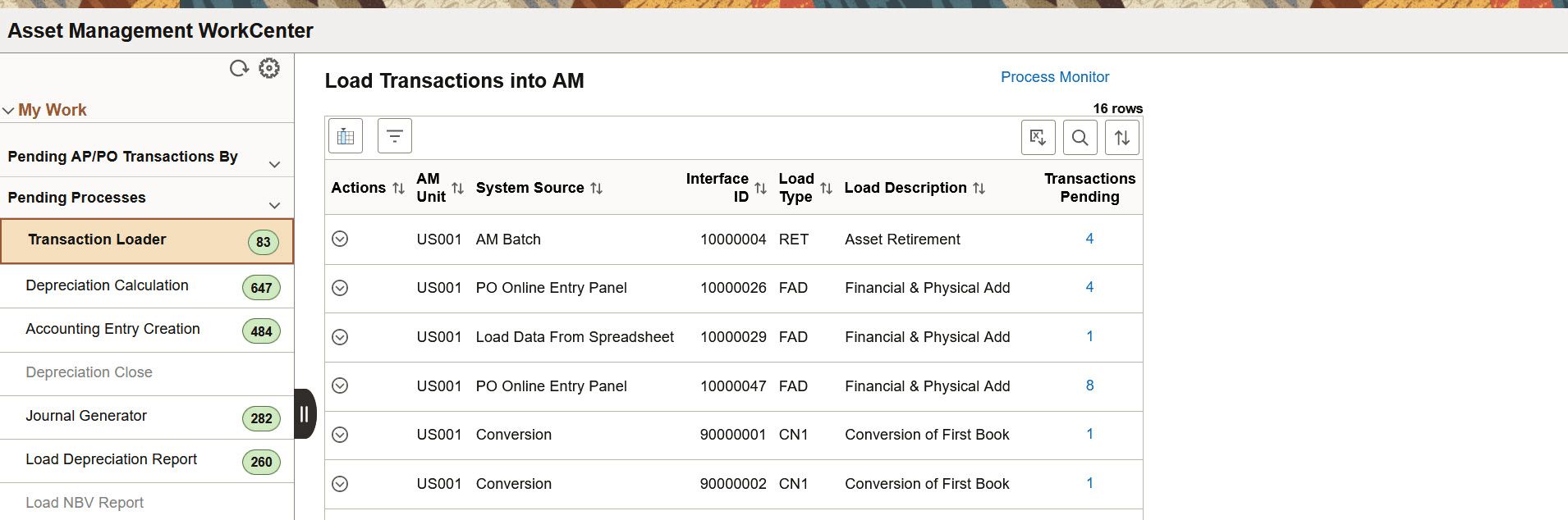
Use Transaction Loader page (AM_WC_INTFC_FL) to load the pending asset transactions to Asset Management.
This example illustrates the fields and controls on the Load Transactions into AM page. You can find definitions for the fields and controls later on this page.
| Field or Control | Description |
|---|---|
 (Actions) |
The available action is Load into AM. Select the Load Into AM action to run the Transaction Loader (AMIF1000) process and populate the Asset Management tables with data. |
|
Transactions Pending |
Click this hyperlink to view the transaction details for the number of pending transactions displayed. |
Depreciation Calculation
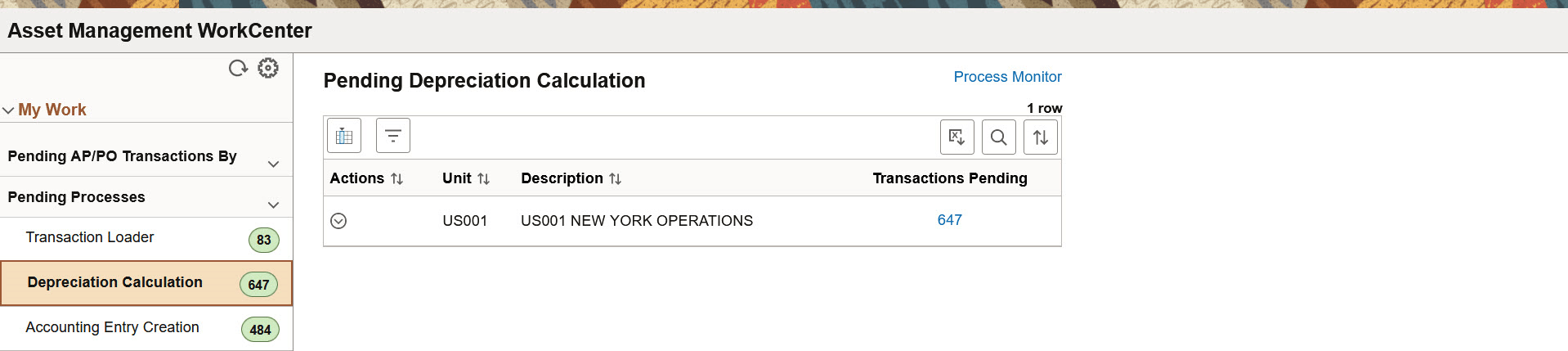
Use Depreciation Calculation page (AM_WC_PEND_PRCS_FL) to view and run the Depreciation Calculation for the pending items.
This example illustrates the fields and controls on the Pending Depreciation Calculation page. You can find definitions for the fields and controls later on this page.
| Field or Control | Description |
|---|---|
(Actions) |
The available action is Run Depreciation Calculation. Select to run the Depreciation Calculation (AM_DEPR_CALC) process for the business unit. |
|
Transactions Pending |
Click the Transactions Pending number hyperlink to view the list of pending transactions. On the Transactions Pending page you can perform following actions:
|
Accounting Entry Creation
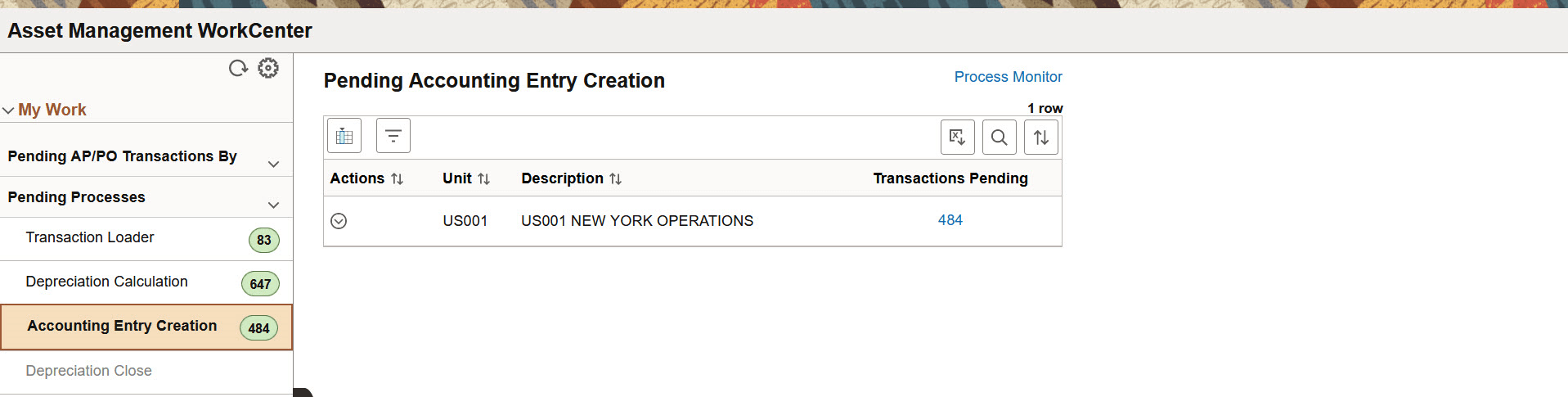
Use Accounting Entry Creation page (AM_WC_PEND_PRCS_FL) to view and create pending accounting entries.
This example illustrates the fields and controls on the Pending Accounting Entry Creation page. You can find definitions for the fields and controls later on this page.
| Field or Control | Description |
|---|---|
(Actions) |
The available action is Create Actg Entry. Select to create the accounting entries for pending items. |
|
Transactions Pending |
Click the Transactions Pending number hyperlink to view the list of pending transactions. On the Transactions Pending page you can perform following actions:
|
Depreciation Close
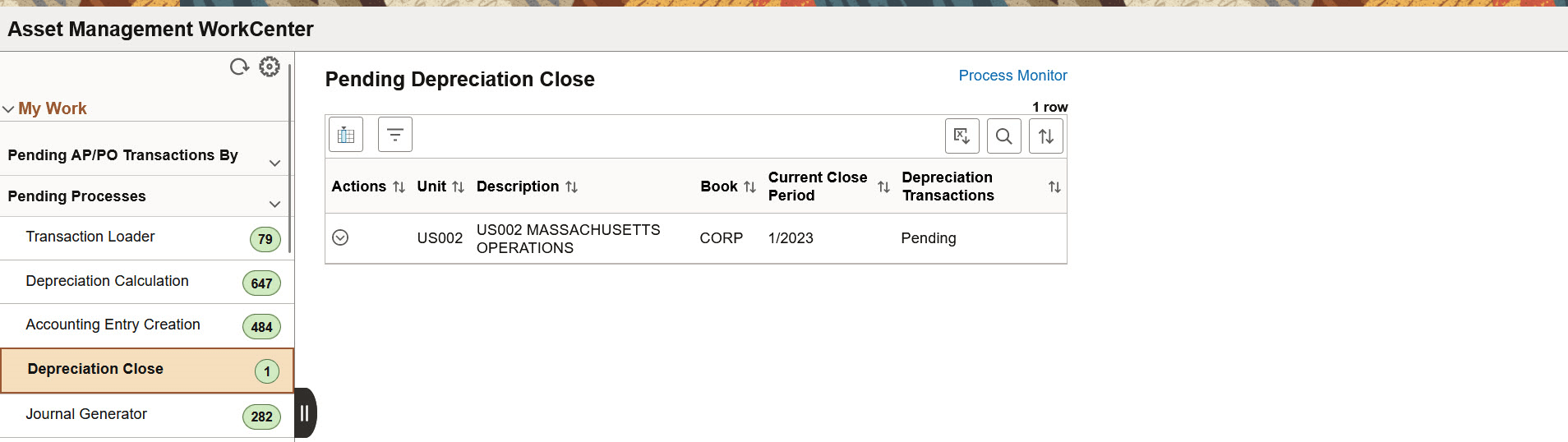
Use Depreciation Close page (AM_WC_PEND_DPCL_FL) to displays assets that need depreciation close run on them for the period based on a given As of Date.
This example illustrates the fields and controls on the Pending Depreciation Close page. You can find definitions for the fields and controls later on this page.
| Field or Control | Description |
|---|---|
(Actions) |
The available action is Depreciation Close Entry. Click to run the Depreciation Close (AM_DPCLOSE) process for the Business Unit. |
Journal Generator
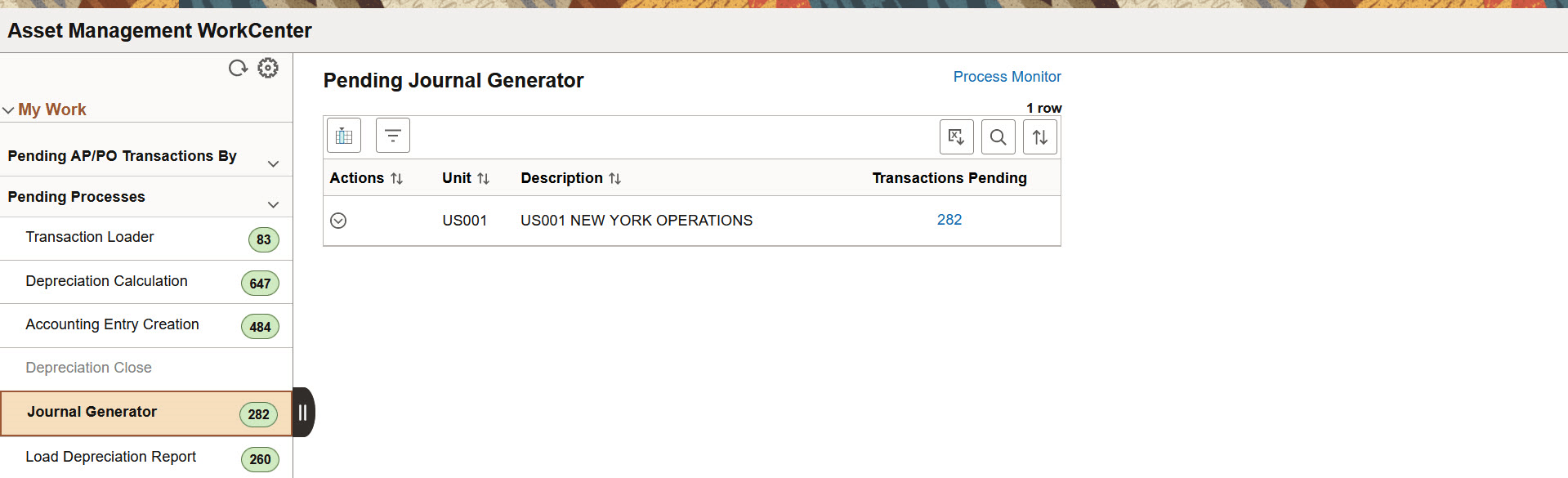
Use Journal Generator page (AM_WC_PEND_PRCS_FL) to view and generate Journal for pending items.
This example illustrates the fields and controls on the Pending Journal Generator page. You can find definitions for the fields and controls later on this page.
| Field or Control | Description |
|---|---|
(Actions) |
The available action is Generate Journals. Select to run the Generate Journals (FS_JGEN) process for pending items. |
|
Transactions Pending |
Click the Transactions Pending number hyperlink to view the list of pending transactions. On the Transactions Pending page you can perform following actions:
|
Load Depreciation Report
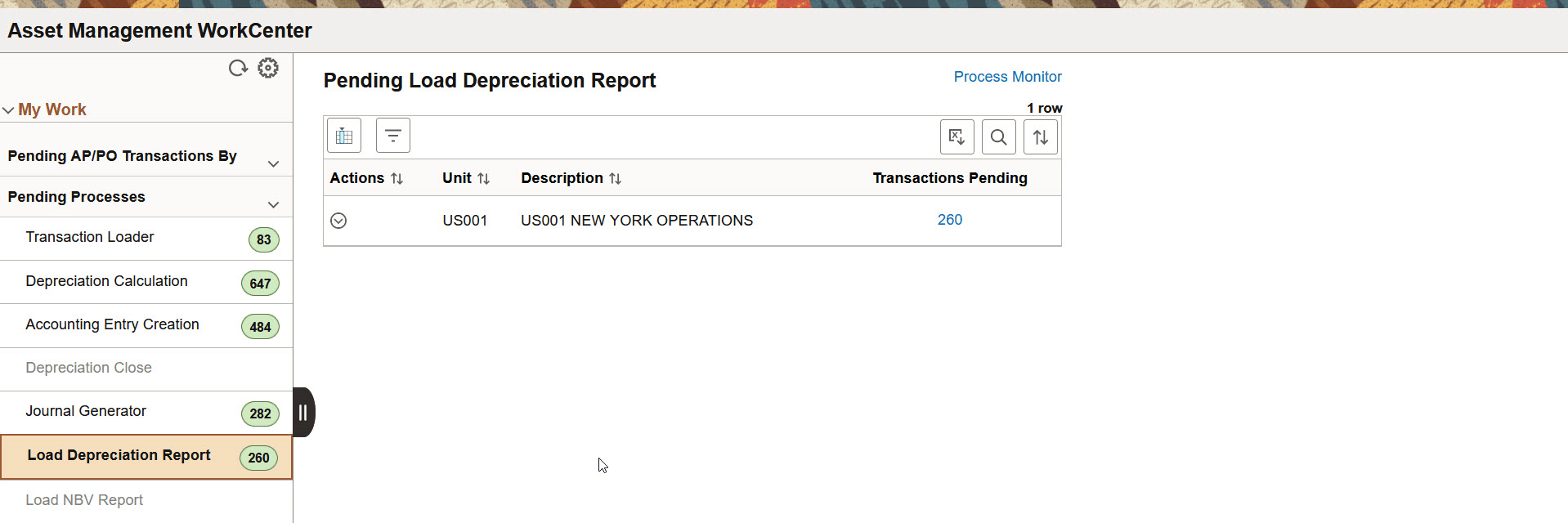
Use Load Depreciation Report page (AM_WC_PEND_PRCS_FL) to view and request Depreciation Report table for pending items.
This example illustrates the fields and controls on the Pending Load Depreciation Report page. You can find definitions for the fields and controls later on this page.
| Field or Control | Description |
|---|---|
(Actions) |
The available action is Depr Reporting Table. Select to run the Load Depreciation By Period (AMDPREPT) process for pending items. |
|
Transactions Pending |
Click the Transactions Pending number hyperlink to view the list of pending transactions. On the Transactions Pending page you can perform following actions:
|
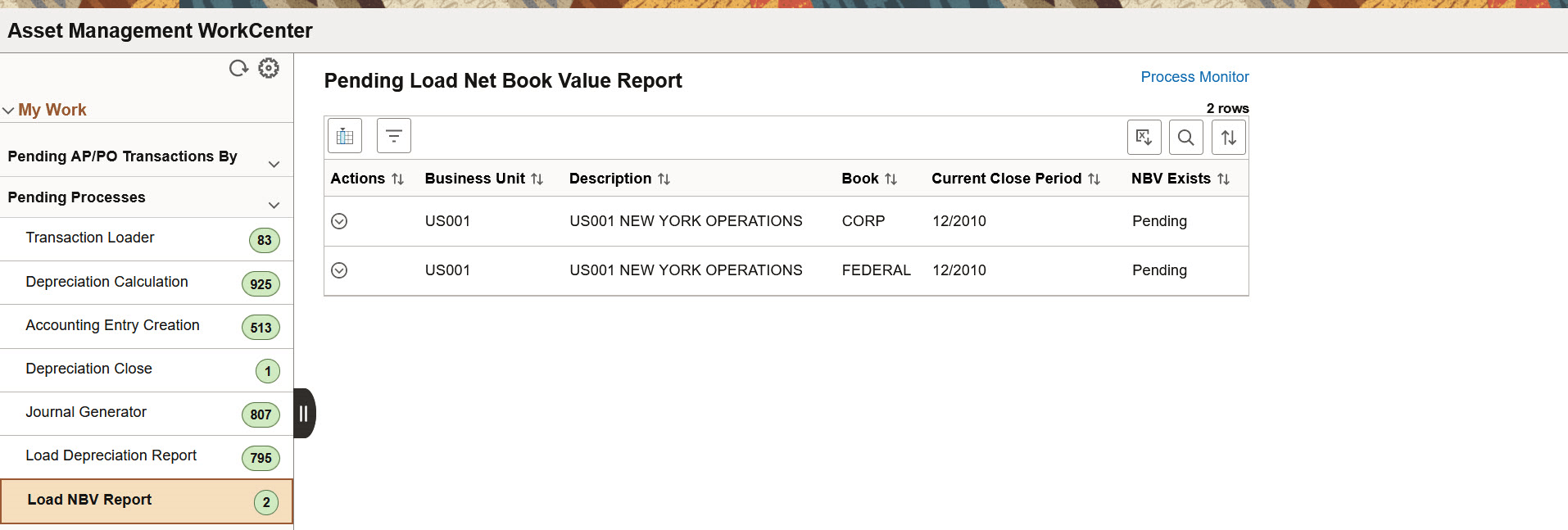
Load NBV Report
Use Load NBV Report page (AM_WC_PEND_NBV_FL) to run the process to load the Asset Net Book Value Reporting Table.
This example illustrates the fields and controls on the Pending Load Net Book Value Report page. You can find definitions for the fields and controls later on this page.
| Field or Control | Description |
|---|---|
(Actions) |
The available action is Load NBV Report. Select to run the Load Asset Net Book Values (AMLDNBVT) process. |