Generating a User-Defined Depreciation SQC Program
Once you have created a new user-defined depreciation method, you must regenerate the AMUDDEPR.SQC program that is called by the main depreciation calculation program AM_DEPR_CALC during the depreciation calculation process.
Page Used to Generate a User-Defined Depreciation SQC Program
| Page Name | Definition Name | Usage |
|---|---|---|
|
RUN_AMUD_METHOD |
Regenerate the AMUDDEPR.SQC program that is called by the main depreciation calculation program AM_DEPR_CALC during the depreciation calculation process. |
Generate User Defined Methods Page
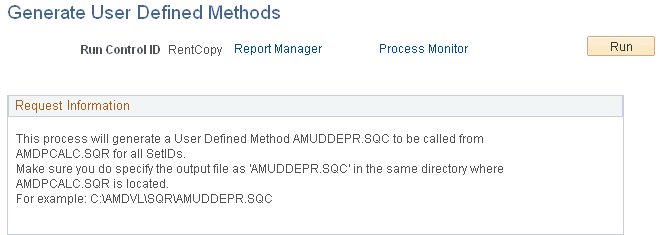
Use the Generate User Defined Methods page (RUN_AMUD_METHOD) to regenerate the AMUDDEPR.
SQC program that is called by the main depreciation calculation program AM_DEPR_CALC during the depreciation calculation process.
Navigation:
This example illustrates the fields and controls on the Generate User Defined Methods page. You can find definitions for the fields and controls later on this page.
The program automatically processes all user-defined depreciation method IDs that you created for that SetID.
Note:
Make sure that you copy the output file as AMUDDEPR.SQC in the same directory where the AMDPCALC.SQR program is located.
If you receive any error messages when you run AM_DEPR_CALC, verify that you have copied the SQC properly to the directory where AMDPCALC is stored.
Process Scheduler runs the AMUDMTHD process at user-defined intervals.