Verifying the Map Definition
Use the Map Definition component (FS_MAPPER_DEF_WIZ) to set up the transformation from data source to target output.
Statement addenda transformation occurs through the online mapping definition. DEIU provides a horizontal navigation, or train stops, to define a map that links the data source and target output format along with any data filter criteria. PeopleSoft provides map definitions for both previous day and same day bank statements. Copy the delivered map definitions and change the transform properties appropriately.
Navigation:
Source and target documents are different for each map definition. This table shows the delivered type of statement and the corresponding map ID, source document, and target document.
| Type of Statement | Map ID | Source Document | Target Document |
|---|---|---|---|
|
Previous Day Bank Statement |
BANK_RECON_PD_MAP |
BNK_STMT_PRSE_V |
BANK_ADDEND_TBL |
|
Current Day Bank Statement |
BANK_RECON_SD_MAP |
BNK_SDSTMT_PRSE |
BNK_SDADDND_TBL |
The train stops guide you through these pages of a map definition:
-
Map - Step 1 of 6: Define high-level map attributes and map security options.
-
Source - Step 2 of 6: Identify the source data structure and fields.
-
Target - Step 3 of 6: Identify the target data structure and fields.
-
Detail - Step 4 of 6: Define field-to-field mappings and data transformation rules.
-
Filter - Step 5 of 6: Define data filter criteria.
-
Summary - Step 6 of 6: Review and submit the map definition.
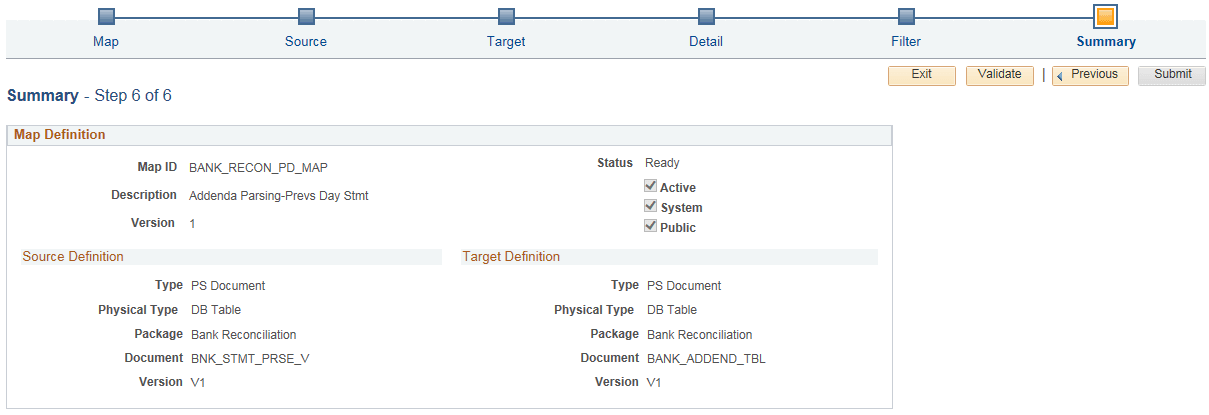
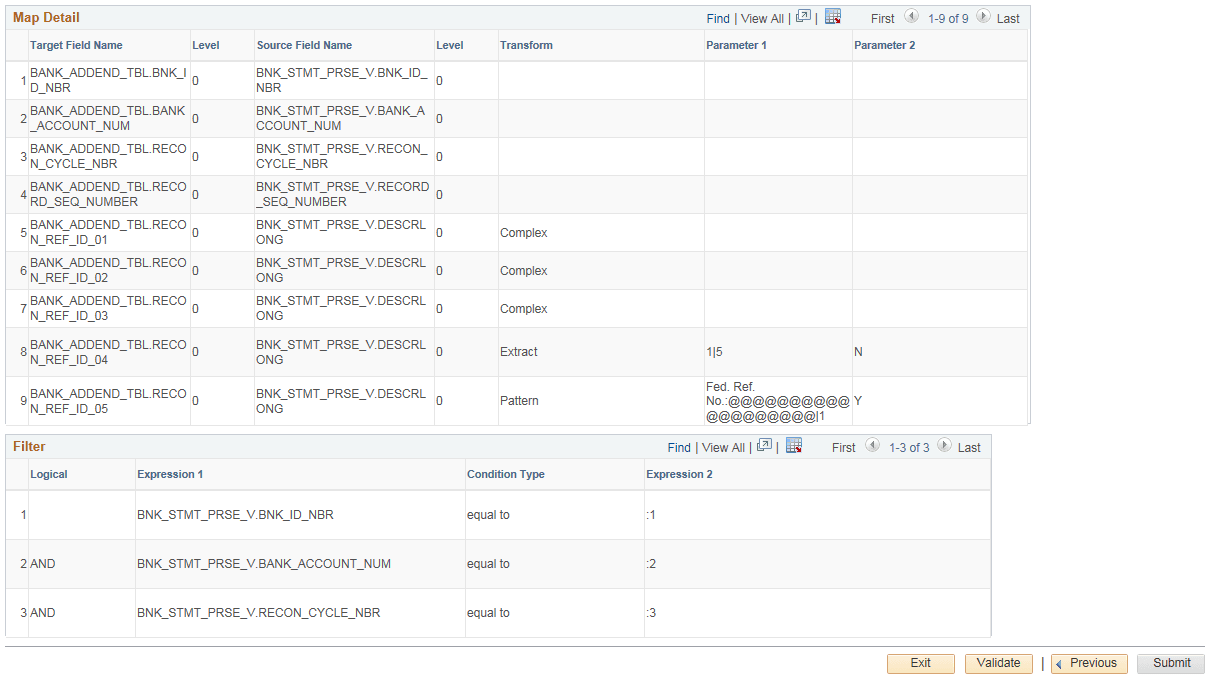
The Summary train stop provides an overview of the mapping that the system uses for transformation into the structured target output.
This example illustrates the fields and controls on the Map Definition - Summary page for Previous Day Statements (1 of 2).
This example illustrates the fields and controls on the Map Definition - Summary page for Previous Day Statements (2 of 2).
The status of the map definition should always be Ready. If the status is Modified, click the Validate button, then click the Submit button.
For more information, seeApplication Fundamentals: Defining the Data Source and Target.