Viewing the Delivered Transform Types
Use the Edit Transform Property secondary page to edit the parameters for the selected transformation rule. PeopleSoft delivers sample transformation rules with the map definitions for addenda parsing. The examples here show the transformation types used in the BANK_RECON_PD_MAP map definition for previous day statements.
Note:
The Data Export Import Utility is a generic transformation tool that is used across PeopleSoft Financials. Not all transform types supported by Data Export Import Utility are applicable to addenda parsing.
Navigation:
Click the Edit button on the Detail page of the Map Definition for a specific source field – target field pair. Review the defined transform types on the Summary page.
For more information about the transform types discussed here, see Application Fundamentals: Defining the Data Source and Target.
Transform Type: Pattern
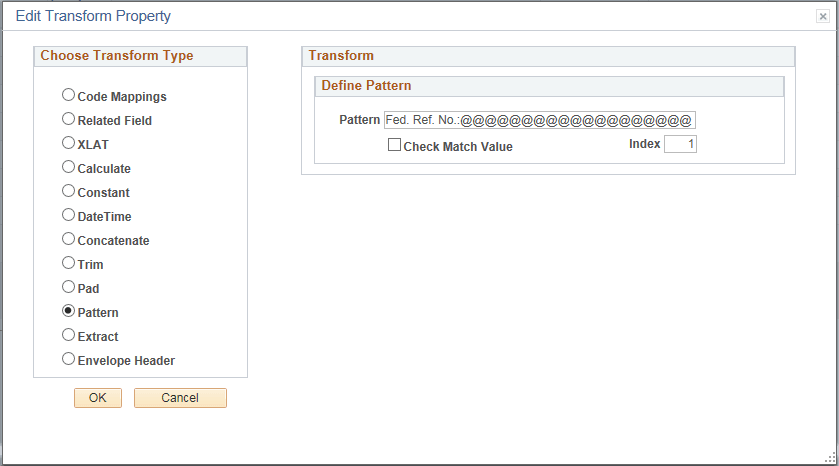
Use the Pattern transformation type to match a substring with a pattern. The wildcard character “@” is added to the pattern to identify the length of the entire string to include in the output. Processing applies this transform type to all statement lines identified at runtime during addenda parsing.
This example illustrates the fields and controls on the Edit Transform Property page showing properties for the Pattern transform type used for addenda parsing.
Transform Type: Extract
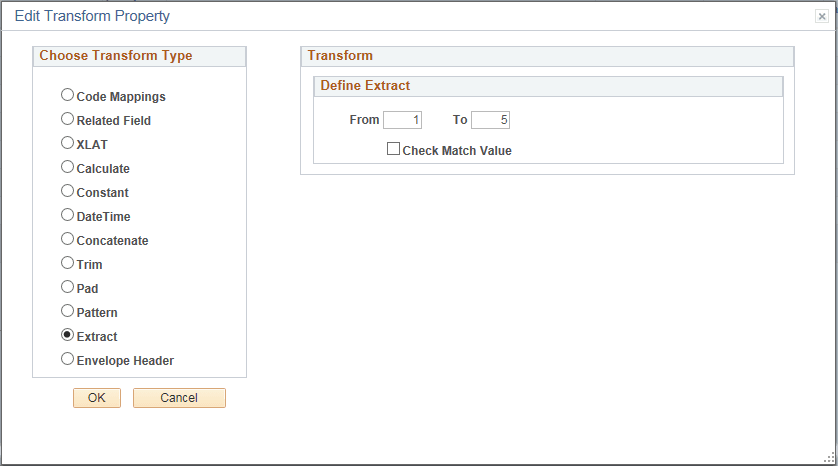
Use the Extract transform type to extract a substring beginning with a specified location and ending with a specified location in the string. Processing applies this transform type to all statement lines identified at runtime during addenda parsing.
This example illustrates the fields and controls on the Edit Transform Property page showing properties for the Extract transform type used for addenda parsing.
Transform Type: Complex
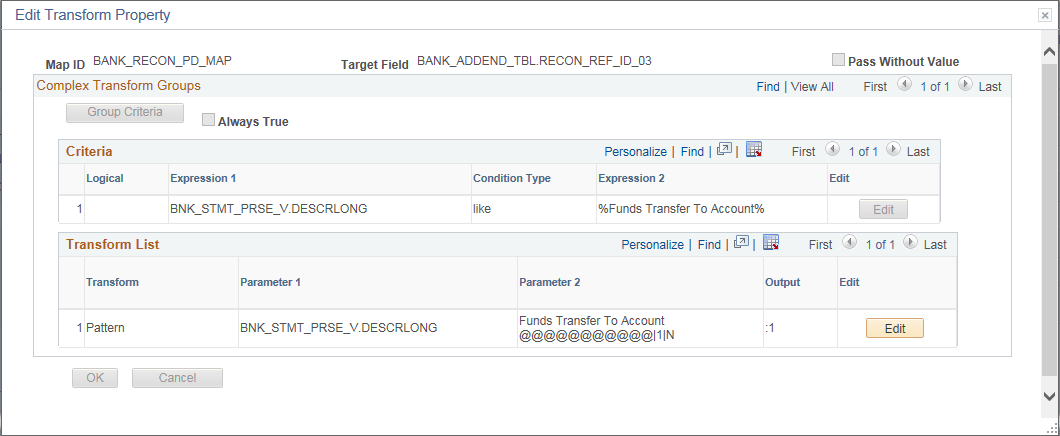
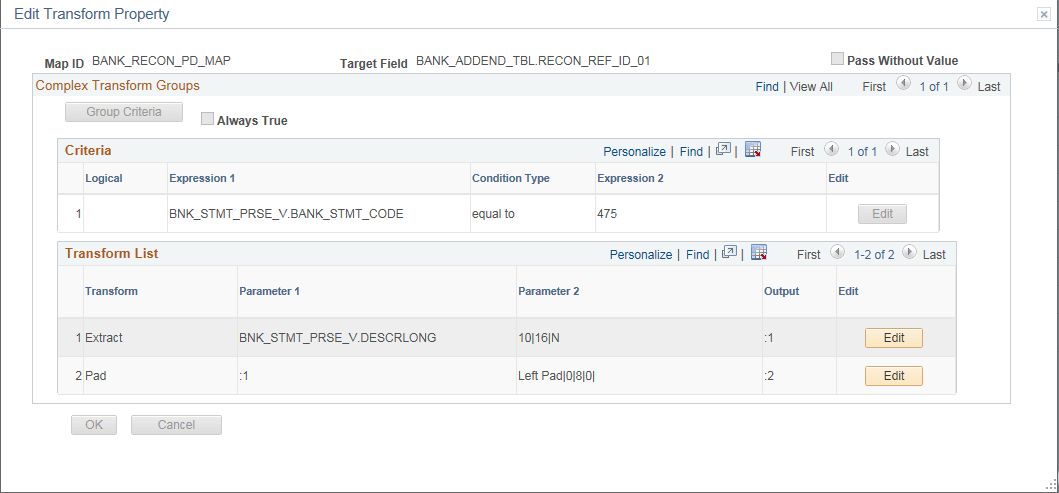
Use the Complex transformation rule to define a series of transformation actions that are executed when specified conditions are met. The complex transform type allows users to specify criteria and also apply transformations using runtime variables. The following Complex transformation rules are delivered as samples for bank addenda parsing.
For more information about filter criteria and transformation types, see Application Fundamentals: Defining the Data Source and Target.
This example illustrates the fields and controls on the Edit Transform Property page for the first variation of the Complex Transform. This transaction rule includes filter criteria and the Extract and Pad transform types.
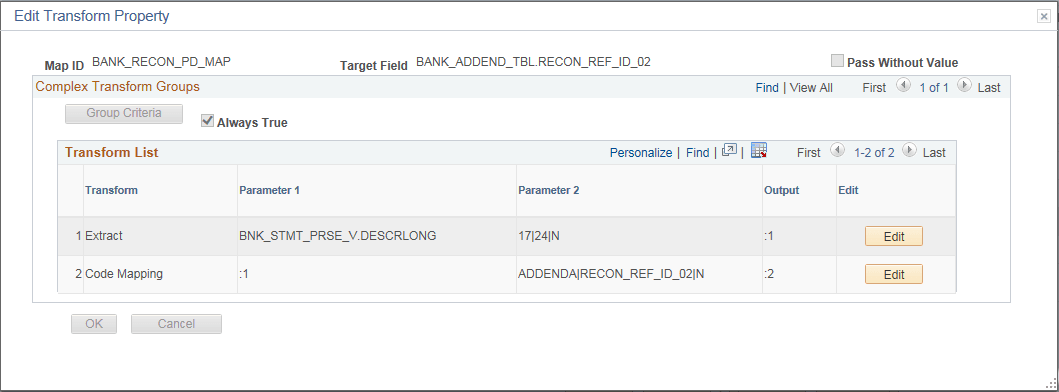
This example illustrates the fields and controls on the Edit Transform Property page for the second variation of the Complex Transform. This transaction rule includes the Extract and Code Mapping transform types.
This example illustrates the fields and controls on the Edit Transform Property page for the third variation of the Complex Transform. This transaction rule includes filter criteria and the Pattern transform type.