Analyzing Billing Using PeopleSoft Insights
This topic displays and explains how to analyze Billing data using PeopleSoft Insights dashboards.
Pages Used to Analyze Billing using PeopleSoft Insights
Use these pages to analyze Billing using PeopleSoft Insights dashboards.
| Page Name | Definition Name | Usage |
|---|---|---|
|
Analyze the number of invoices processed within a selected time frame. |
||
|
Analyze the billing amount within a selected time frame. |
Billing Operations Dashboard
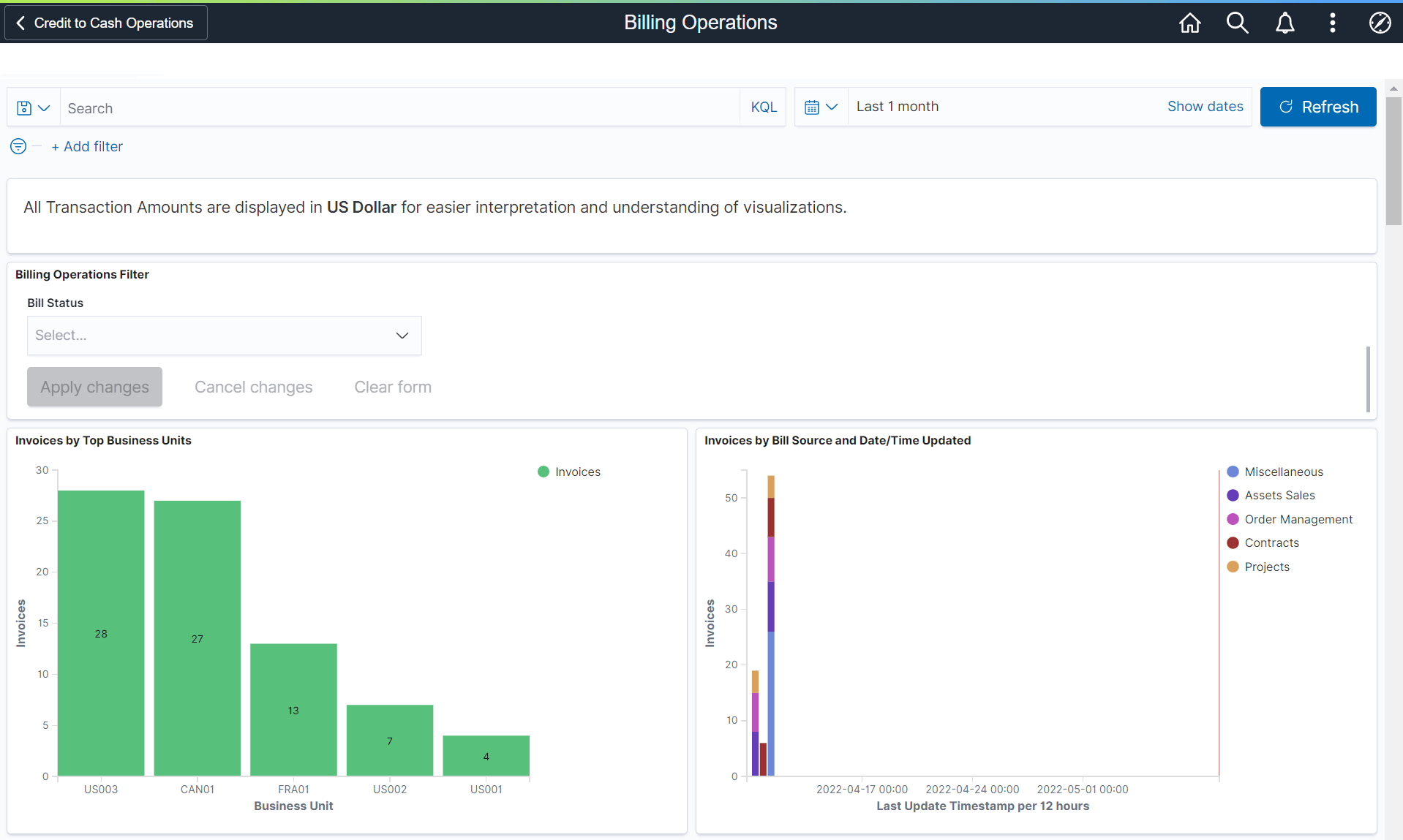
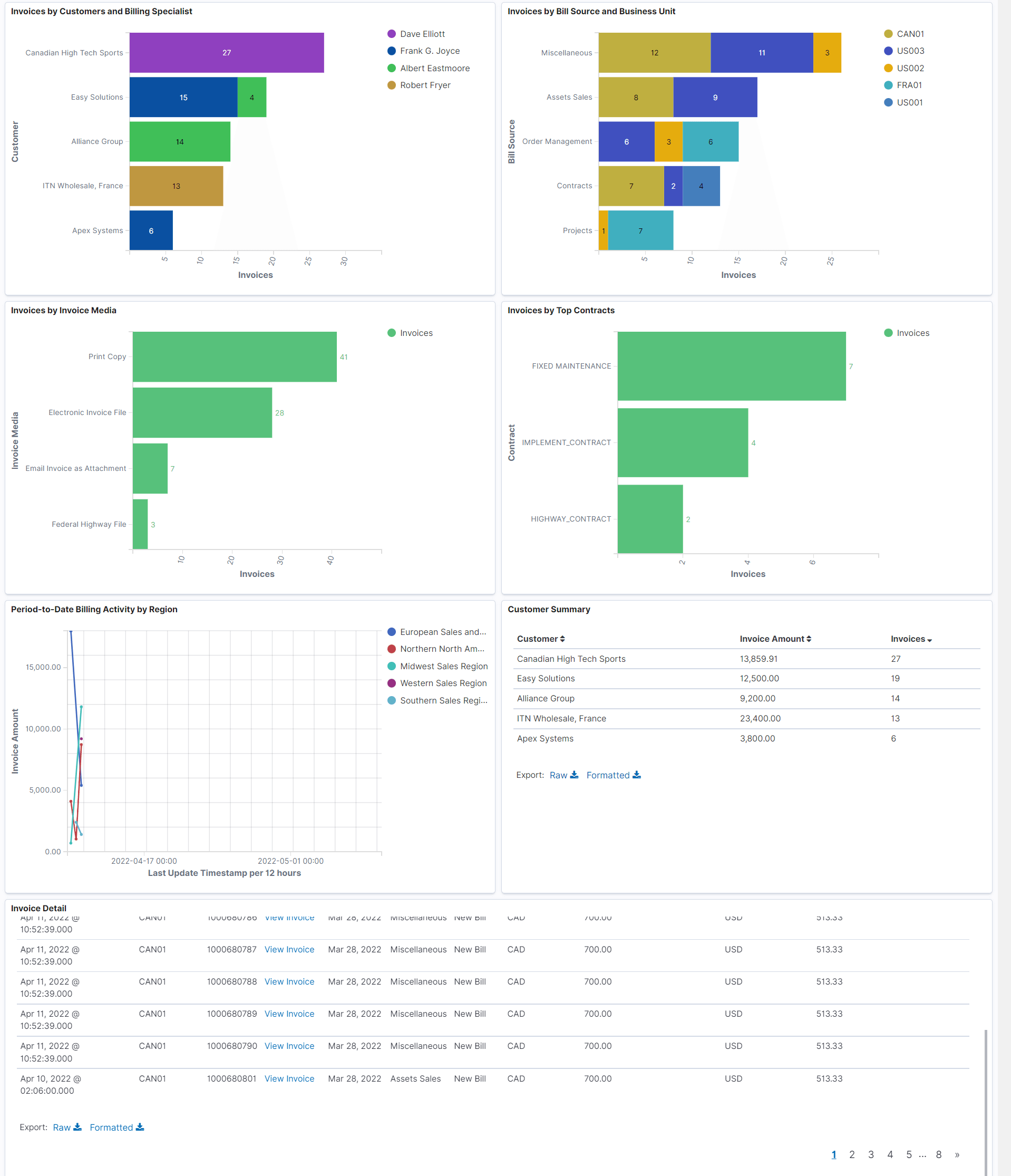
Use the Billing Operations dashboard to analyze the number of invoices processed within a selected time frame.
Navigation:
Select the Billing Operations tile.
This example illustrates the fields and controls on the Billing Operations dashboard (1 of 2).
This example illustrates the fields and controls on the Billing Operations dashboard (2 of 2).
Note:
All transaction amounts are converted to Insights reporting currency for better interpretation and understanding of visualizations. The Insights reporting currency is configured on the Application Fundamentals: Billing - General Options Page.
Each bar chart displays the top 10 projects. If less projects are there, then less bars are displayed.
Customer Summary
This grid displays the list of customers and number of invoices produced along with the invoice amount.
Invoice Detail
This grid displays the summarized Billing detail for a selected time frame.
| Field or Control | Description |
|---|---|
|
Invoice Detail |
Select to access the Bill Summary Info Page. |
Billing Analysis Dashboard
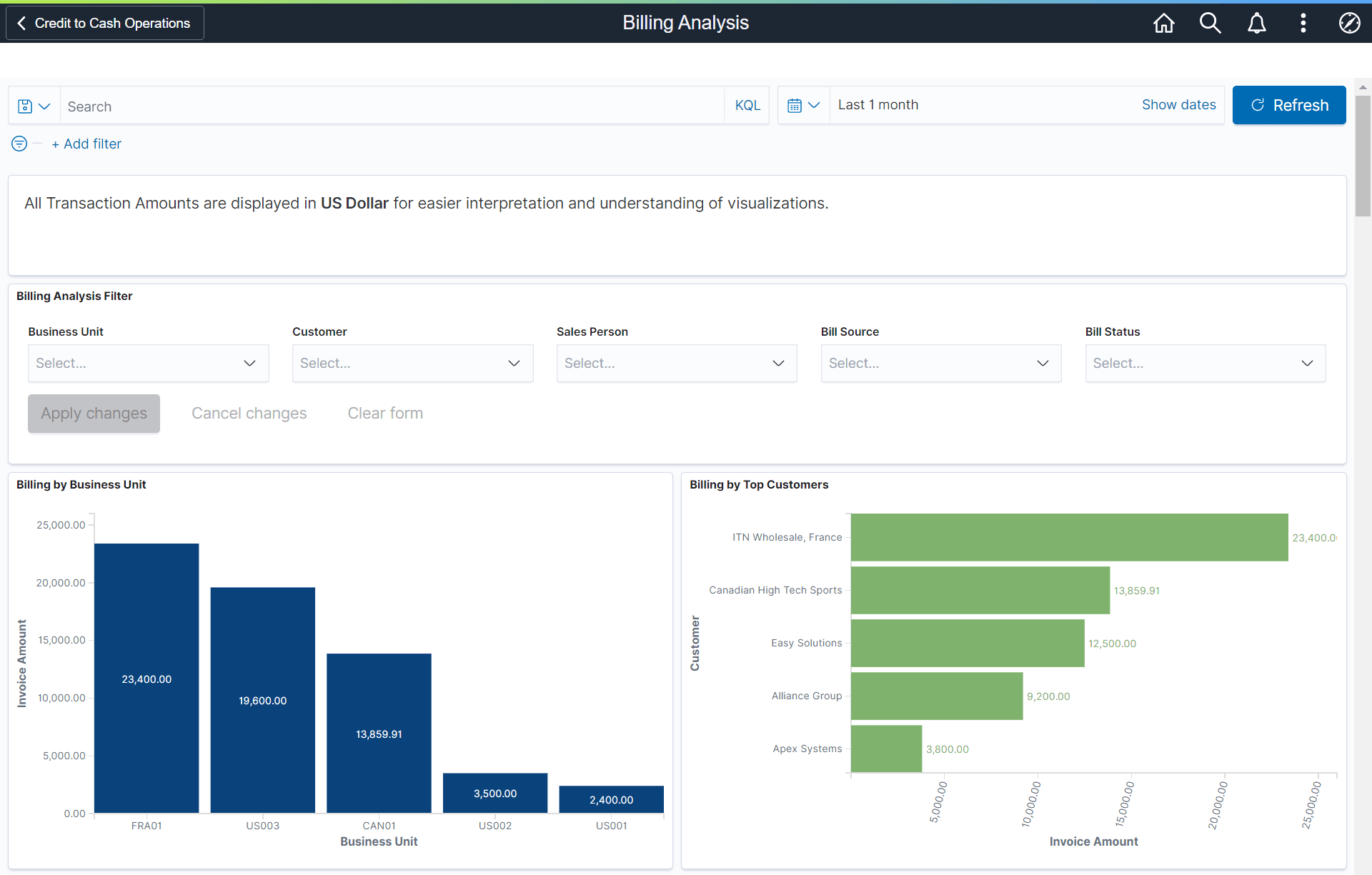
Use the Billing Analysis dashboard to analyze the billing amount within a selected time frame.
Navigation:
Select the Billing Operations tile.
This example illustrates the fields and controls on the Billing Analysis dashboard (1 of 2).
This example illustrates the fields and controls on the Billing Analysis dashboard (2 of 2).
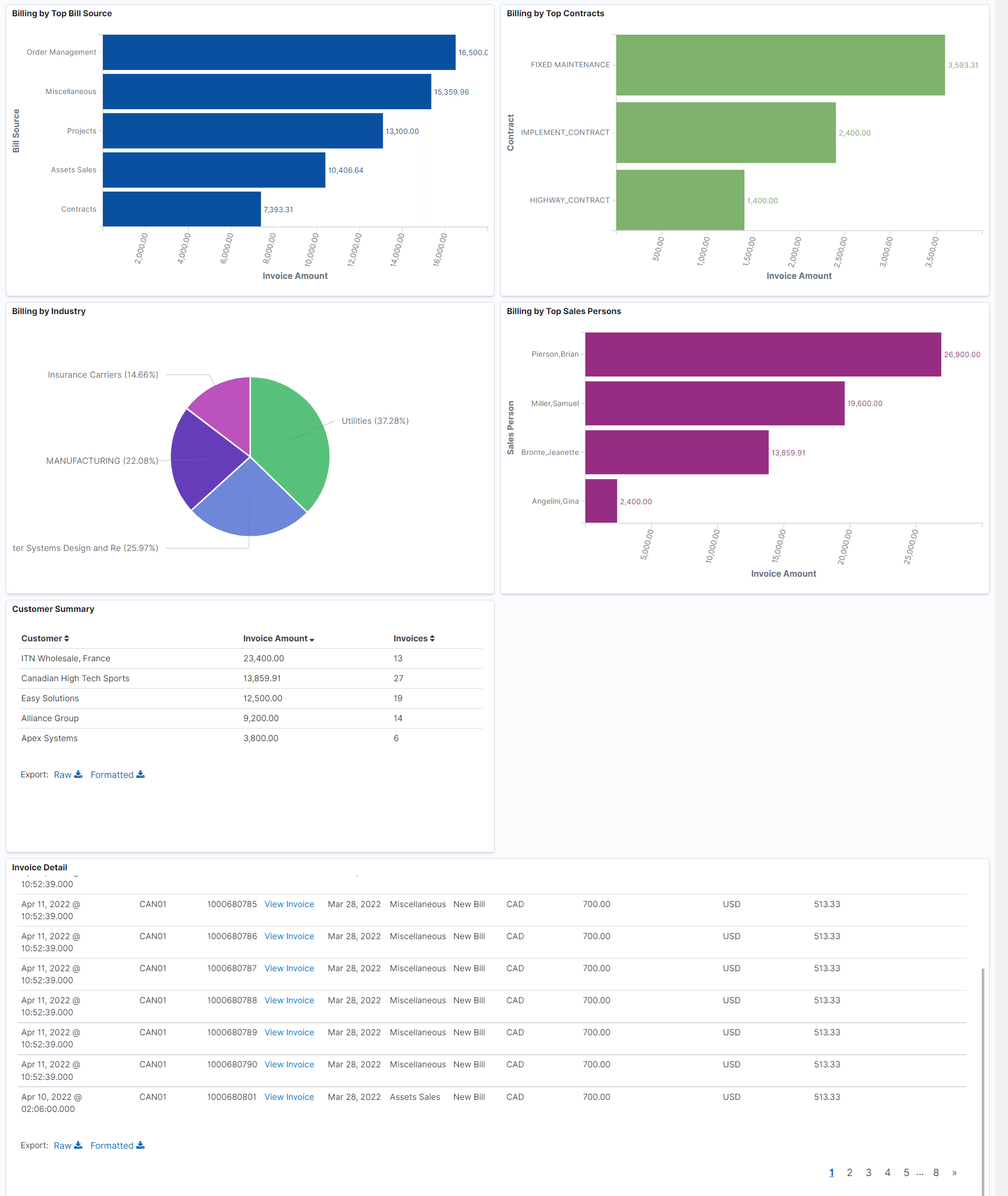
The Customer Summary grid displays the list of customers and number of invoices produced along with the invoice amount.
The Invoice Detail grid displays the summarized billing amount for selected time frame.