Change Deals Portfolio Page
Use the Change Deals Portfolio page (TR_DEAL_WC_GRID_FL) to display open and matured deals; select deals and update portfolio.
Navigation:
Click the Deals: Change Deals Portfolio link.
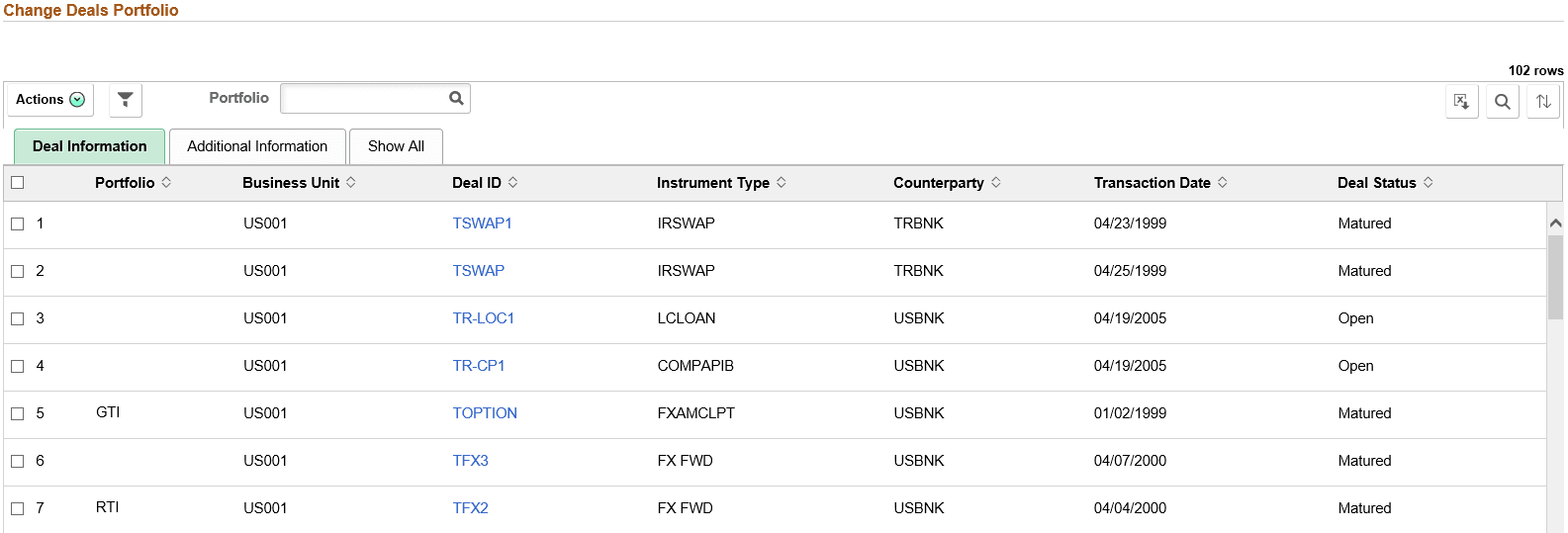
This example illustrates the fields and controls on the Change Deals Portfolio page - Deal Information tab. You can find definitions for the fields and controls later on this page.
| Field or Control | Description |
|---|---|
|
Deal ID |
Click the Deal ID value link to open the Deal Detail page for the deal. |
|
Change Portfolio |
After selecting one or more deals, select a portfolio and click the Change Portfolio option in Related Actions to update the portfolio for the deals. |
|
Email Notification |
After selecting one or more deals, click the Email Notification option in Related Actions to send email notification for the selected transaction. See Application Fundamentals: Setting Up and Personalizing PeopleSoft Fluid WorkCenters for additional information. |