Unpaid Payments Page
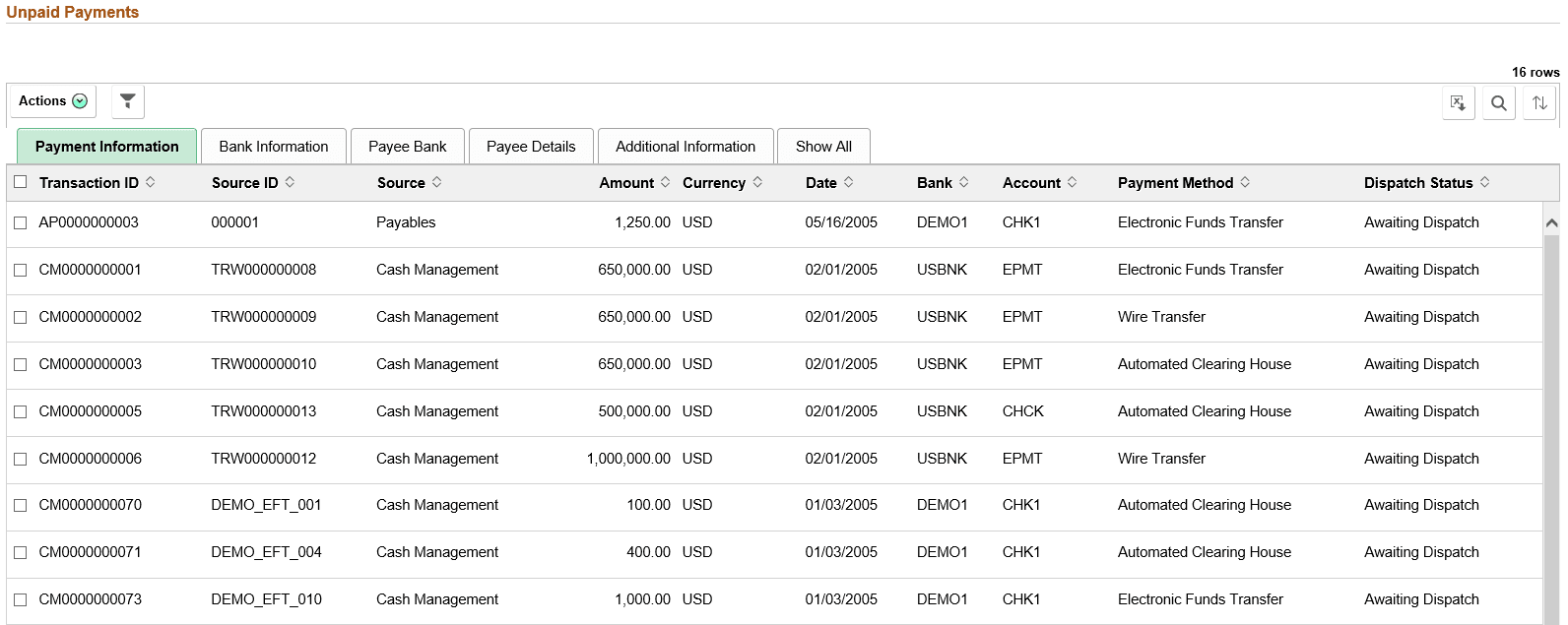
Use the Unpaid Payments page (TR_WC_FG_GRID_FL) to display all unpaid payments that are awaiting dispatch.
Navigation:
Click the Financial Gateway: Unpaid Payments link.
Note:
See the High Value Payments page for examples of the fields on the Bank Information, Payee Bank, Payee Details, and Additional Information tabs. Grids for High Value Payments, Payments Due Today, and Unpaid Payments display the same fields.
This example illustrates the fields and controls on the Unpaid Payments page - Payment Information page. You can find definitions for the fields and controls later on this page.
| Field or Control | Description |
|---|---|
|
|
The available actions are the following:
|
