Managing Funds Transfer Template Approval
This topic discusses how to approve funds transfer template changes.
Page Used to Manage Funds Transfer Template Approval
| Page Name | Definition Name | Usage |
|---|---|---|
|
TR_WR_TMPLT_APPR |
Approve or deny funds transfer template changes. |
Approve Transfer Templates Page
Use the Approve Transfer Templates page (TR_WR_TMPLT_APPR) to approve or deny funds transfer template changes.
Navigation:
This example illustrates the fields and controls on the Approve Transfer Templates page. You can find definitions for the fields and controls later on this page.
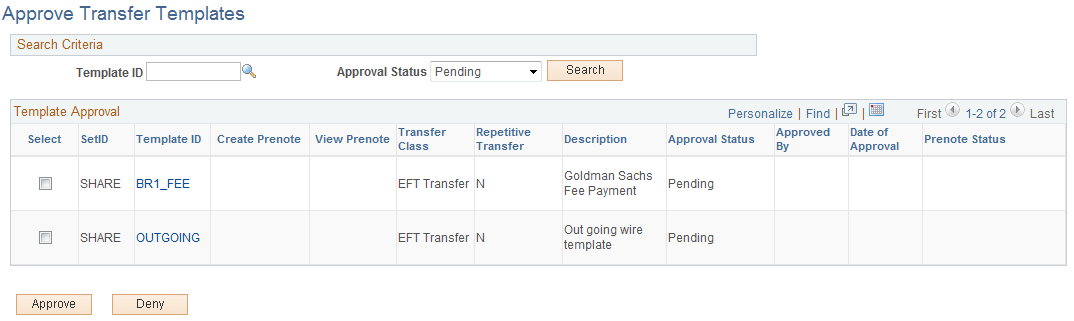
Once transfer templates are created, or if existing templates are modified, you must approve templates prior to using them. This is true for funds transfers as well as prenotes. You can search for a specific template with a particular approval status and select to approve or deny items with your specified values.
To approve or deny transfer templates:
-
Enter your search criteria and click Search.
-
Click the template link in the Template ID column to view template information prior to approval or denial.
-
Select templates for approval or denial and click either Approve or Deny.
| Field or Control | Description |
|---|---|
|
Prenote Status |
Displays the current status of the prenotification. |