Managing In-House Banking Activities
This topic discusses how to automatically calculate interest accruals using the IHB Interest Accruals (in-house banking interest accruals) Application Engine process (TR_TRINTACU), view activity on your internal accounts, and generate schedules for interest accrual.
Pages Used to Manage In-House Banking Activities
| Page Name | Definition Name | Usage |
|---|---|---|
|
Generate Schedules Page |
SCHEDULE_CREATE |
Create an interest accrual schedule. The frequency of the schedule determines the frequency with which the interest is posted to the internal account balance. See PeopleSoft Banks Setup and Processing: Defining Internal Account Information and the PeopleSoft Banks Setup and Processing: Generate Schedules Page. |
|
TR_AE_RUNCNTL |
Run the IHB Interest Accruals process to calculate the amount of interest. |
|
|
BNK_INT_ACCT_BAL |
View data that are related to activity on your internal accounts. |
Calculate Interest Accruals Page
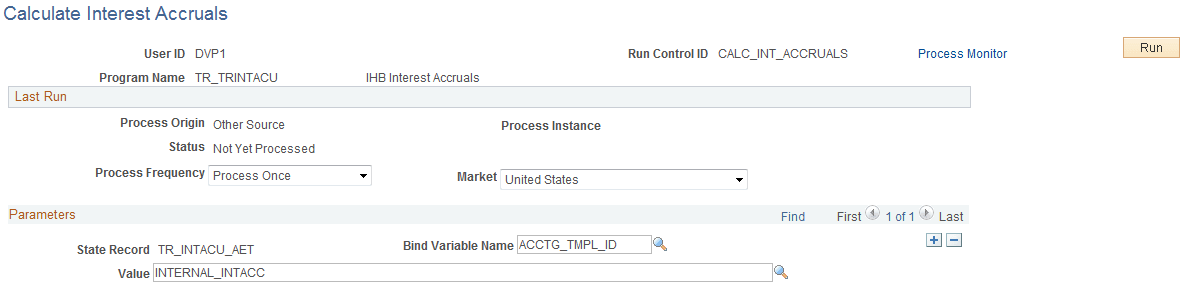
Use the Calculate Interest Accruals page (TR_AE_RUNCNTL) to run the IHB Interest Accruals process to calculate the amount of interest.
Navigation:
This example illustrates the fields and controls on the Calculate Interest Accruals page. You can find definitions for the fields and controls later on this page.
| Field or Control | Description |
|---|---|
|
Bind Variable Name and Value/Date |
In the Parameters grid is an Application Engine run control function that enables you to specify the variable for which you are setting the value. You can add records and specify as many bind variable names as are pertinent to the job.
|