Defining Contract Roles
To define contract role, use the Contract Role component (CA_CONTRACT_ROLE).This is intended to be used by organizations that partner with other organizations to perform work for a customer. Common values for contract role include Prime Contractor and Subcontractor. Contract roles created here will be available for selection on the Contract General page. This section discusses how to define contract roles.
Pages Used to Define Contract Role
| Page Name | Definition Name | Usage |
|---|---|---|
|
(search) |
Search for existing contract roles. |
|
|
(search) |
Add new contract role. |
|
|
CA_CONTRACT_ROLE |
Update control role details. |
Contract Role – Search Page
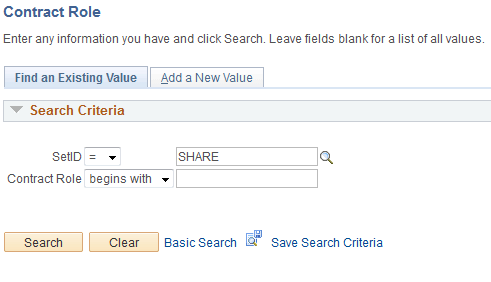
Use the Contract Role Search page to search for existing contract roles. Contract roles are identified by SetID.
Navigation:
This example illustrates the fields and controls on the Contract Role Search Page. You can find definitions for the fields and controls later on this page.
| Field or Control | Description |
|---|---|
|
Contract Role |
Enter suitable contract role corresponding to the SetID. |
Contract Role – Add Page
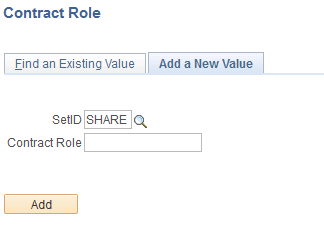
Use the Contract Role Add page to add a new contract role.
Navigation:
This example illustrates the fields and controls on the Contract Role Add Page. You can find definitions for the fields and controls later on this page.
| Field or Control | Description |
|---|---|
|
Contract Role |
Enter appropriate contract role name. |
Contract Role Page
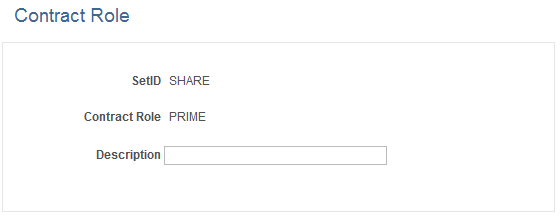
Use the Contract Role page (CA_CONTRACT_ROLE) to update contract role details.
Navigation:
This example illustrates the fields and controls on the Contract Role Page. You can find definitions for the fields and controls later on this page.
| Field or Control | Description |
|---|---|
|
Description |
Add or update description for the contract role selected. Description up to 30 characters can be added. |