Defining Revenue Profile
To define revenue profiles for your organization, use the Revenue Profile component (CA_REVENUE_PROFILE). This section discusses how to define revenue profiles.
The Revenue Profile is an attribute assigned to the contract. It can be used as criteria for establishing product prices in the Enterprise Pricer. Revenue Profiles are identified by SetID. A default revenue profile can be defined for each Business Unit and this appears when creating a new contract.
Pages Used to Define Revenue Profile
| Page Name | Definition Name | Usage |
|---|---|---|
|
(search) |
Search existing revenue profiles or add a new revenue profile. |
|
|
CA_REVENUE_PROFILE |
Define a new revenue profile or edit an existing profile. |
Revenue Profile Search Page
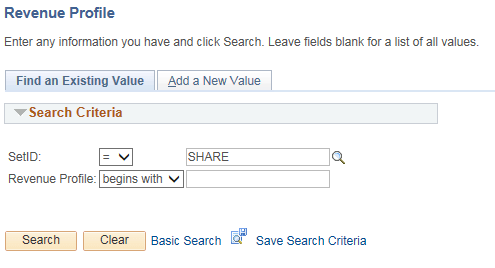
Use the Revenue Profile page (search) to search existing revenue profile or add a new revenue profile.
Navigation:
This example illustrates the fields and controls on the Revenue Profile Search page. You can find definitions for the fields and controls later on this page.
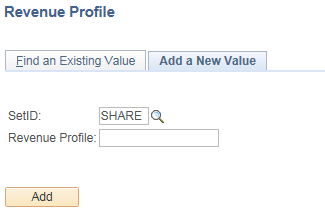
This example illustrates the fields and controls on the Revenue Profile Add page. You can find definitions for the fields and controls later on this page.
| Field or Control | Description |
|---|---|
|
Revenue Profile |
Enter an existing revenue profile name to search or add a new revenue profile name. |
Revenue Profile Page
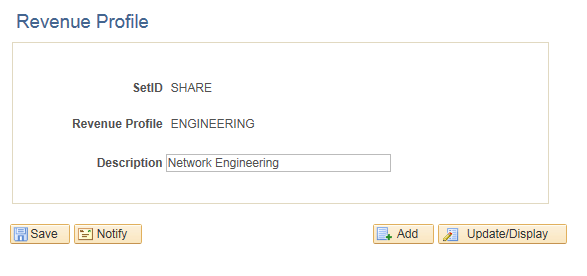
Use the Revenue Profile page (CA_REVENUE_PROFILE) to define new revenue profile or edit existing revenue profile.
Navigation:
This example illustrates the fields and controls on the Revenue Profile page. You can find definitions for the fields and controls later on this page.
| Field or Control | Description |
|---|---|
|
Revenue Profile |
View the description for the selected revenue profile and modify if required. |