Review Billing Services For CRM Page
Use the Review Billing Services for CRM page (CA_BI_MGMT_AI_CRM) to review billing plans with the As-incurred billing method for PeopleSoft CRM.
Navigation:
This example illustrates the fields and controls on the Review Billing Services for CRM page. You can find definitions for the fields and controls later on this page.
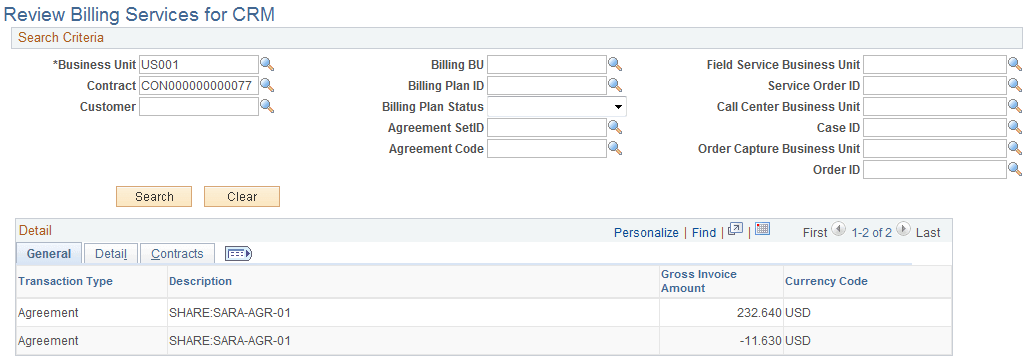
Use the fields in the Search Criteria group box to filter your search results by entering specific values in these fields. If you leave all fields blank, the search returns all billing plans for all active contracts within your system.
Note:
This page is not available for on-demand transactions.
Review Billing Services for CRM: General Tab
| Field or Control | Description |
|---|---|
|
Transaction Type |
Indicates the type of PeopleSoft CRM transaction. Values may include: Agreement, Service Order, Order Capture, and Case. |
|
Gross Invoice Amount |
Displays the gross amount for this billing plan. This is the invoiced amount without discounts and taxes. |
Review Billing Services for CRM: Detail Tab
Select the Detail tab.
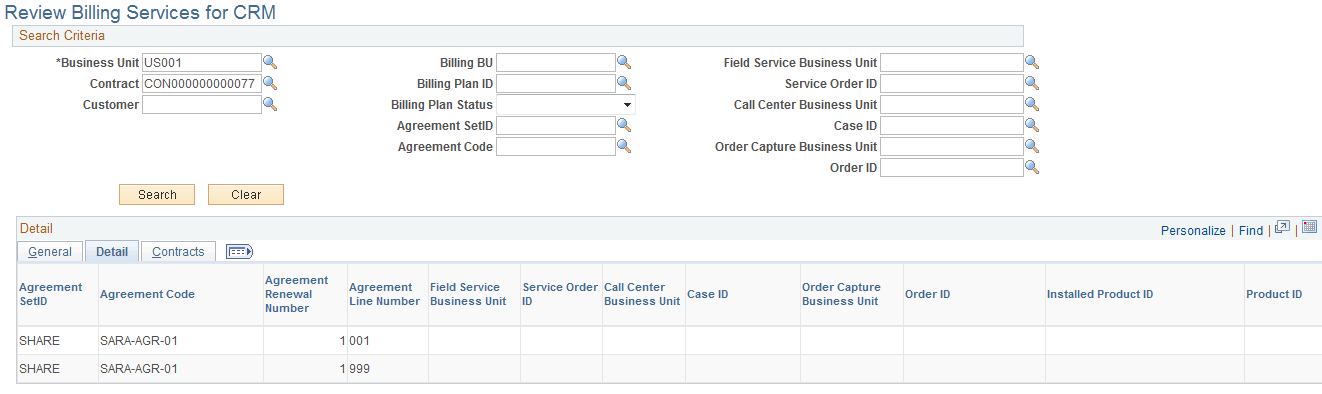
This example illustrates the fields and controls on the Review Billing Services for CRM page: Detail tab. You can find definitions for the fields and controls later on this page.
Review Billing Services for CRM: Contract Tab
Select the Contract tab.
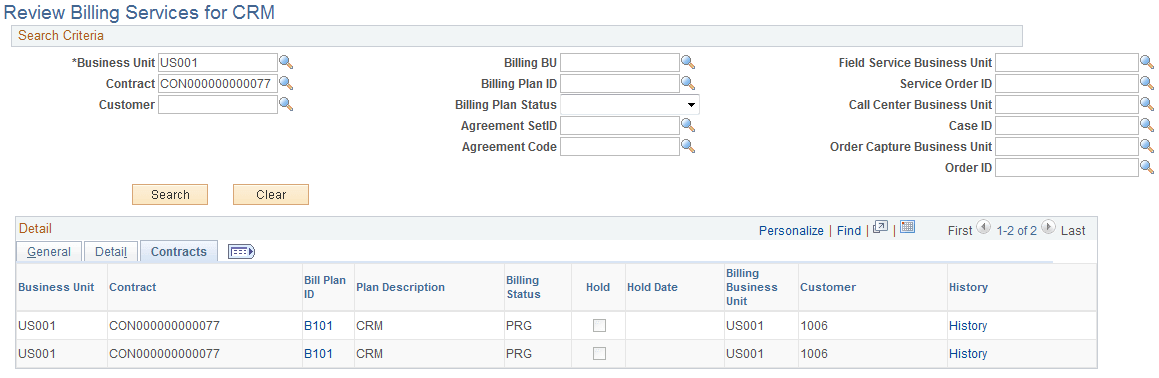
This example illustrates the fields and controls on the Review Billing Services for CRM page: Contract tab. You can find definitions for the fields and controls later on this page.
| Field or Control | Description |
|---|---|
|
Business Unit |
Displays the PeopleSoft Contracts business unit associated with the billing plan. |
|
Contract |
Displays the PeopleSoft Contracts contract number. |
|
Bill Plan ID |
Click to access the Billing Plan - Billing Plan General page to view details pertaining to this billing plan ID. |
|
Billing Status |
Displays the status of the billing plan. |
|
Hold |
Indicates whether this billing plan has been placed on hold. |
|
Hold Date |
Displays the date that the billing plan was placed on hold. |
|
Billing Business Unit |
Displays the PeopleSoft Billing business unit associated with the billing plan. |
|
Customer |
Displays the customer buying the products and services specified on the contract that is associated with this billing plan. |
|
History |
Click to access the Billing History page for this billing plan. |