Entering IRPs with Periodic Interest Accruals Paid at Maturity
When you select a periodic compounding frequency for a deal, the amount accrued is compounded into the principal to calculate the new interest. However, there are deal situations when you want the amount to accrue on a periodic basis, but not be compounded into the principal until the maturity date. These deals situations encompass IRP deals with a term over 1 year and the accrued interest to be paid at maturity—instead of the accrued interest being periodically applied to the principal. (In this discussion we use the convention IRP/1+YR/Interest at Maturity to refer to these types of deals.) To accomplish this, you need to create a new instrument and configure certain fields the Deal Detail page. This ensures that the system withholds paying the accrued amount to the principal until the specified Maturity Date.
To create IRP/1+YR/Interest at Maturity deals:
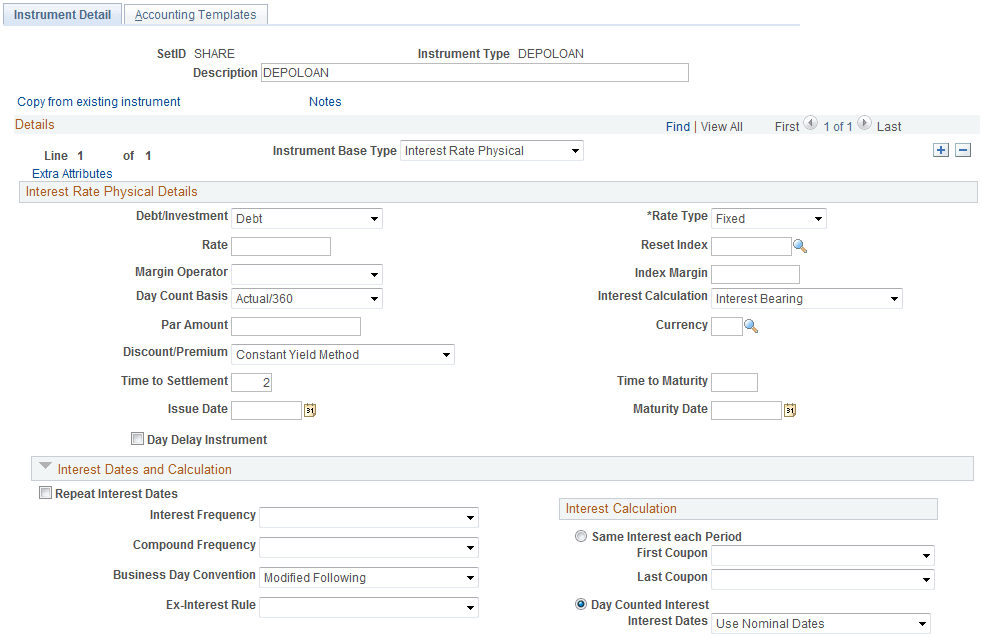
Define a simple interest rate physical instrument, completing the Instrument Detail page as shown here.
Important:
Whenever you configure a new instrument for use in Deal Management, you must also define accounting templates to process the associated accounting events.
See Selecting Accounting Templates.
This example illustrates the fields and controls on the Instrument Detail page – for an interest rate physical instrument (1 of 2). You can find definitions for the fields and controls later on this page.
This example illustrates the fields and controls on the Instrument Detail page – for an interest rate physical instrument (2 of 2). You can find definitions for the fields and controls later on this page.
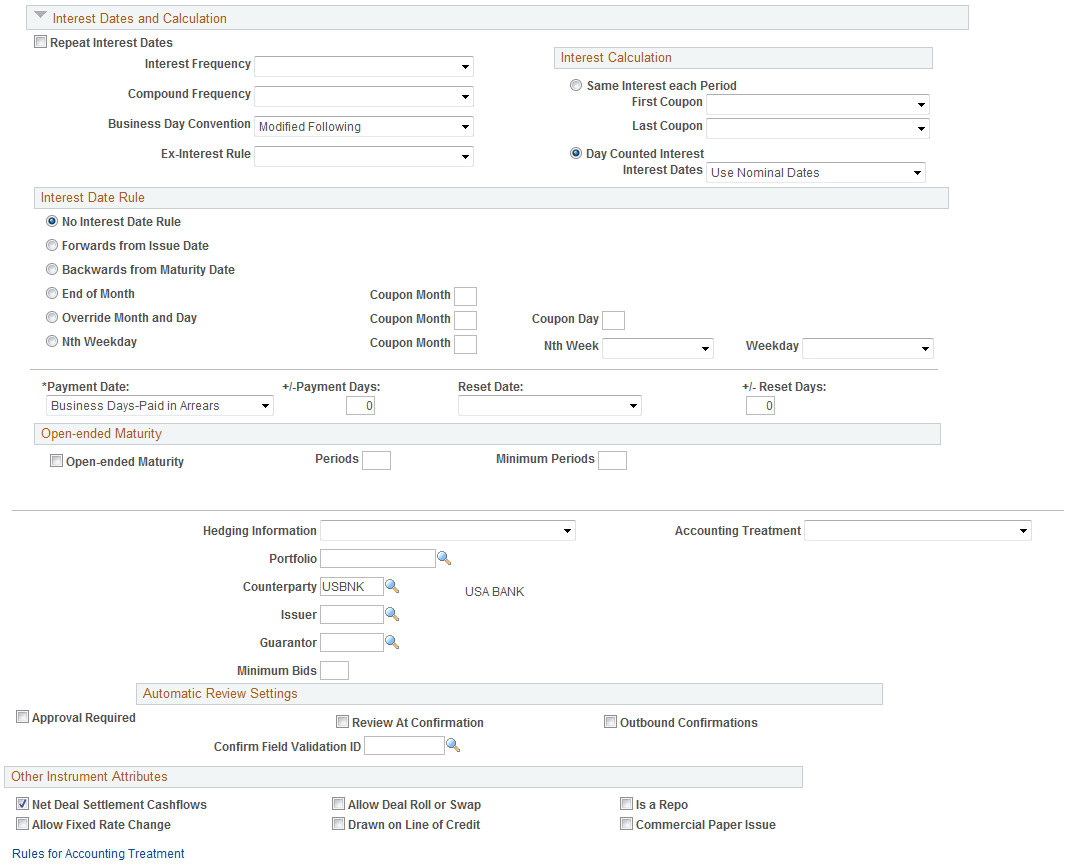
Note that the Repeat Interest Dates check box is deselected, and the Interest Frequency, Ex-Interest Rule, and Interest Date Rule fields are left blank.
Important:
This setting is what enables the system to calculate and pay accrued interest at maturity (for deals created from this instrument).
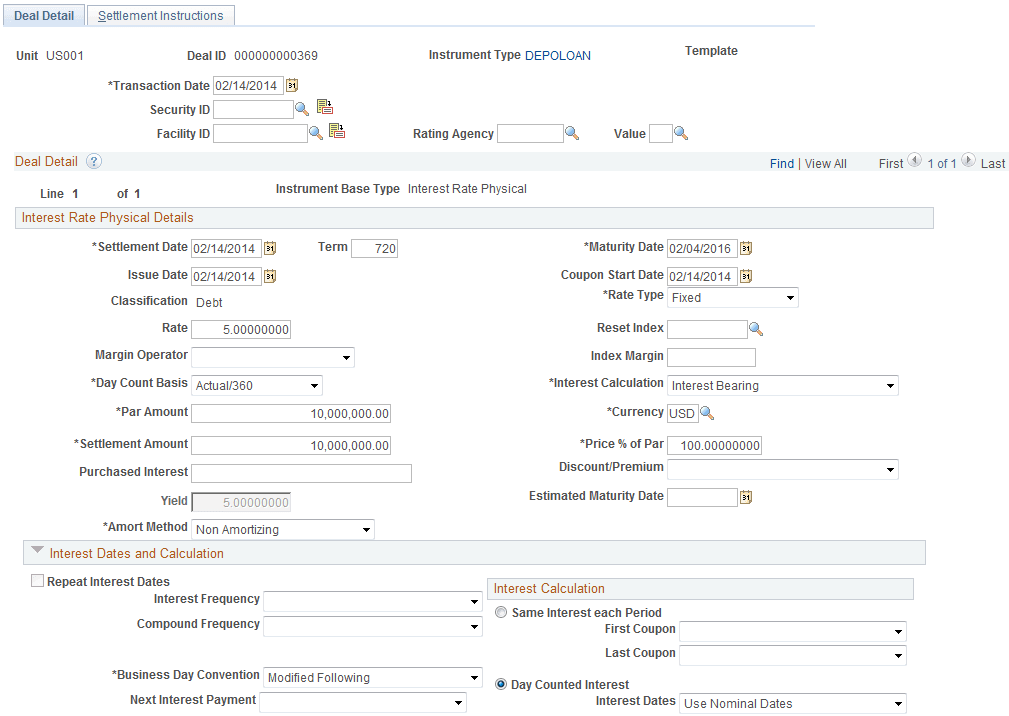
Once you have defined and saved the IRP/1+YR/Interest at Maturity instrument, you can create IRP/1+YR/Interest at Maturity deals. The following two screenshots illustrate defining a IRP/1+YR/Interest at Maturity deal.
On the Deal Detail page, the option you select for Day Count Basis affects the total accrued interest. In this example, specifying Actual/360 for the Day Count Basis returns a total accrued interest amount of 1 million USD. However, if 30/360 is specified, the total accrued interest amount is slightly lower due to the decreased number of days for interest calculation.
As the Deal Detail page for the IRP/1+YR/Interest at Maturity deal derives information from the Instrument Detail page for the IRP/1+YR/Interest at Maturity instrument, the check box and fields left blank on the instrument are unavailable for entry on the deal.
This example illustrates the fields and controls on the Deal Detail page – entering deal detail information (1 of 2).
This example illustrates the fields and controls on the Deal Detail page – entering deal detail information (2 of 2).
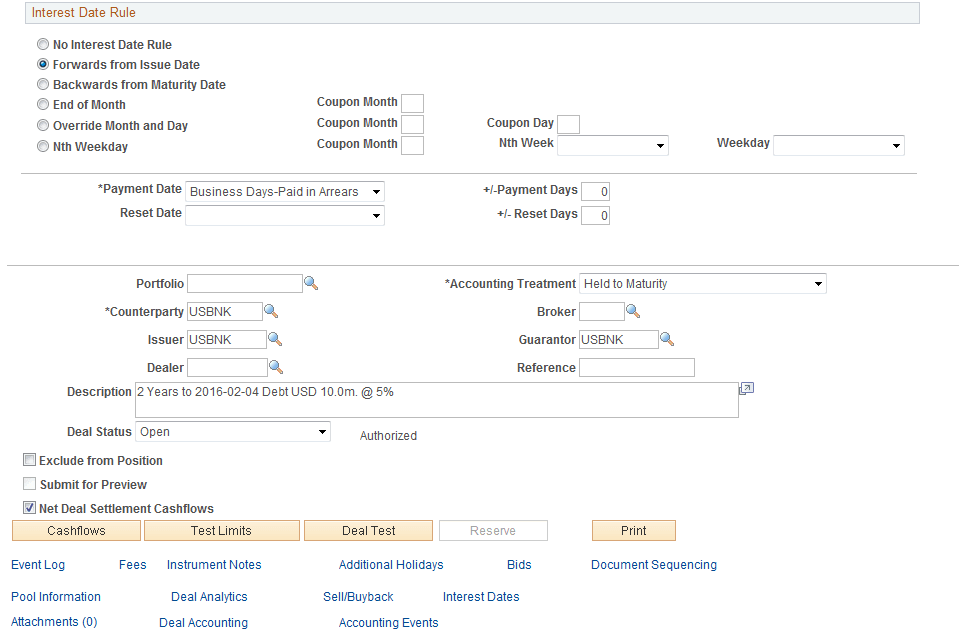
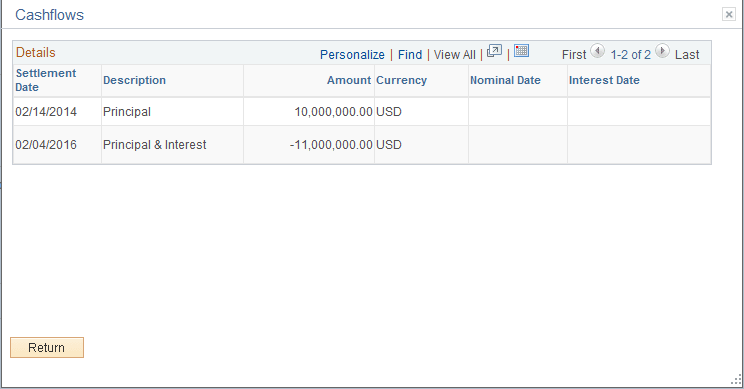
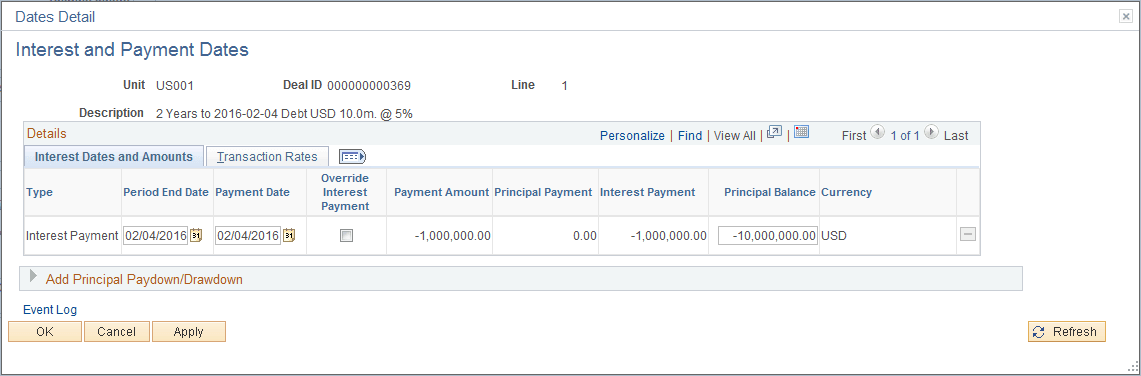
When you complete entering information and save the deal, the Cashflows page and the Interest and Payment Dates page are populated as shown in the following two page views.
This example illustrates the fields and controls on the Cashflows page – with interest added to principal at maturity. You can find definitions for the fields and controls later on this page.
This example illustrates the fields and controls on the Interest and Payment Dates page - with interest added to principal at maturity.
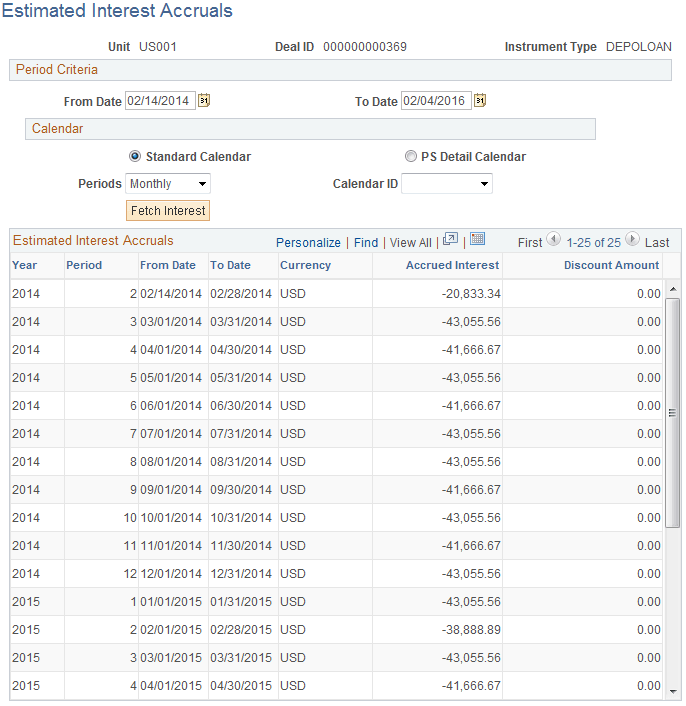
You can view periodic accrual amounts using the Estimated Interest Accruals page (TRX_ACCR_INT_PNL). The monthly interest accrual for this IRP/1+YR/Interest at Maturity deal example is shown in the following application page.
This example illustrates the fields and controls on the Estimated Interest Accruals page.
Also, if you set up Treasury Accounting to automatically run (on a periodic basis), the system books the accrual amount each time you run the accounting process. However, the system does not book the interest payment until the defined payment date (which may or may not be the deal maturity date, depending on the deal capture details).