Deleting Engineering Routings
You can also delete engineering routings.
Page Used to Delete Engineering Routings
| Page Name | Definition Name | Usage |
|---|---|---|
|
EG_RTG_DELETE |
Delete routings for a range of items. |
Delete Engineering Routings Page
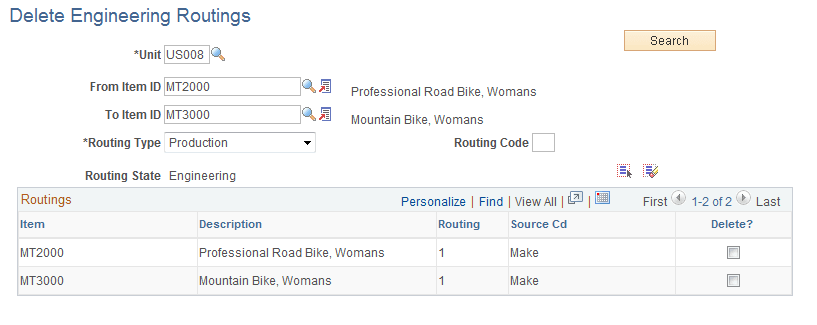
Use the Delete Engineering Routings page (EG_RTG_DELETE) to delete routings for a range of items.
Navigation:
This example illustrates the fields and controls on the Delete Engineering Routings page. You can find definitions for the fields and controls later on this page.
| Field or Control | Description |
|---|---|
|
From Item ID, To Item ID, Routing Type, and Routing Code |
Select values for the routing to delete. |
|
Search |
Click to retrieve the selected routings. |
|
Delete? |
Select this check box for any item whose routing that you want to delete. You can also deselect the check box for any routings that you don't want to delete. |
|
|
Click the Select All button to select all the Delete? check boxes. |
|
|
Click the Deselect All button to deselect all the Delete? check boxes. |

