Setting Up Rounding Rules
This section discusses how to define rounding rules.
Page Used to Set Up Rounding Rules
| Page Name | Definition Name | Usage |
|---|---|---|
|
EOEP_ROUND_RULE |
Define rounding rules (the decimal points to round the adjustments and net price based on the base price during the pricing calculation). |
Price Rounding Rule Page
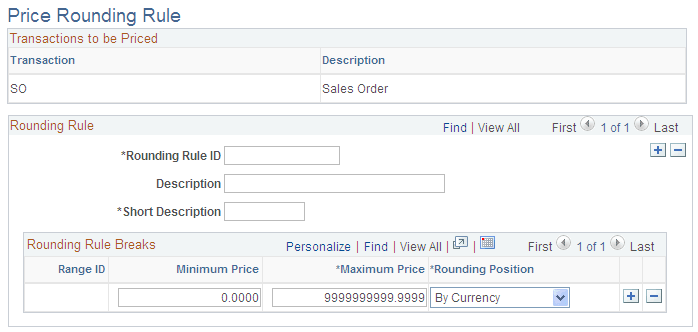
Use the Price Rounding Rule page (EOEP_ROUND_RULE) to define rounding rules (the decimal points to round the adjustments and net price based on the base price during the pricing calculation).
Navigation:
This example illustrates the fields and controls on the Price Rounding Rule page. You can find definitions for the fields and controls later on this page.
| Field or Control | Description |
|---|---|
|
Rounding Rule ID |
Enter an ID for the rule. You must also add a short description. |
|
Minimum Price and Maximum Price |
Use to establish different rounding levels by price. Levels can not overlap. |
|
Rounding Position |
Select to establish how you want rounding to take place. By Currency: The defines the decimal precision for the currency code of the transaction. This option is the default. By Decimal Point: Select this option to round to a specific decimal position. If you select this option, you also must select a decimal position. Values for decimal position are between 0 and 4. |