Setting Up Requisition Inquiry Skill
This topic discusses how to configure the Requisition Inquiry Skill.
Pages Used to Set Up Requisition Inquiry Skill
| Page Name | Definition Name | Usage |
|---|---|---|
|
Bot Definition Page |
EOCB_BOTDEFN_FL |
To view the existing Bot configurations and newly define a bot. To display the Requester Bot tile on any application homepage, the administrator must follow the steps described in the Enabling Requisition Inquiry Skill section. For more information, see PeopleTools: Administering Content References. |
|
Branding Template Page |
EOCB_BRNDTMPL_FL |
To define the template to brand the chatbot. |
For more information on setting up the bot, see Enterprise Components: Creating Bot Definitions.
Enabling Requisition Inquiry Skill
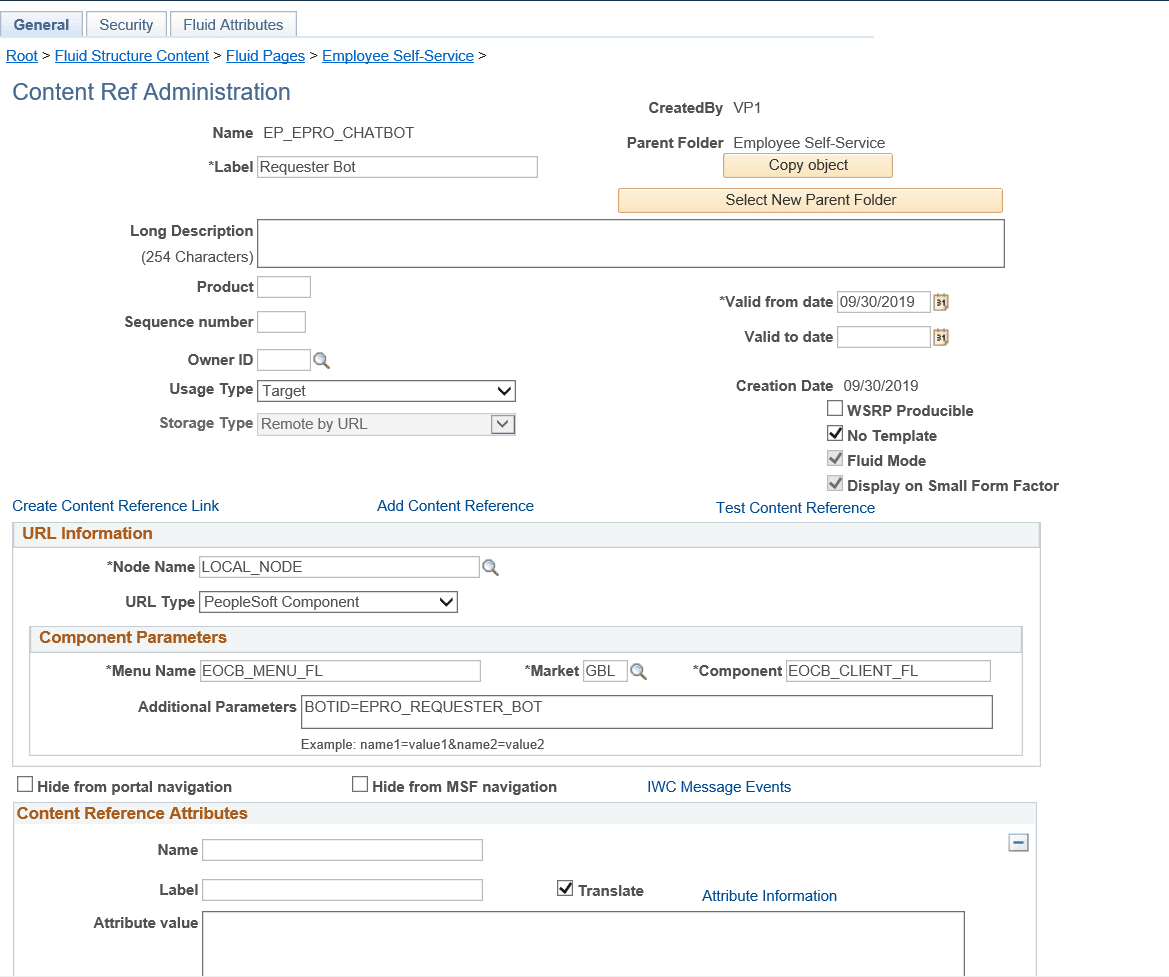
Use the Fluid Attributes tab (PORTAL_GROUPLET) on the Content Ref Administration (PORTAL_CREF_ADM) page to add the Requester Bot tile to any homepage.
Navigation:
Select the Edit option for the Requester Bot label.
This example illustrates the fields and controls on the Content Ref Administration page.
Select the Fluid Attributes tab.
This example illustrates the fields and controls on the Structure and Content - Fluid Attributes page.
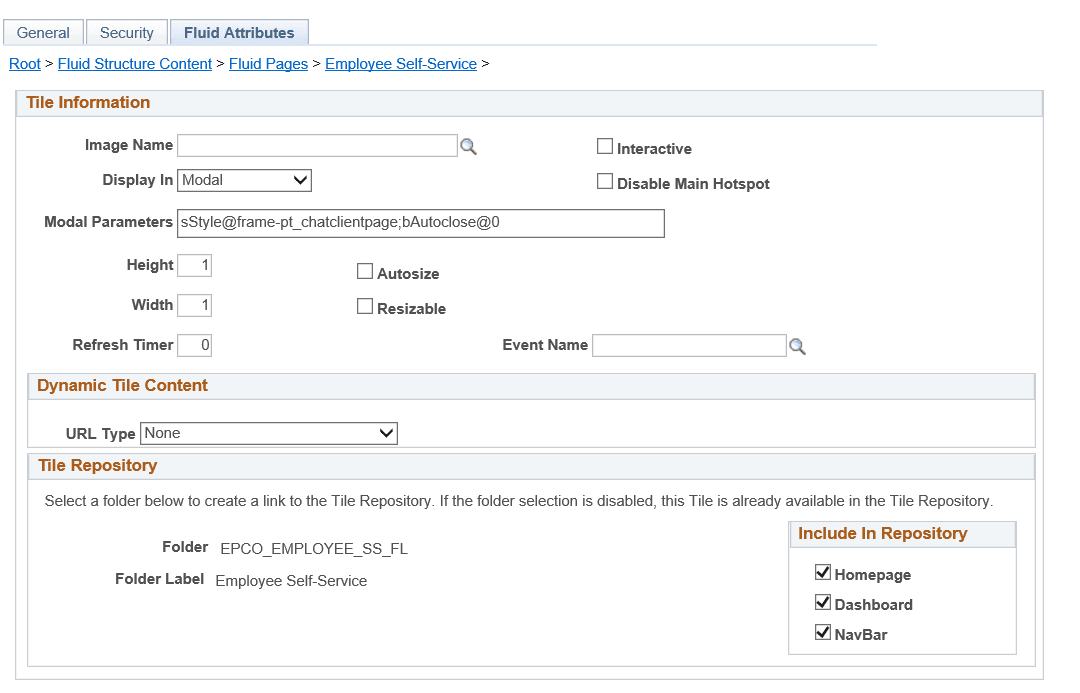
In the Tile Repository grid, select the Homepage check box so that the Requester Bot tile displays on the Employee Self Service homepage.