Inquiring Invoices Using the Invoices and Payments Assistant
Use the Invoices and Payments Assistant to inquire on invoices, payments and disputes.
Navigation
On the secure Supplier Home Page, click the PeopleSoft PICASO button.
This example illustrates the fields and controls on the eSettlements Skill page.
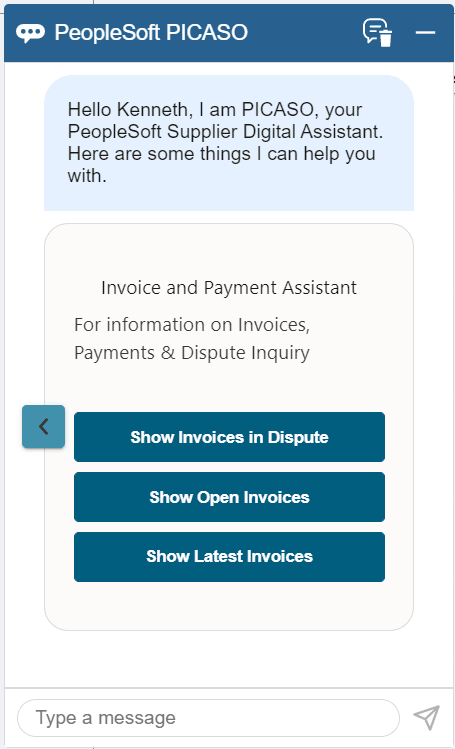
You can begin the interaction with the skill by choosing an option (Show Invoices in Dispute, Show Open Invoices, and Show Latest Invoices) displayed, or by entering your query.
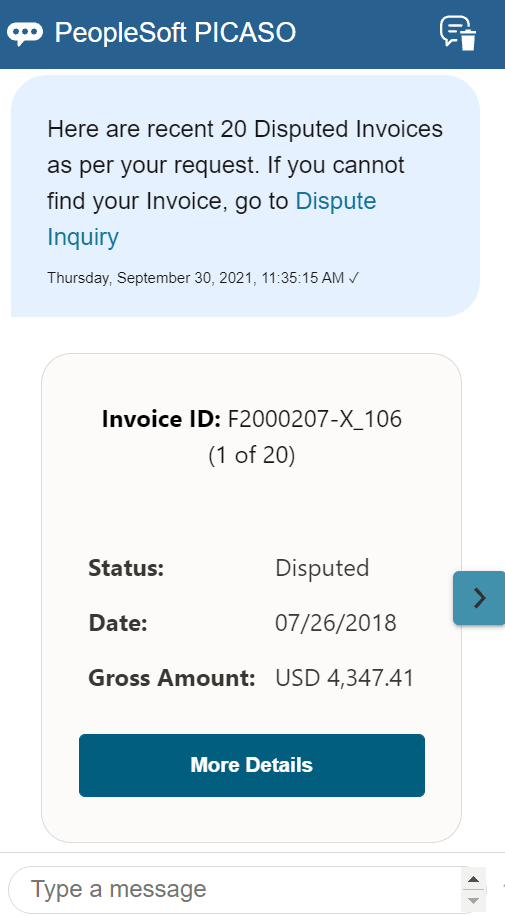
For example, select the Show Invoices in Dispute option to view the invoices in dispute status. You can view up to 20 recent disputed invoices.
This example illustrates the fields and controls on the Invoices and Payment Assistant page.
Note:
While responding to the skill, if you enter an incorrect value, the skill displays a message indicating that it does not understand your response. To proceed, you can rephrase your query or enter help in the message box.
Similarly, you can select the Show Open Invoices and Show Latest Invoices options and view the available results. Click Show Latest Invoices to view 20 recent invoices. To view 20 recent invoices that are in Open status, click Show Open Invoices.
| Field or Control | Description |
|---|---|
|
Dispute Inquiry |
Click to access the Invoices in Dispute page. For more information, see Resolving Disputing Invoices in PeopleSoft Fluid |
|
Invoice Inquiry |
Click to access the Invoice Inquiry page. For more information, see Inquiring on Invoices Using PeopleSoft Fluid |
 |
Click this icon to scroll through the results. |
|
More Details |
Select to navigate to the related page, where you can see additional details of the invoice and perform the required actions. |